The basics of operation
15
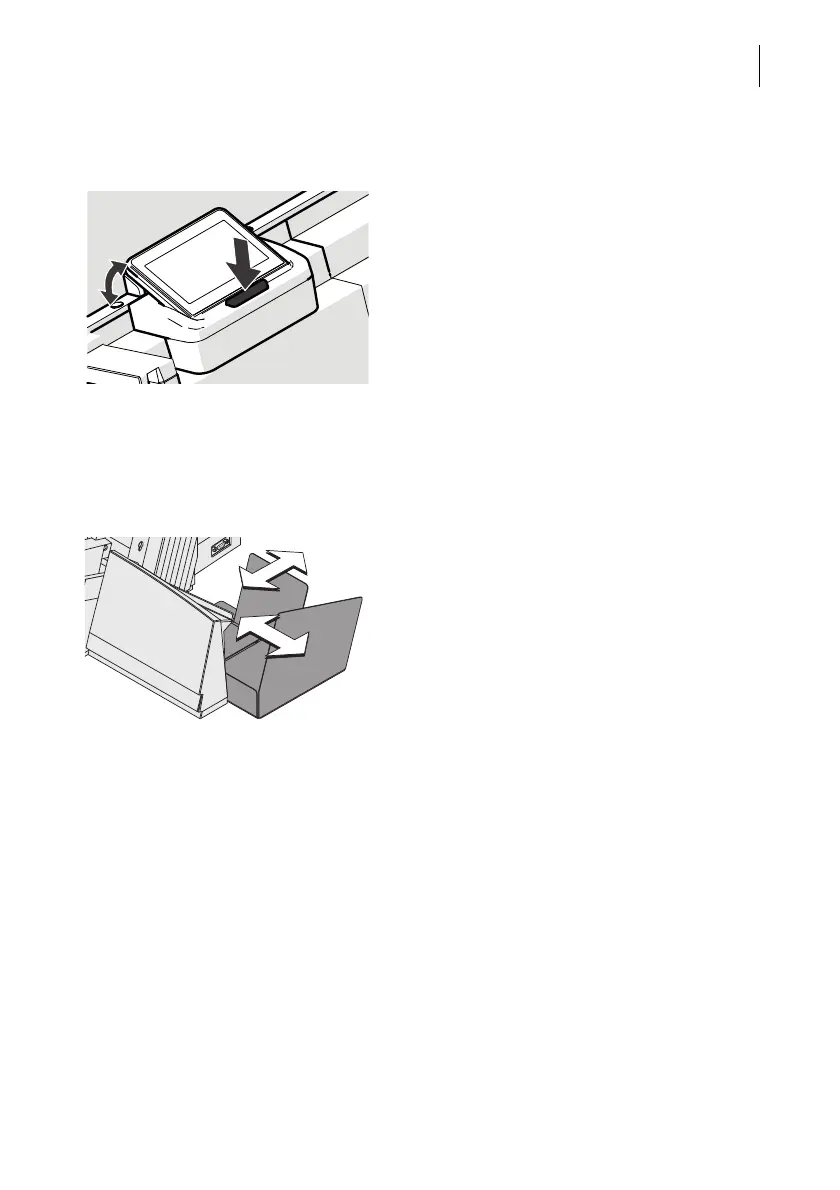
3.3 Adjusting the display inclination
• Press the key below the display and set
the display in the desired position. The
adaptation mechanism features several
catches.
• Release the key.
3.4 Setting the letter catch tray
The catch tray can be adapted to different envelope sizes – up to ISO B4
(250 mm x 353 mm).
• Adjust both catch brackets so that the
franked mail pieces easily slide into the
catch tray and are neatly stacked.



 To Next Page