PostBase One Franking System
28
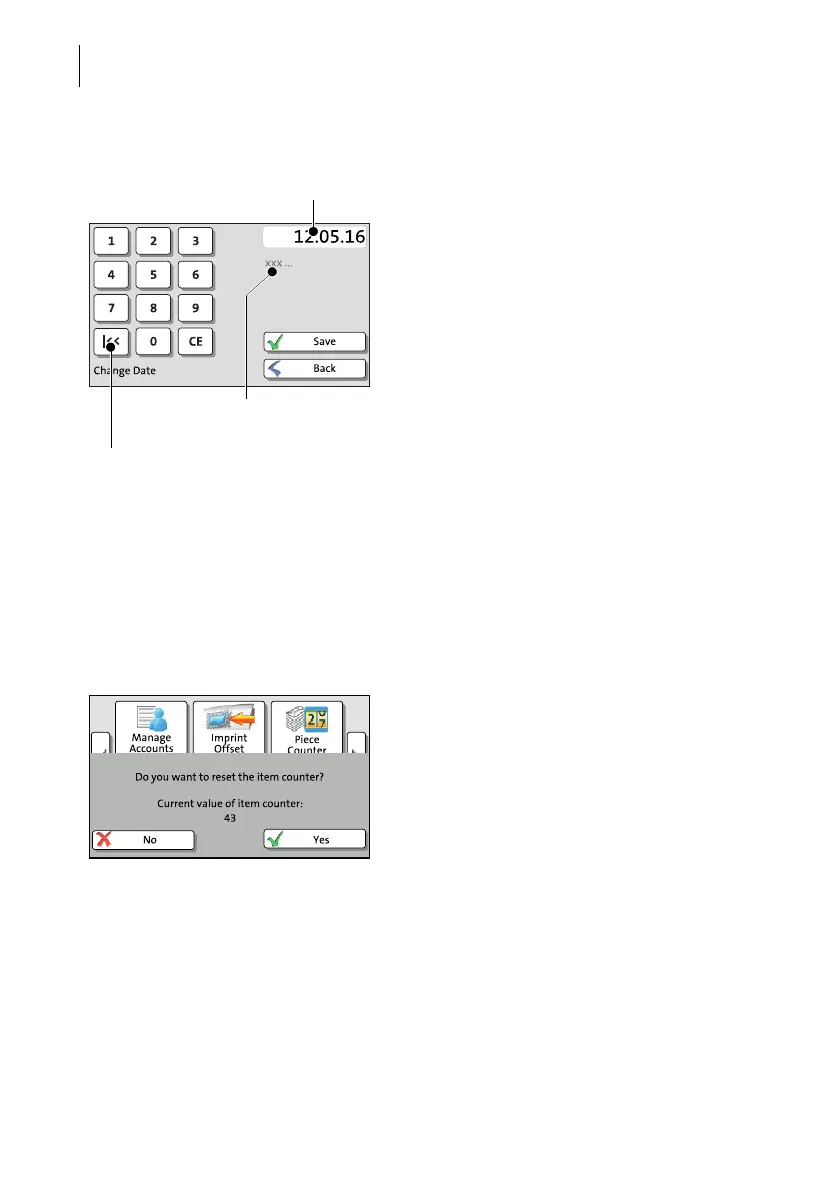
Input via keypad
Use the keypad in the left area of the display
to input values. The top right text box indi-
cates your input.
The keypad is always matched to the respec-
tive situation: The button labels change
accordingly, depending on whether you must
type figures or figures and letters.
The bottom left button is assigned a special
function matched to the current operation,
e.g. change between small and capital let-
ters. The info text informs of special features
and gives additional hints.
Press CE to clear input.
Press S
AVE to accept the current settings and
to quit the adjustment menu.
Press B
ACK(resp.CANCEL) to discard your
changes and to quit the adjustment menu.
3.7.7 Pop-up windows
For some settings, a window covering parts
of the current window opens (pop-up win-
dow). The pop-up prompts you for an action.
Messages and the batch processing feature
also appear as a pop-up.
Some pop-up messages feature auto-confir-
mation, i.e. they automatically close after
some time.
Current input
Info text (if any)
Button assigned according to function
(here: reset to current date)



 To Next Page