Account administration
83
13.5 Print account report (optional)
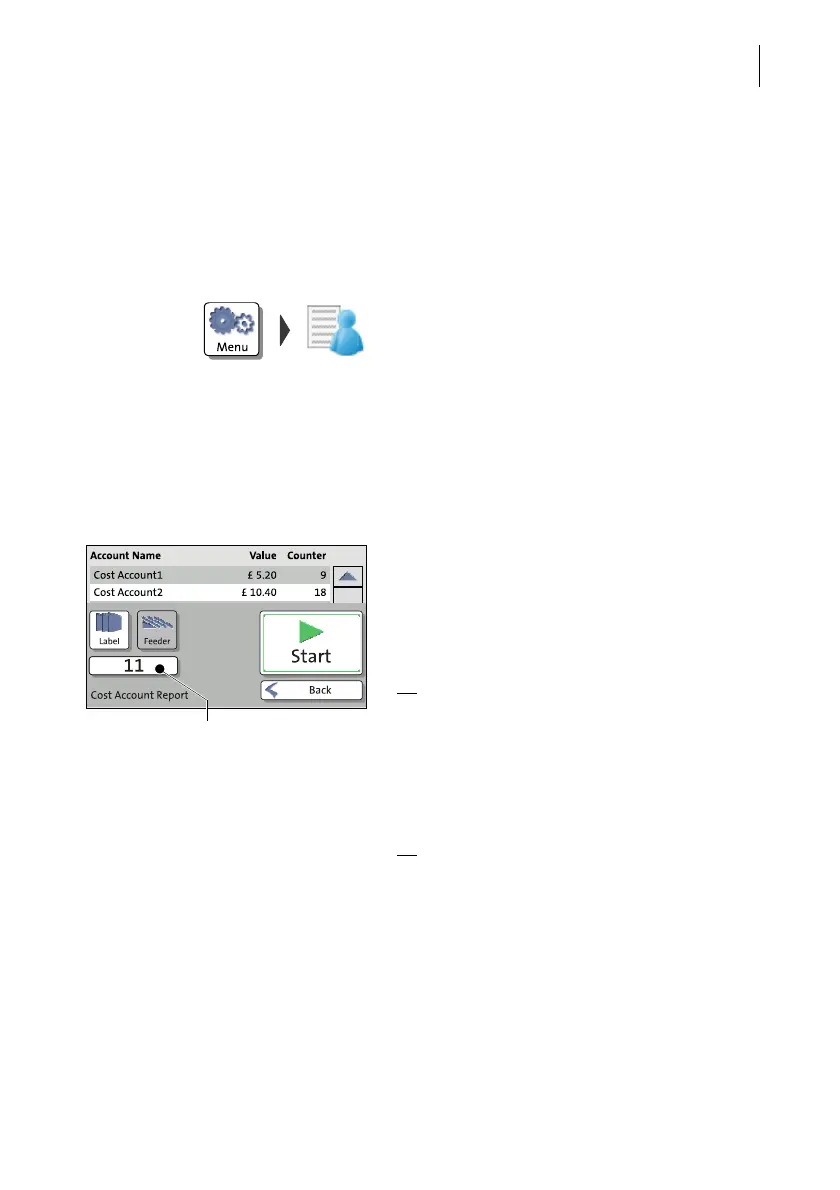
PostBase One can print account reports for all accounts or individual accounts. An
account report contains the account name(s), the postage used and the number of
performed frankings since last setting the account to zero, as well as the date, the
time, and information on the franking machine.
Print information about all accounts
• Open the MENU.
• Choose M
ANAGE ACCOUNTS.
• Select S
HOW LIST.
PostBase One displays a list of all accounts
containing the respective number and value
of franked letters.
• Press the P
RINT button.
• Position an empty envelope / postcard.
PostBase One prints the first page of the
account report.
• Position more envelopes / postcards to
print the following pages.
Or
:
• Press the L
ABEL button.
• Press the S
TART button.
PostBase One prints the account report on
labels. The number of labels to be printed is
displayed on the left.
Or
:
• Press the F
EEDER button.
• Position empty envelopes / postcards on
the feeder.
PostBase One prints the report of all
accounts; spread to the displayed number of
pages.
Number of imprints / pages / labels



 To Next Page