Setting the franking imprint
43
4.1.3 Setting the weight manually
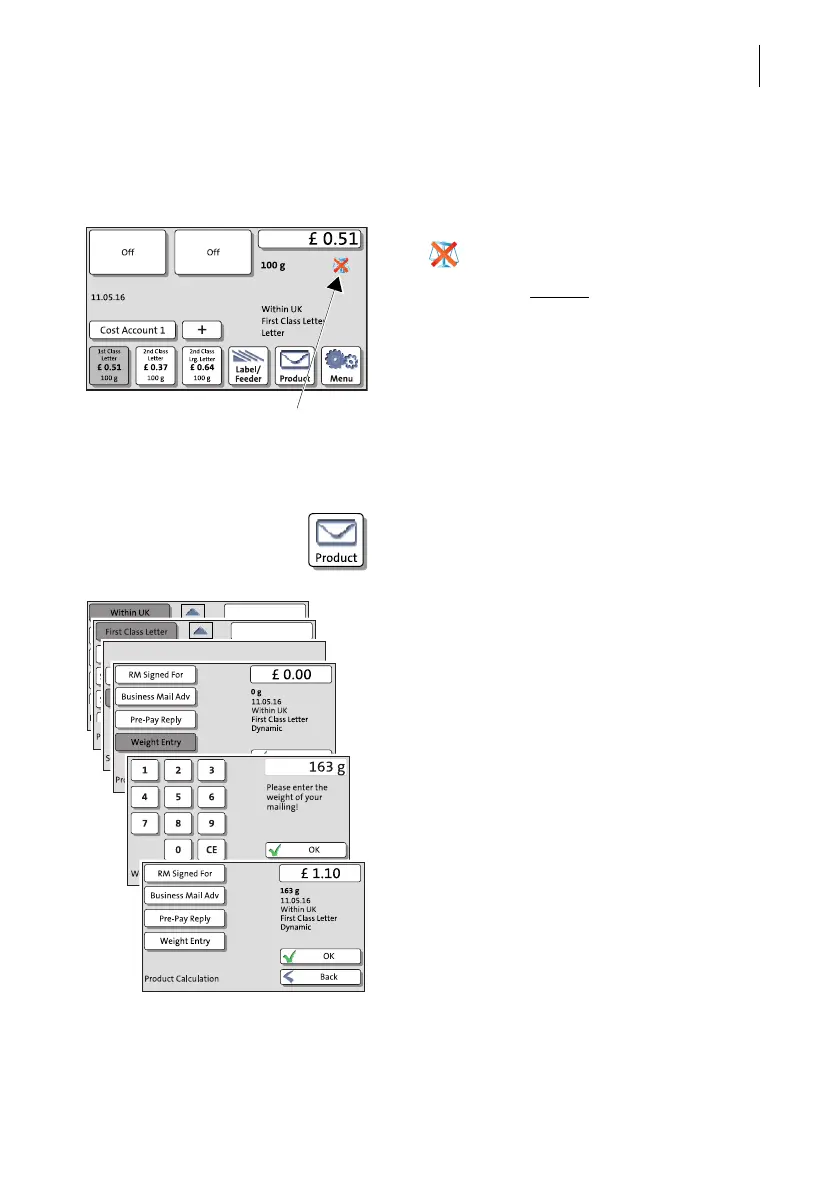
PostBase One offers the possibility to set the weight manually for product calculation.
If no scale is available, PostBase One shows
the icon in the Home screen.
In this case, you have to enter the weight for
postage calculation manually in the Product
Calculation menu.
Enter weight
• In the Home screen, press the PRODUCT
button.
PostBase One opens the Product Calculation
menu.
• Set the desired mailing data.
• Select the W
EIGHT ENTRY option.
PostBase One opens the adjustment menu
for entering the weight.
• Enter the weight.
• Confirm with OK.
PostBase One uses the entered weight to
calculate the postage.
• Press OK to confirm the displayed product
settings and return to the Home screen.



 To Next Page