Maintenance and care
113
15.5 Changing the ink tank (PostBase One Bulk Ink)
PostBase One will remind you when it is time to change the ink tank. If the ink tank is
empty, PostBase One automatically initiates the tank change procedure. The frank-
ing system is no longer ready for operation. You have to replace the ink tank before
you can go on printing with PostBase One. We recommend always keeping a new
ink tank in reserve.
Warning! Ingestion of the ink can be hazardous. Avoid contact with the eyes.
Keep the ink tank away from children. Further instructions for use are
enclosed with the ink tank.
Caution! Heed the following tips to avoid damage to the print system:
• Do not yank the cartridge flap open. Run the C
HANGE INK TANK function
from the PRINT SYSTEM menu. The flap then opens by itself.
• We recommend to use only approved FP equipment and FP original parts.
The manufacturer FP has established reliability, safety and applicability.
The manufacturer cannot assess the reliability, safety and applicability for
products not approved by FP, and therefore not vouch for such products.
• Only insert new ink tanks.
Caution! There could be ink residues on the used ink tank.
• Take care not to soil your skin, your clothes, or objects near by.
• Use a mat to place the ink tank.
Changing the tank
PostBase One tells you when to change the
ink tank.
• Confirm the message.
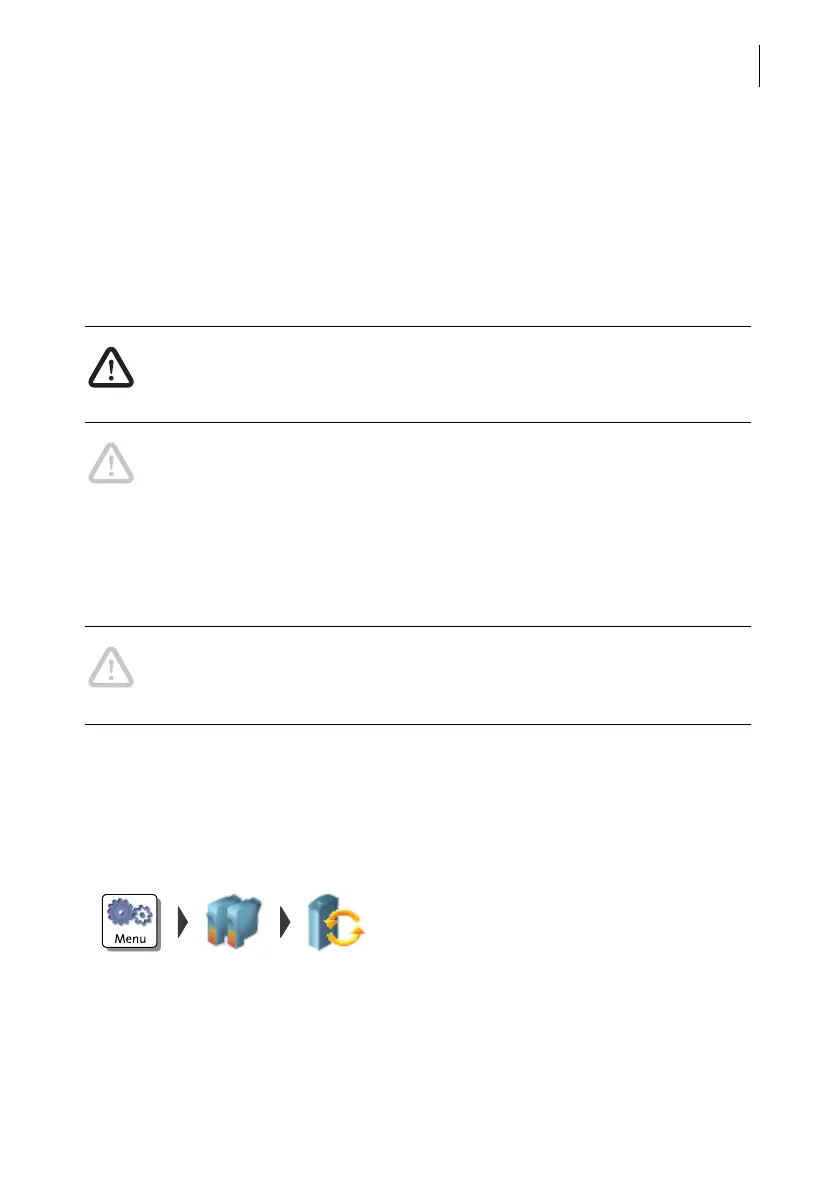
• Open the M
ENU.
• Choose P
RINT SYSTEM.
• Choose C
HANGE INK TANK.
The exchange procedure starts.
PostBase One opens the flap of the print sys-
tem.



 To Next Page