PostBase One Franking System
70
10.4 Displaying and printing DX information (example Navigator)
The PC software from Francotyp-Postalia offers you the possibility to display and
print DX usage data.
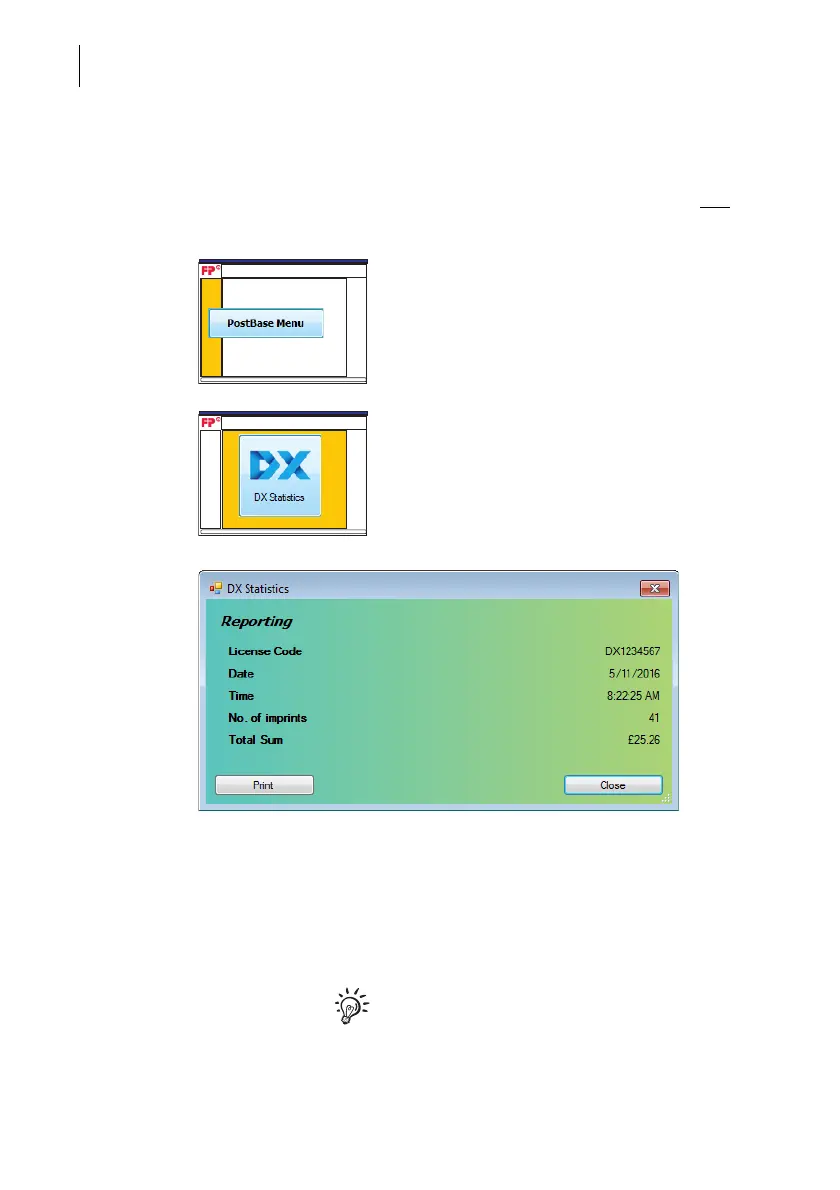
• In the Navigator main menu, click on the
[PostBase Menu] button.
• Click on the [DX Statistics] button.
NavigatorPlus opens the ‘DX Statistics’ pop
up. It shows the DX license code, the number
and the total value of all DX imprints as well
as the current date and time.
Printing the DX reporting
• Click on the [Print] button.
Navigator prints the DX statistics on the set
printer.
For basic information on print settings,
please read the manual provided with the
software.



 To Next Page