Maintenance and care
121
15.8 Replacing the ink fleece
PostBase One will remind you when it is time to change the ink fleece.
Caution! Take care not to soil your skin, your clothes, or objects near by.
Use a mat to place the fleece tray.
• Open the M
ENU.
• Choose P
RINT SYSTEM.
• Choose C
HANGE INK FLEECE.
PostBase One opens the wizard for chang-
ing the ink fleece.
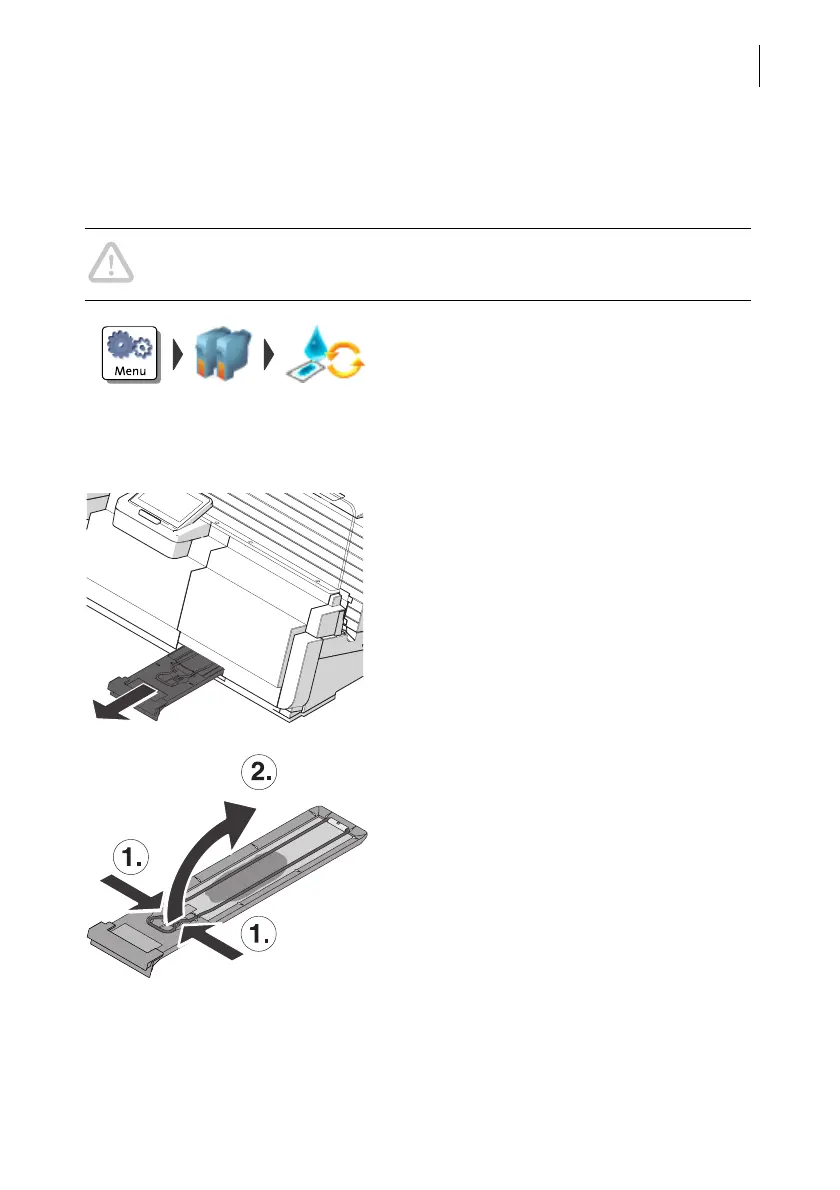
• Remove the fleece tray to the front.
• Place the fleece tray on a mat.
• Compress the clamp at its indentations
with two fingers (1) and lift it upwards (2).
• Remove the ink fleece.



 To Next Page