PostBase One Franking System
120
Cleaning
• Moisten a soft, fibreless cloth with de-ion-
ised water.
If you do not have de-ionised water at hand,
you can also use distilled or tap water.
However, tap water contains minerals that
may stain the cartridge / print head.
For best cleaning results, use FP contact
cleaner and cleaning cloths contained in the
‘clean & renew’ cleaning kit offered by
Francotyp-Postalia.
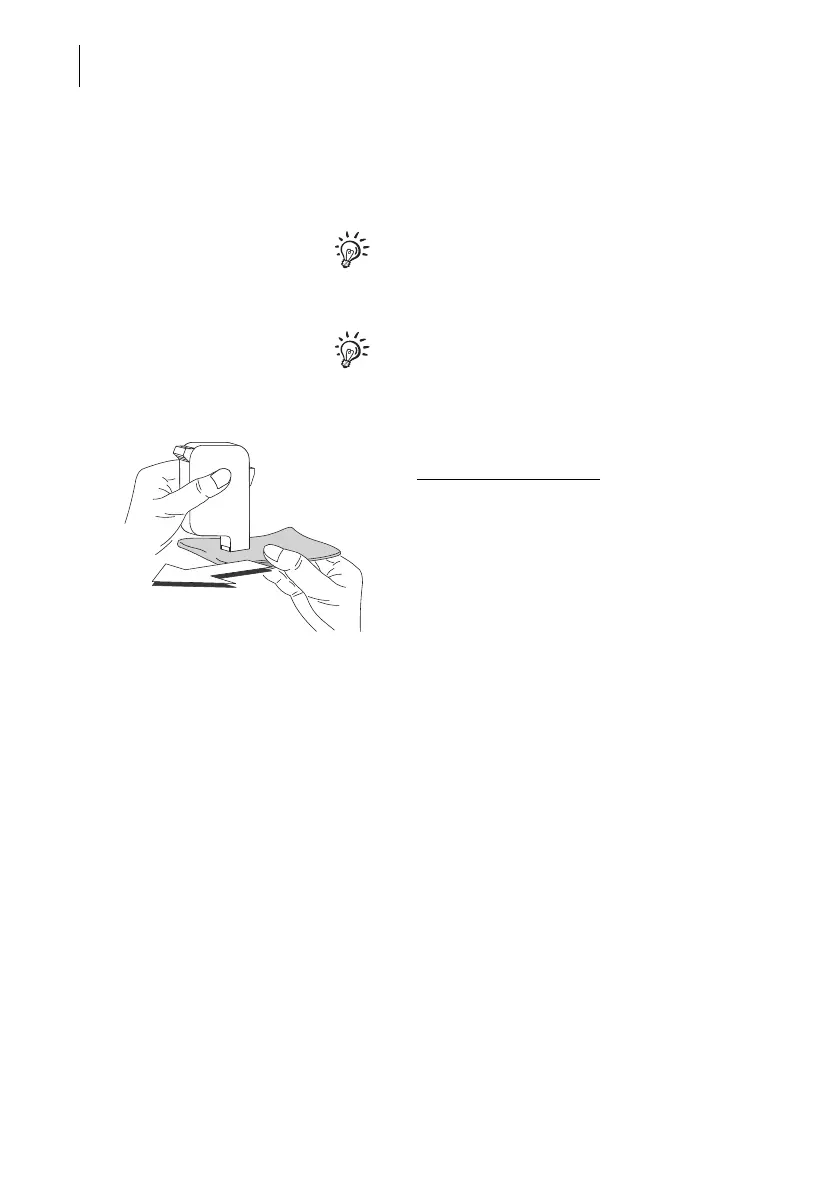
• Hold the cartridge / print head as indicated.
The nozzles face down
!
• Wipe the cartridge / print head slowly and
very softly with the cloth in the direction of
the arrow. Repeat this procedure a few
times.
The water will blend with ink residues and
clean the nozzles.
• Re-insert the cartridge / print head.
• Remove the other cartridge / print head
and clean it in the same way.
• Re-insert the cartridge / print head.
• Close the print system flap.
• Adjust the ink cartridges / print heads (see
chapter 15.6, page 116).



 To Next Page