PostBase One Franking System
74
12 Special imprints and functions
12.1 Stamping incoming mail (optional)
You can use the ‘Incoming mail’ function to mark your incoming mail.
Setting the incoming mail stamp
• Open the M
ENU.
• Choose S
PECIAL FUNCTIONS.
• Choose D
ATE OF MAIL ENTRY.
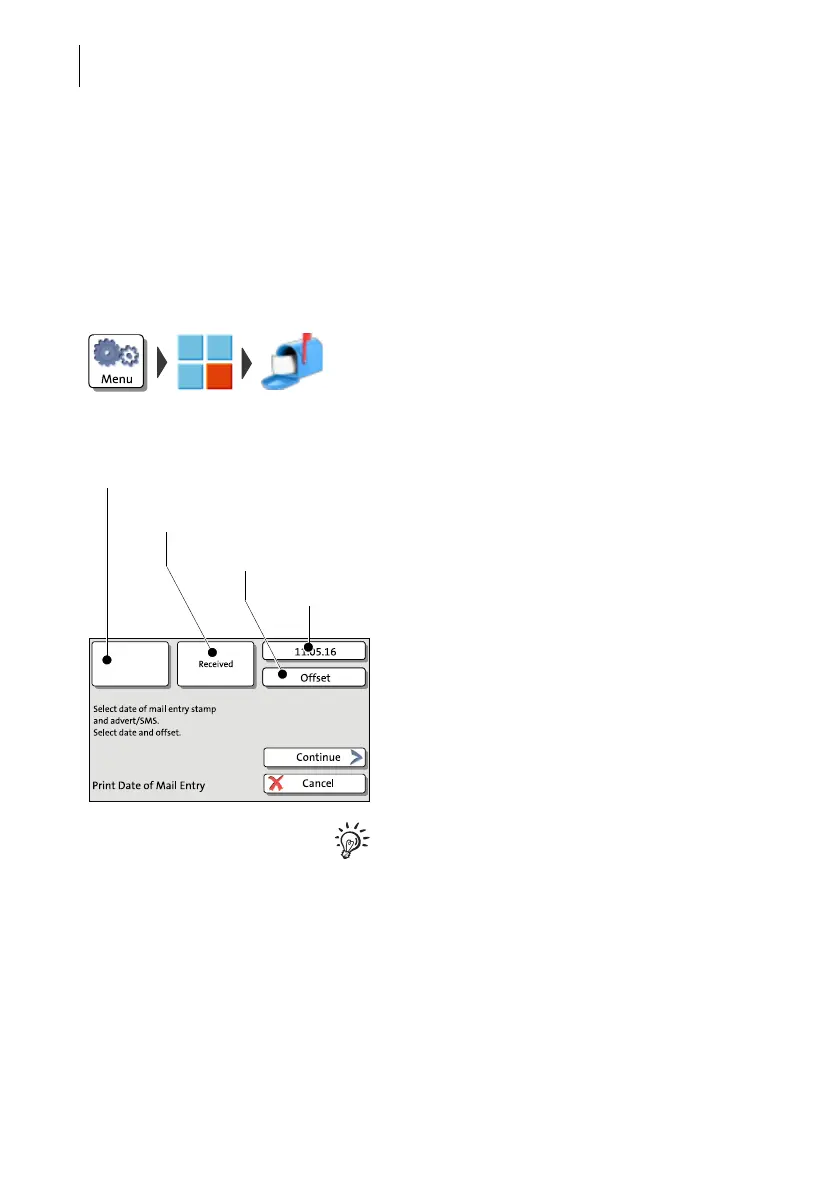
The PRINT DATE OF MAIL ENTRY window
shows the last used incoming mail stamp set-
tings.
You can keep or edit the following settings as
you desire:
– advertising imprint
– date for the incoming mail stamp
– imprint offset for incoming mail.
For an overview of the possible settings,
please refer to the table on the next page.
When all settings show the desired values:
• Confirm with C
ONTINUE.
Set advertising
imprint
Select incoming
mail stamp
Set date
Set imprint off-
set



 To Next Page