PostBase One Franking System
36
4.1.2 Setting mailing data and weighing
4.1.2.1 PostBase One with static scale – normal weighing
This chapter describes setting the postage when using the static scale in standard
weighing mode.
If the ‘differential weighing’ option is available on your franking system, the currently
set weighing mode is shown on a button to the right of the weight.
Please read page 38 on how to set the weighing mode.
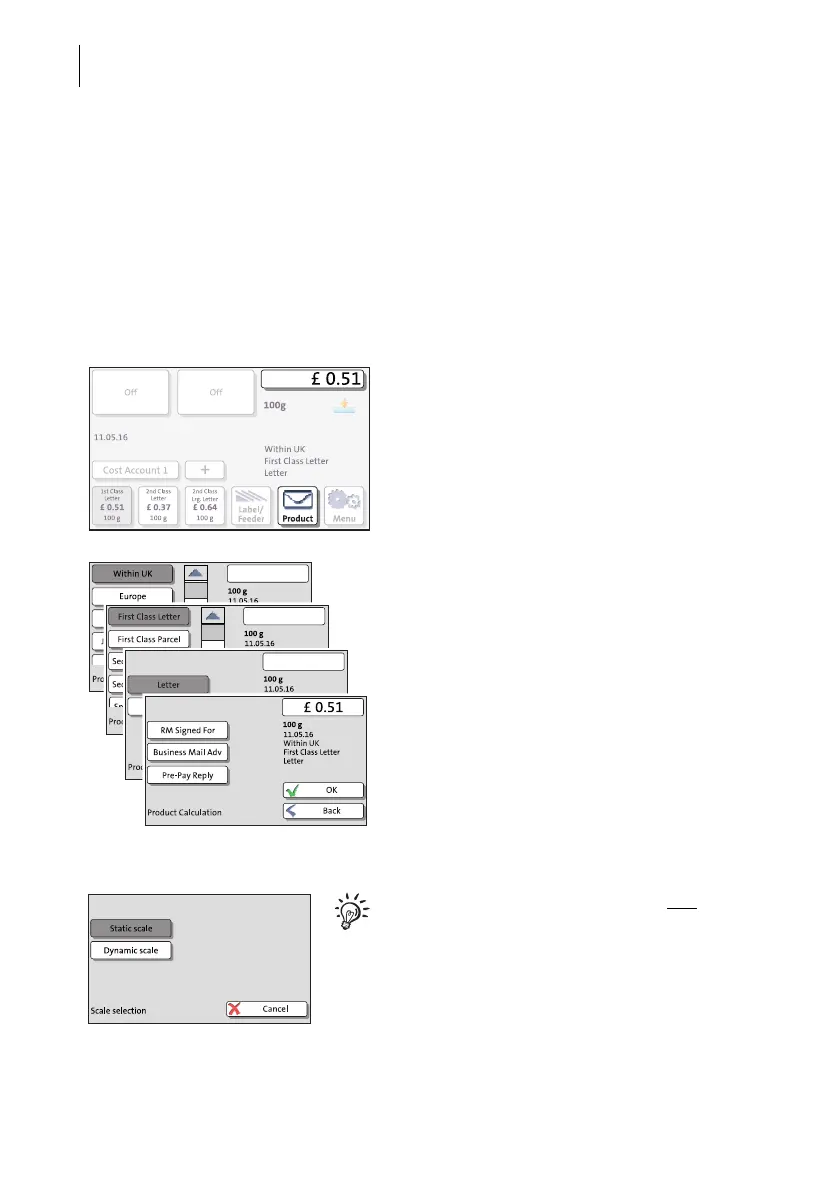
Select mailing data
• In the Home screen, press the P
RODUCT
button.
PostBase One opens the Product Calculation
menu and prompts you for all required details
regarding the mail piece.
• Select the respective desired setting by
pressing the corresponding button.
The selected mailing data appear to the right
in the display. The postage appears as soon
as all necessary mailing data have been
selected.
When the desired mailing data are set:
• Press OK to return to the Home screen.
On franking systems with a static and a
dynamic scale, you may have to specify dur-
ing the product calculation that you want to
weigh the mail piece with the static scale.



 To Next Page