Setting the franking imprint
35
4.1.1 Setting a product via shortcut
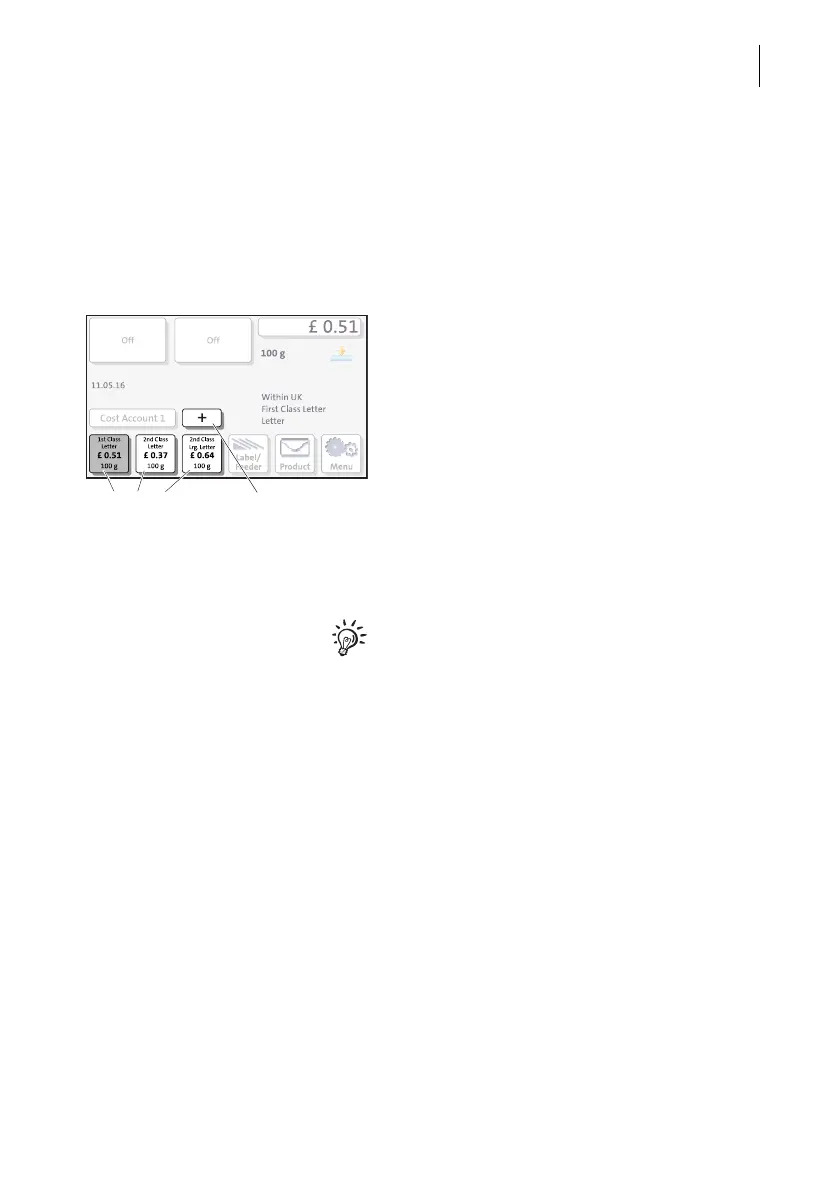
You can directly view and retrieve three products in the Home screen at the touch of
a button. Optionally, there are up to 20 shortcuts available which you can access via
the
+ button. The franking machine comes ex factory with typical postal products
stored as shortcuts. Upon activation of a new rate table, the shortcuts will be updated
automatically.
• Press the desired shortcut button.
If necessary:
• Weigh the mail piece.
The product with the related postage is set
for franking.
Further shortcuts
• In the Home screen, press the
+ button.
PostBase One opens a list with all available
shortcuts.
For details on how to save products as short-
cuts via PC software (e.g. Navigator), please
refer to the manual provided with the soft-
ware.
Shortcut buttons More shortcuts



 To Next Page