PostBase One Franking System
122
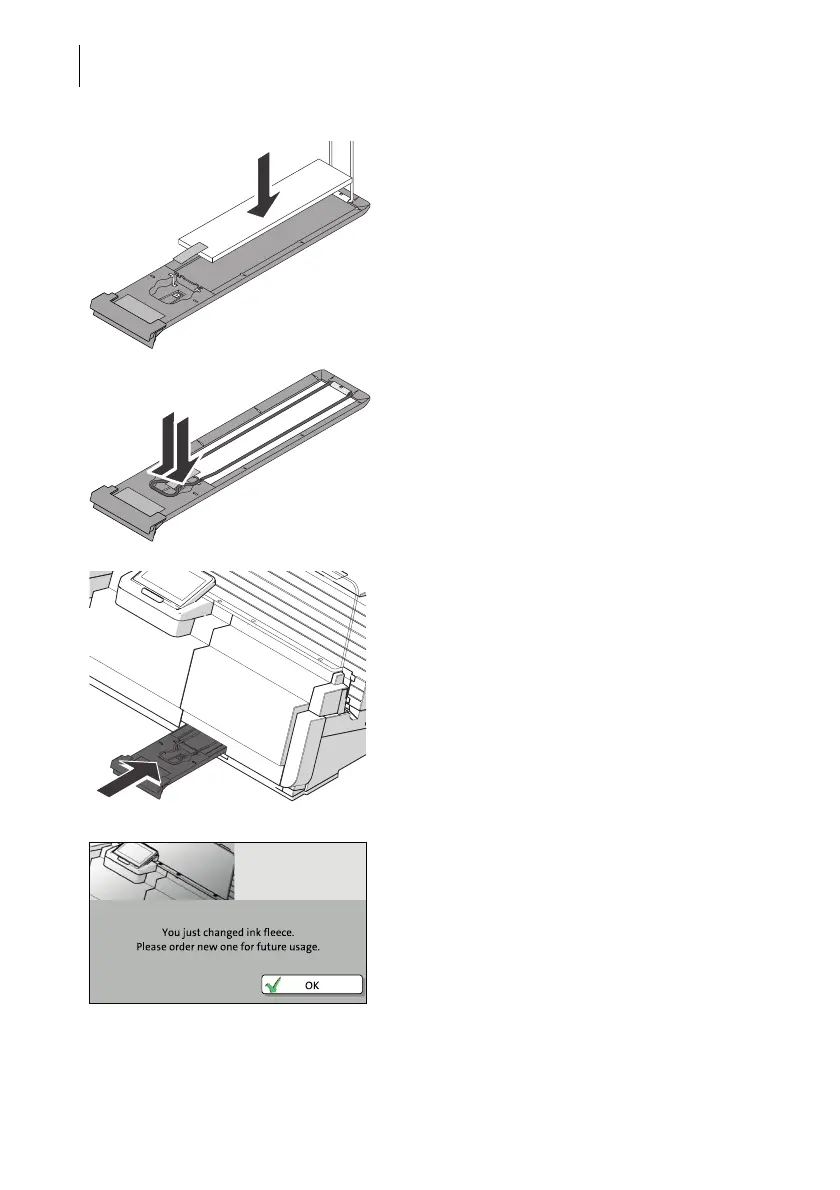
• Insert a new ink fleece as shown in the
illustration.
• Move the clamp downwards until it snaps
back into place.
• Push in the fleece tray as far as it will go.
•C
ONFIRM the replacement of the ink fleece.
In a pop-up, PostBase One informs you that
the ink fleece was replaced.
• Confirm the pop-up with OK.
PostBase One is ready for operation again.



 To Next Page