PostBase One Franking System
114
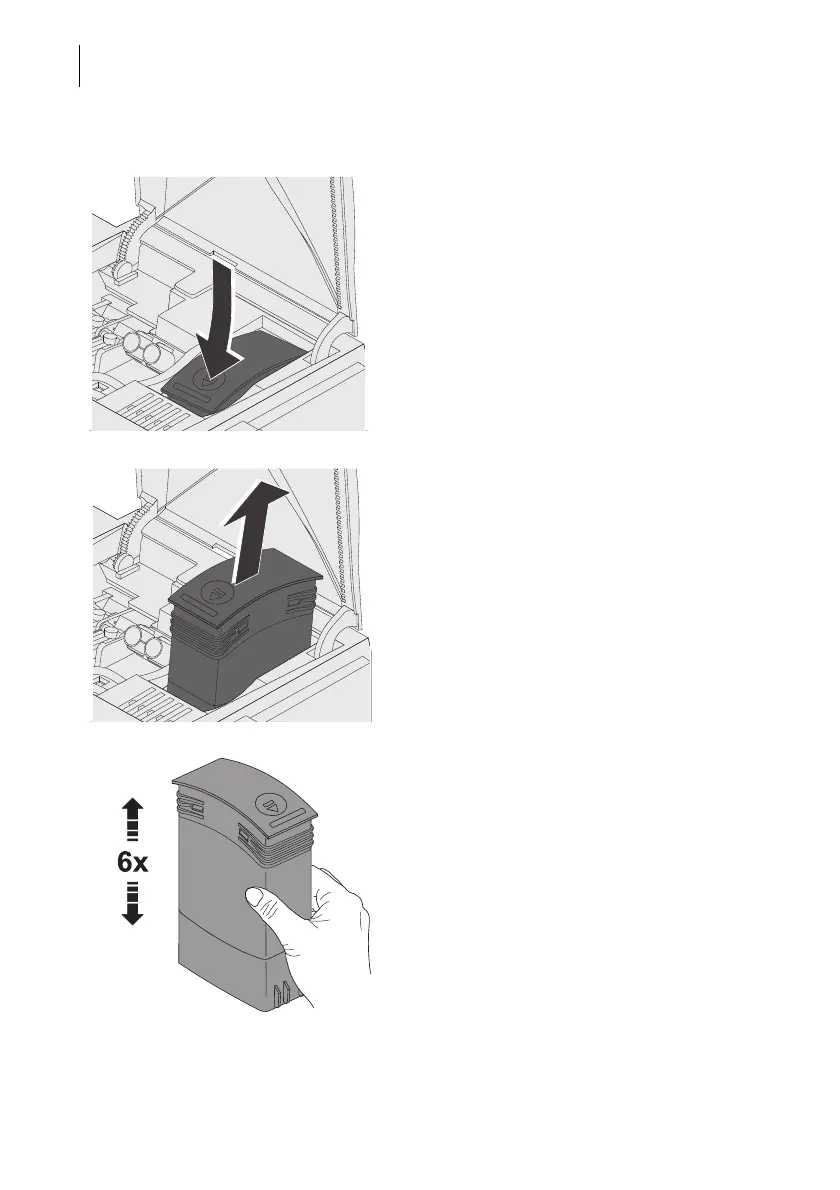
Remove the ink tank
• Press on the recess on the tank lid, press
down the tank, and pull forward at the
same time.
The tank is now unlocked and rests loose in
its bracket.
• Pull the tank upward out of the bracket.
Insert new ink tank
The full functioning of the PostBase One
franking system at the time of delivery can
only be guaranteed when using original Fran-
cotyp-Postalia ink tanks.
• Unpack the new ink tank.
• Shake the ink tank vigorously six times.
Pigments, which may have settled, immin-
gle optimally that way.



 To Next Page