Maintenance and care
105
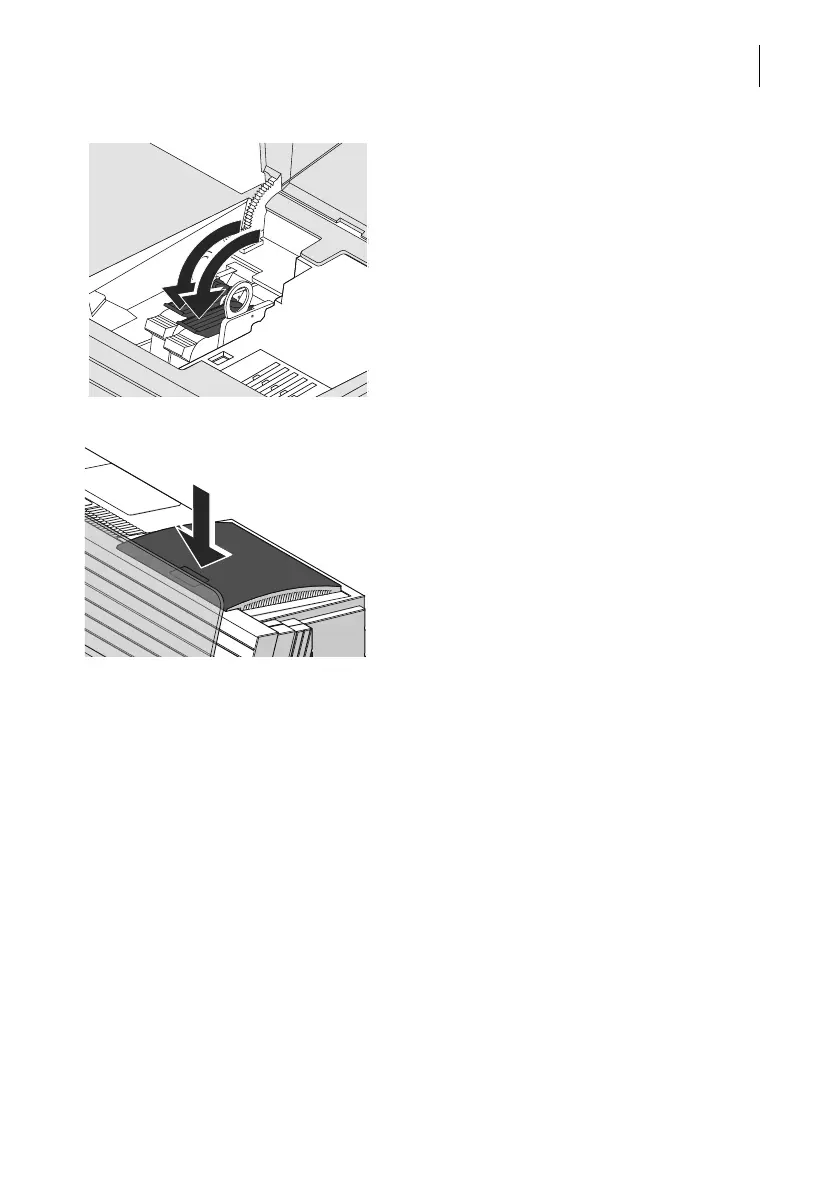
• Lock the ink cartridges: Turn the two blue-
green levers downwards.
• Close the flap.
Calibration / cleaning After changing the ink cartridges,
PostBase One calibrates the ink cartridges
and cleans the printing system. Please wait
until the calibration has finished.
Adjustment PostBase One continues with the ink car-
tridge adjustment procedure and prompts
you to feed a letter for a test imprint. Follow
the instructions on the display.
For detailed information on the adjustment
procedure, please read chapter 15.6 on
page 116.



 To Next Page