Appendix – Moving the PostBase One to another location
171
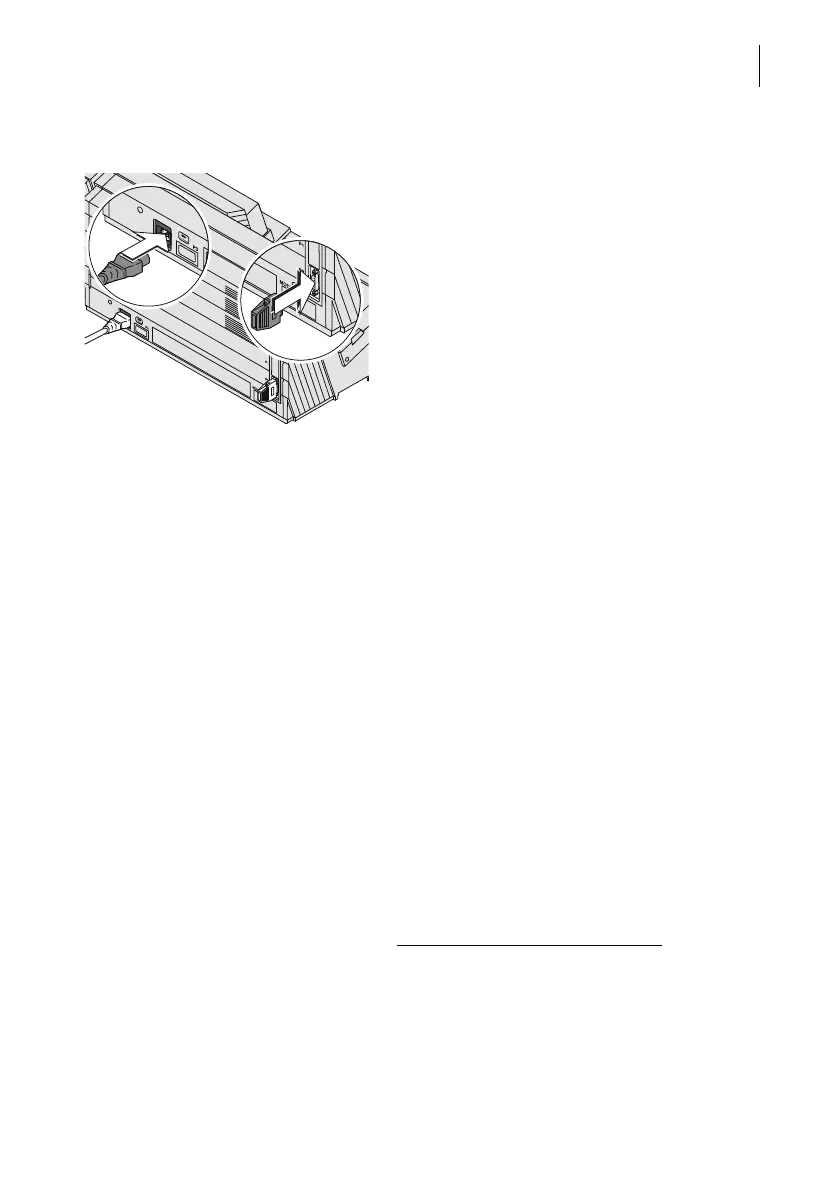
On the feeder • Insert the FSCP plug (termination plug)
into the 15-pin interface (P2) and tighten
screws.
• Plug the power cable into the power socket
of the feeder.
Commissioning and functions check
• Recommendation: Cleaning the contacts
in the cartridge bracket with the FP clean-
ing kit ‘clean & renew’ for ink-jet print sys-
tems, available at Francotyp-Postalia.
• Fill the sealant tank with sealing liquid.
Please refer to chapter 15.9, page 123.
• Connect the power cables of the franking
machine, the dynamic scale, the power
supply unit of the sealer, and the feeder to
grounded single-phase power sockets.
Make sure your office power supply con-
forms to the power requirements indicated
on the serial number plates.
• Connect the network cable (Ethernet).
• Switch on the PostBase One franking sys-
tem. Please refer to chapter 3.1, page 13.
PostBase One with ink cartridges
:
• Insert the ink cartridges. To do this, call up
the exchange procedure from the menu
(see page 101).



 To Next Page