Franking
57
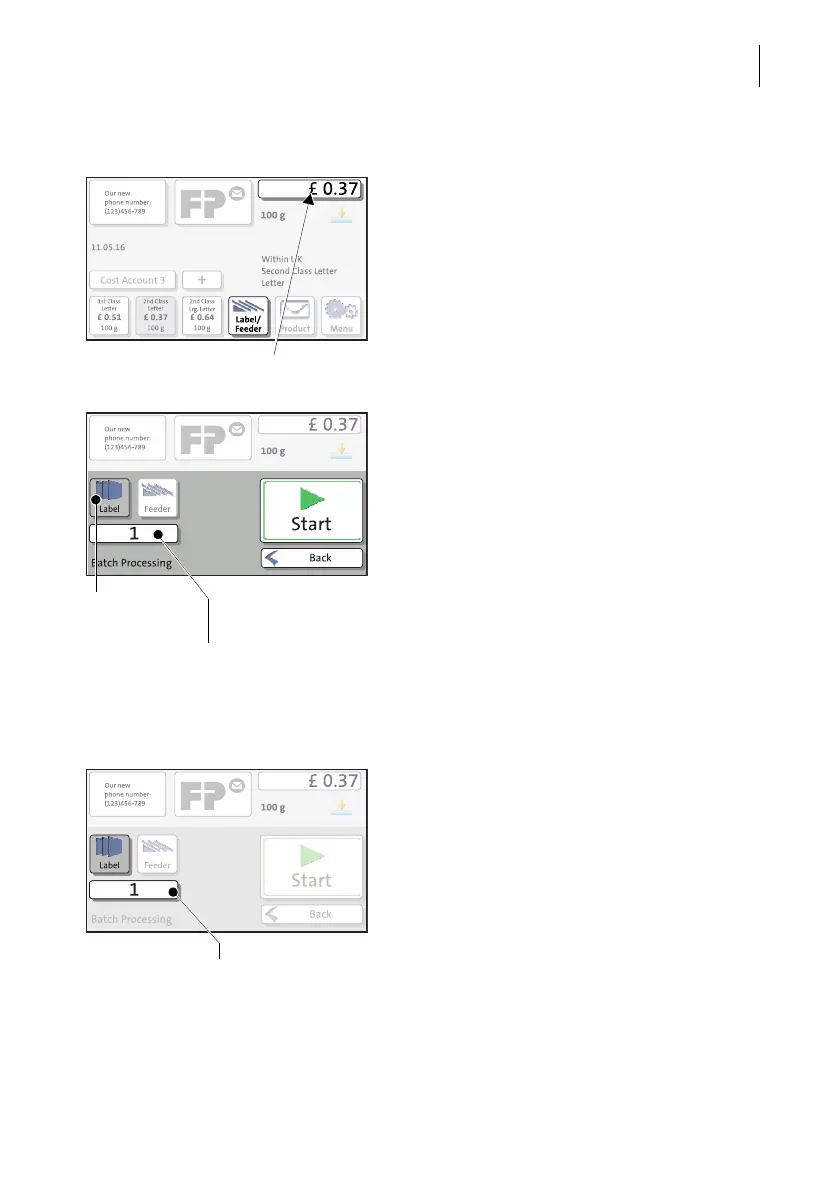
Frank a label
When the Home screen shows the desired
settings for franking:
• In the Home screen, press the L
ABEL/
FEEDER button.
PostBase One opens the pop-up “Batch
Processing”.
• Select LABEL.
• Press the S
TART button.
PostBase One prints a label.
Frank several identical labels
• In the Home screen, press the L
ABEL/
F
EEDER button.
PostBase One opens the pop-up “Batch
Processing”.
• Select L
ABEL.
• Press the button showing the batch
counter.
PostBase One is ready to frank
Label printing is
active
Number of labels



 To Next Page