Chapter 8 Operational Settings
147
Index
Appendix
Introduction
Glossary
Contents
TOP
Loading
Documents
Scan
Parameters
Various
Documents
Daily Care
Trouble-
shooting
Operational
Settings
Consumables
Scanner
Overview
Cycle for Replacing the Consumables
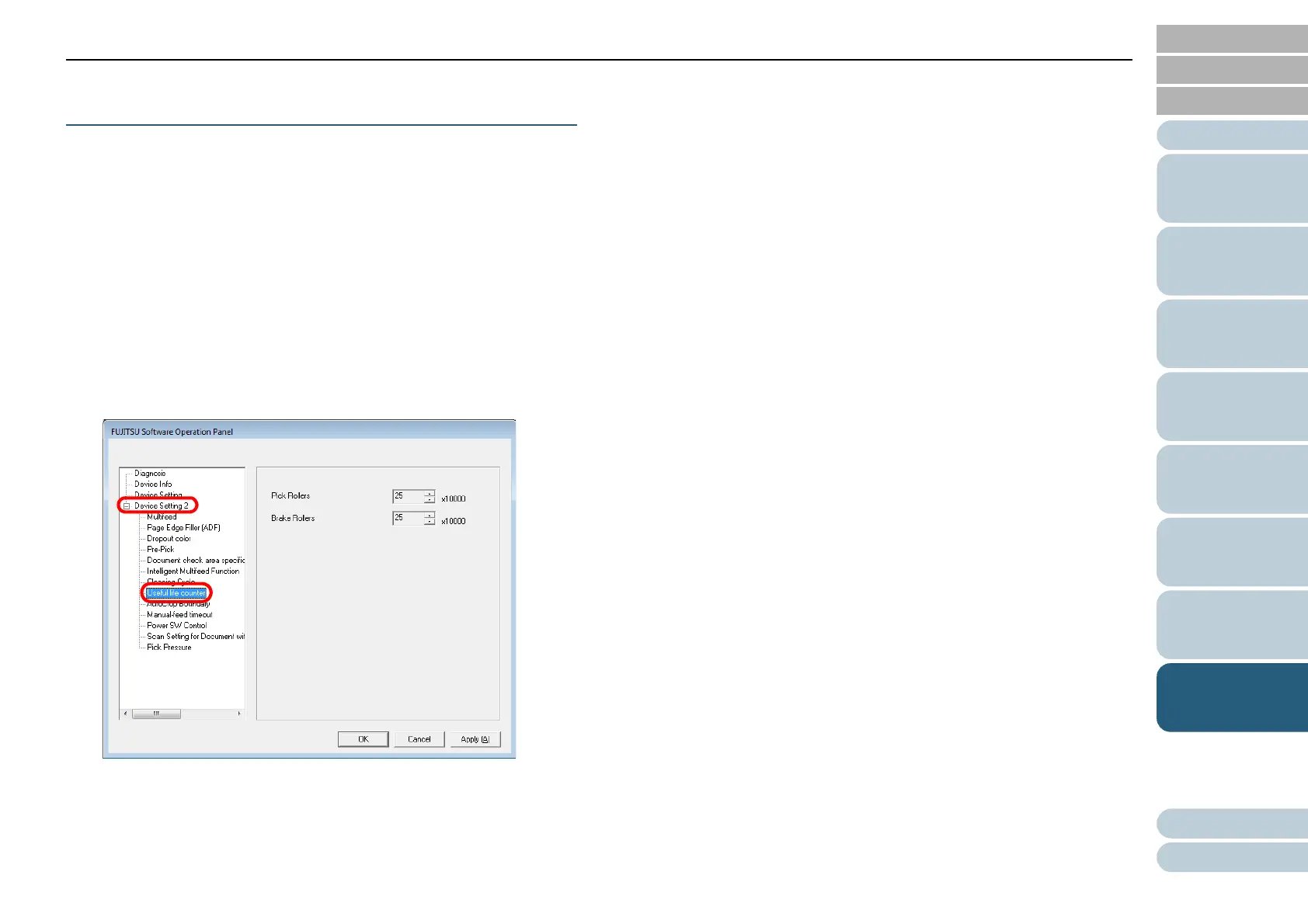
[Useful life counter]
You can change the cycle for replacing the consumables.
If the value of the page counter (consumables counter)
exceeds a value specified here, the background color of the
counter will turn yellow, and a replacing instruction (on page
145) will appear.
1 Start up the Software Operation Panel.
Refer to "8.1 Starting Up the Software Operation Panel" (on page
134).
2 From the tree listing on the left, select [Device Setting 2]
D [Useful life counter].
3 Specify a value for the life cycle for replacing each
consumable (Pick Roller and Brake Roller).
You can specify a value ranging from 10,000 to 255,000 in increments
of 10,000.












 To Next Page