Chapter 3 Scan Parameters
57
Index
Appendix
Introduction
Glossary
Contents
TOP
Loading
Documents
Scan
Parameters
Various
Documents
Daily Care
Trouble-
shooting
Operational
Settings
Consumables
Scanner
Overview
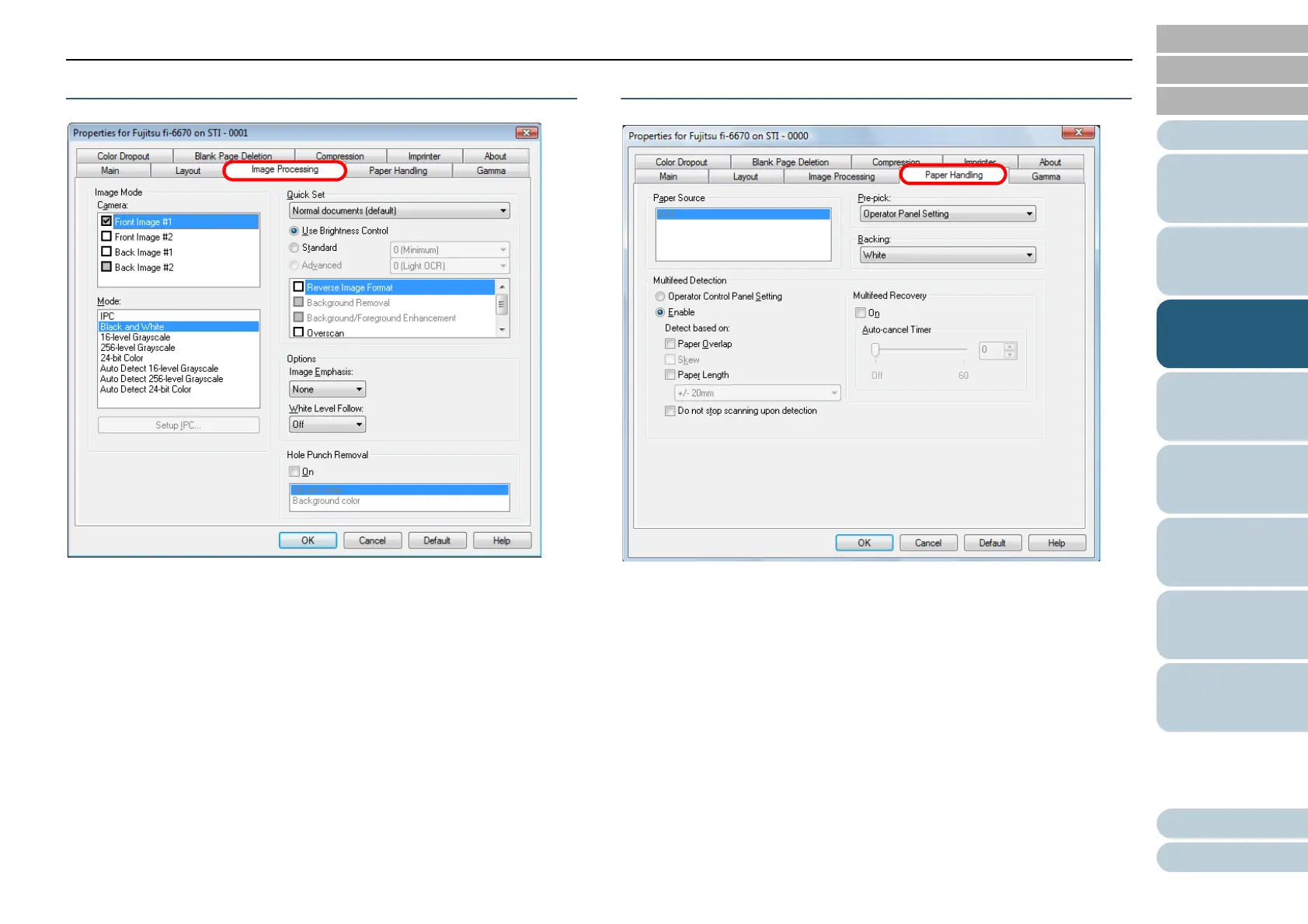
[Image Processing] Tab
Select this tab when selecting a common setting pattern for
scanning.
You can also configure settings for scanning documents with
non-white background, or those with punch holes.
[Paper Handling] Tab
Select this tab when configuring settings for pre-picking (i.e.,
feeding of loaded document at a scanning point beforehand),
and multifeed detection.
If using the Flatbed type, select a desired paper handling type
from among [Automatic], [ADF], and [Flatbed] under [Paper
Source].












 To Next Page