Chapter 3 Scan Parameters
54
Index
Appendix
Introduction
Glossary
Contents
TOP
Loading
Documents
Scan
Parameters
Various
Documents
Daily Care
Trouble-
shooting
Operational
Settings
Consumables
Scanner
Overview
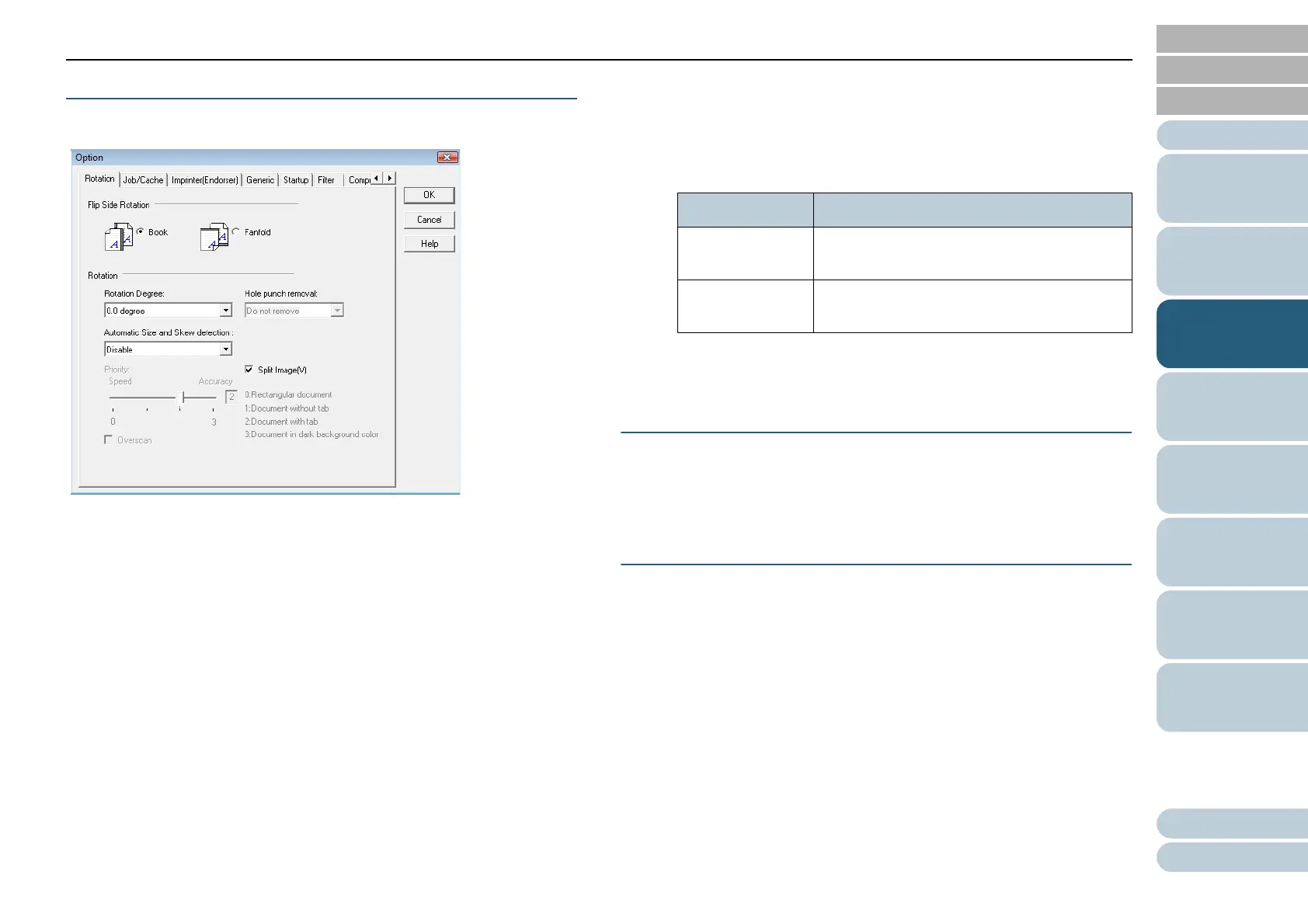
[Option] Button
You can configure desired options in the dialog box below:
• [Rotation] Tab
Select this tab when configuring settings for the flip side rotation
on double-sided scanning, image rotation, document size and
skew detection, overscan, hole punch removal, and split image.
•
[Job/Cache] Tab
Select this tab when setting the cache mode, multifeed detection,
pre-pick control, blank page skipping, etc.
•
[Imprinter (Endorser)] Tab
Select this tab when specifying the text to print on scanned
documents using the optionally-available imprinter. This tab does
not appear unless the imprinter is installed.
•
[Generic] Tab
Select this tab when specifying the unit of scaling/measurement in
the [TWAIN Driver (32)] dialog box.
Select inches, millimeters (mm), or pixel.
•
[Startup] Tab
Select this tab when configuring settings on the scanner's Opera-
tor Panel.
•
[Filter] Tab
Select this tab for setting the image processing filter(s).
•
[Compression] Tab
Select this tab for setting the compression rate of JPEG Transfer.
[Advance] Button
Click this button for setting up for advanced image processing.
You can specify Edge Extract, Gamma Pattern, Dropout Color,
Reverse, White Page Follower, etc.
[Config] Button
Click this button to configure setting files.
You can save the changes made in the [TWAIN Driver (32)]
dialog box, to a file under [Setting File]. From the next
scanning, a set of settings is quickly switched by using these
setting files.
Filter Description
Digital Endorser Adds a character string (alphanumeric
data) to scanned document images.
Page Edge Filler Fills up the margins of scanned document
images with a selected color.












 To Next Page