GPSMAP
®
700 Series Owner’s Manual 23
Charts and 3D Chart Views
Animated Tide and Current Indicators
You can view indicators for animated tide station and current direction on the Navigation chart or the
Fishing chart. To do so, information for tide station and current direction must be available in your
preloaded map or BlueChart g2 Vision region. You must also select the Animated value for the
Tides/Currents setting (page 8).
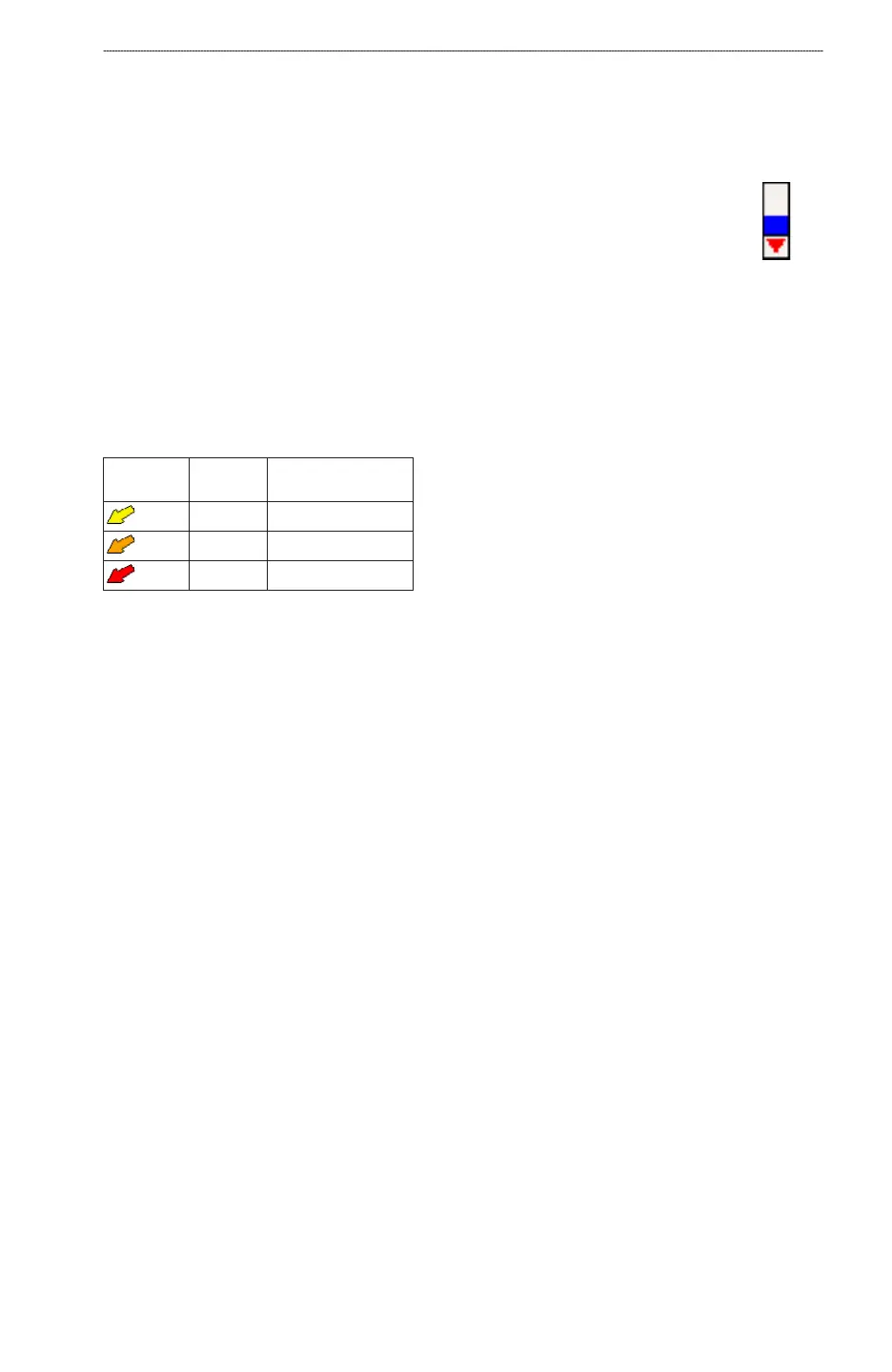
An indicator for a tide station appears on the chart as a vertical bar graph with an
arrow. A red arrow pointing downward indicates a falling tide, and a blue arrow
pointing upward indicates a rising tide. When you move the cursor over the tide station
indicator, the height of the tide at the station appears above the station indicator.
Current direction indicators appear as arrows on the chart. The direction of each arrow
indicates the direction of the current at a specic location on the chart. The color of
the current arrow indicates the range of speed for the current at that location. When you move the
cursor over the current direction indicator, the specic current speed at the location appears above
the direction indicator.
Direction
Indicator
Color Current Speed
Range
Yellow 0 to 1 knot
Orange 1 to 2 knots
Red 2 or more knots
Viewing Current Station Information
See “Current Information” (page 41).
Detailed Road and POI Data
BlueChart g2 Vision contains detailed road and POI data, which includes highly detailed coastal
roads and points of interest (POIs) such as restaurants, lodging, local attractions, and more.
Searching for, and Navigating to, POIs
See “Where To?” (page 36).
Auto Guidance
Auto Guidance automatically creates and suggests the best path to a destination, based on available
BlueChart g2 Vision chart information. Auto Guidance is available when you navigate to a
destination using Guide To (page 28).
Conguring Auto Guidance Settings
See “Auto Guidance Line Congurations” (page 50).
Tide
Station
with Falling
Tide
Tide
Station
with Falling
Tide













 To Next Page