GPSMAP
®
700 Series Owner’s Manual 41
Almanac, On-boat, and Environmental Data
Current Information
NOTE: Current station information is available with a BlueChart g2 Vision card.
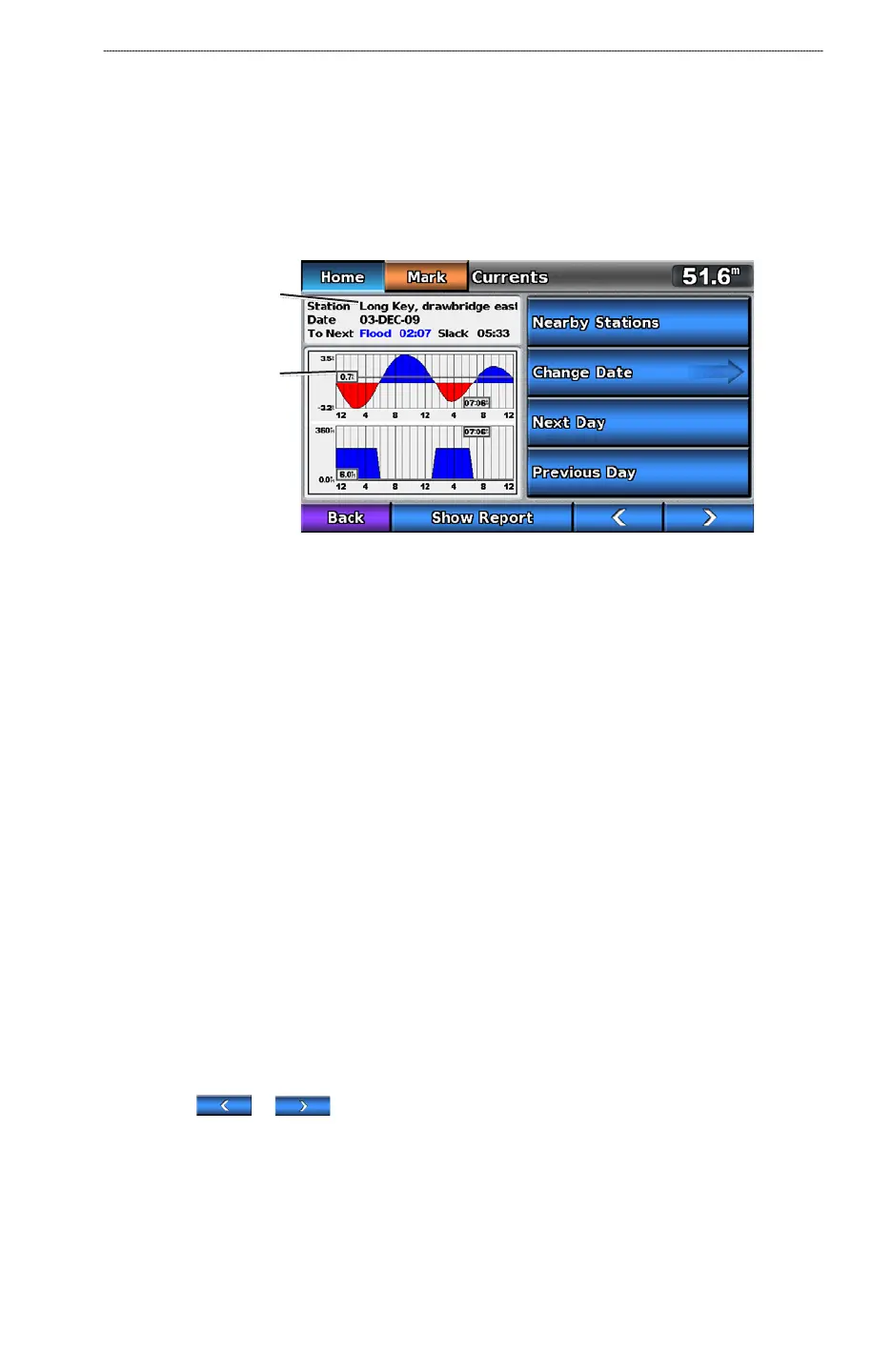
The Currents screen shows information about a current station for a specic date and time, including
the current speed and level. By default, the chartplotter shows current information for the most-
recently viewed current station and for the present date and time.
From the Home screen, select Information > Currents.
Current Station Information
Current level at
local time
Current
station
Viewing Information about a Nearby Current Station
NOTE: Current station information is available with a BlueChart g2 Vision card.
1. From the Home screen, select
Information > Currents > Nearby Stations.
2. Select a station.
Conguring Current Station Information
You can indicate the date of current station information to be viewed, and you can view the
information in a chart or in a report format.
NOTE
: Current station information is available with a BlueChart g2 Vision card.
1. From the Home screen, select
Information > Currents > Nearby Stations.
2. Select a station.
3. Complete an action:
Select Change Date > Manual to view tide information for a different date. Enter a date.
Select Done.
Select Show Report to view the Current Report for the selected station. The report includes
slack water, ood, and ebb levels.
Select Next Day to view current information for the day after the date shown.
Select Previous Day to view current information for the day before the date shown.
Select or to change the time in 4- to 5-minute intervals.
•
•
•
•
•













 To Next Page