GPSMAP
®
700 Series Owner’s Manual 61
Radar
Radar Display Modes
The Radar screen has four standard operating modes. Each mode is available for use only with a
compatible radar.
Cruising mode—shows a full-screen image of the gathered radar information.
Harbor mode—intended for use in inland waters, this mode works best with short-range radar
signals (2 nm or less).
Offshore mode—intended for use in open waters, this mode works best with long-range radar
signals.
Sentry mode—allows you to put the radar into timed-transmit mode, in which you can congure
a radar transmit and standby cycle to conserve power. You can also enable a guard zone in Sentry
mode, which identies a safe zone around your boat.
Radar Mode Compatible Radar
GMR 20, 21, 40,
41
GMR 18, 18 HD,
24, 24 HD
GMR 404, 406 GMR 604 xHD, 606 xHD,
1204 xHD, 1206 xHD
Cruising X X X
Harbor X
Offshore X
Sentry X X X X
Cruising Mode
Cruising mode is the standard radar operation for the GMR 20, 21, 40, 41, 18, 18 HD, 24, 24 HD,
404, and 406 radar.
NOTE:
If you switch from Sentry mode to Cruising mode, the radar switches to full-time
transmission and disables any guard zones.
Showing Cruising Mode
From the Home screen, select Radar > Cruising.
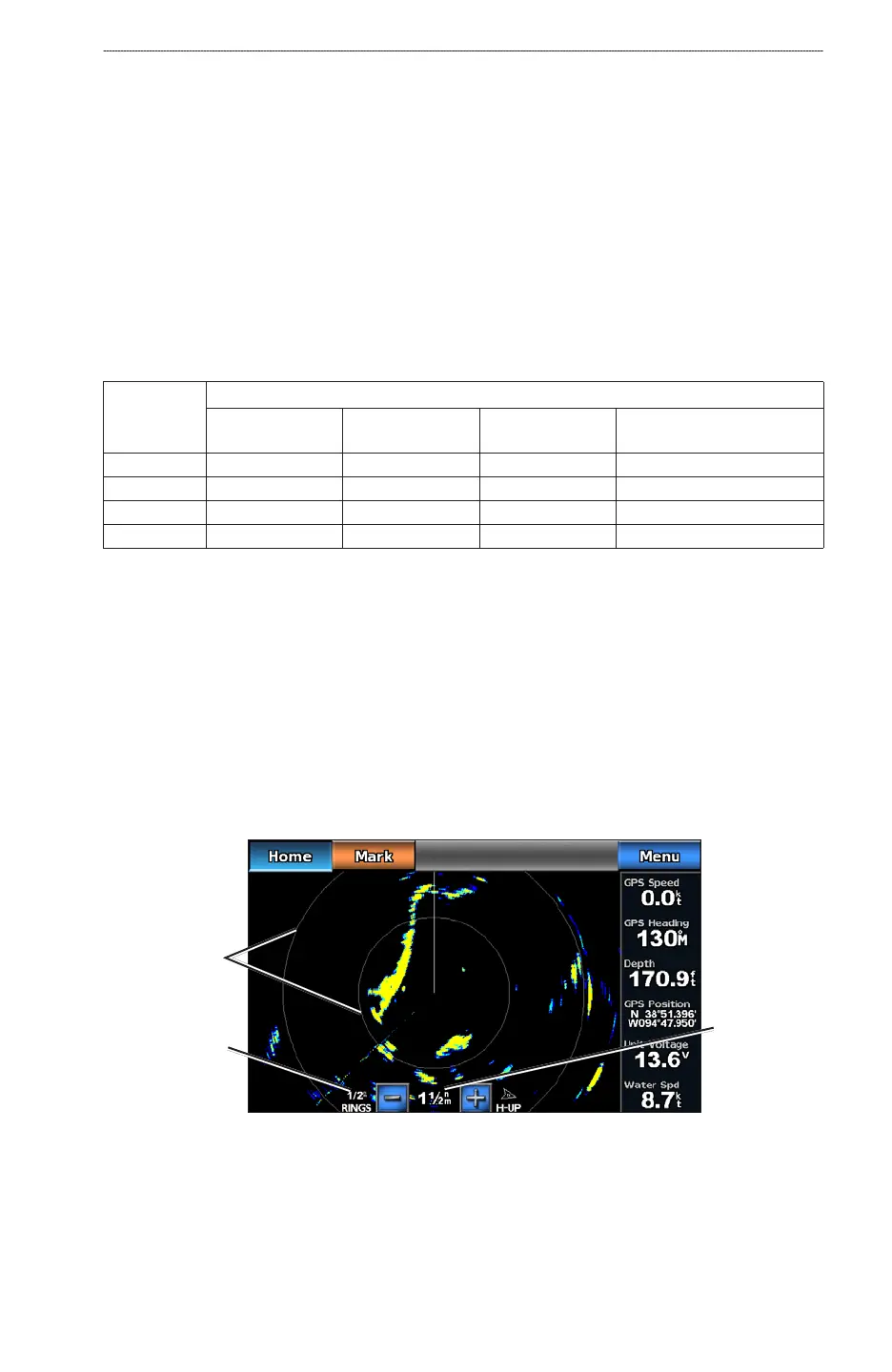
A full-screen image of the gathered radar information appears. Your position is in the center of
the screen, and the rings provide distance measurements.
Cruising Mode
Distance
between rings
Radar range
Range rings
•
•
•
•













 To Next Page