40 GPSMAP
®
700 Series Owner’s Manual
Almanac, On-boat, and Environmental Data
Almanac, On-boat, and Environmental Data
The Information screen displays information about tides, currents, celestial data, and gauges.
Almanac Data
Tide Station Information
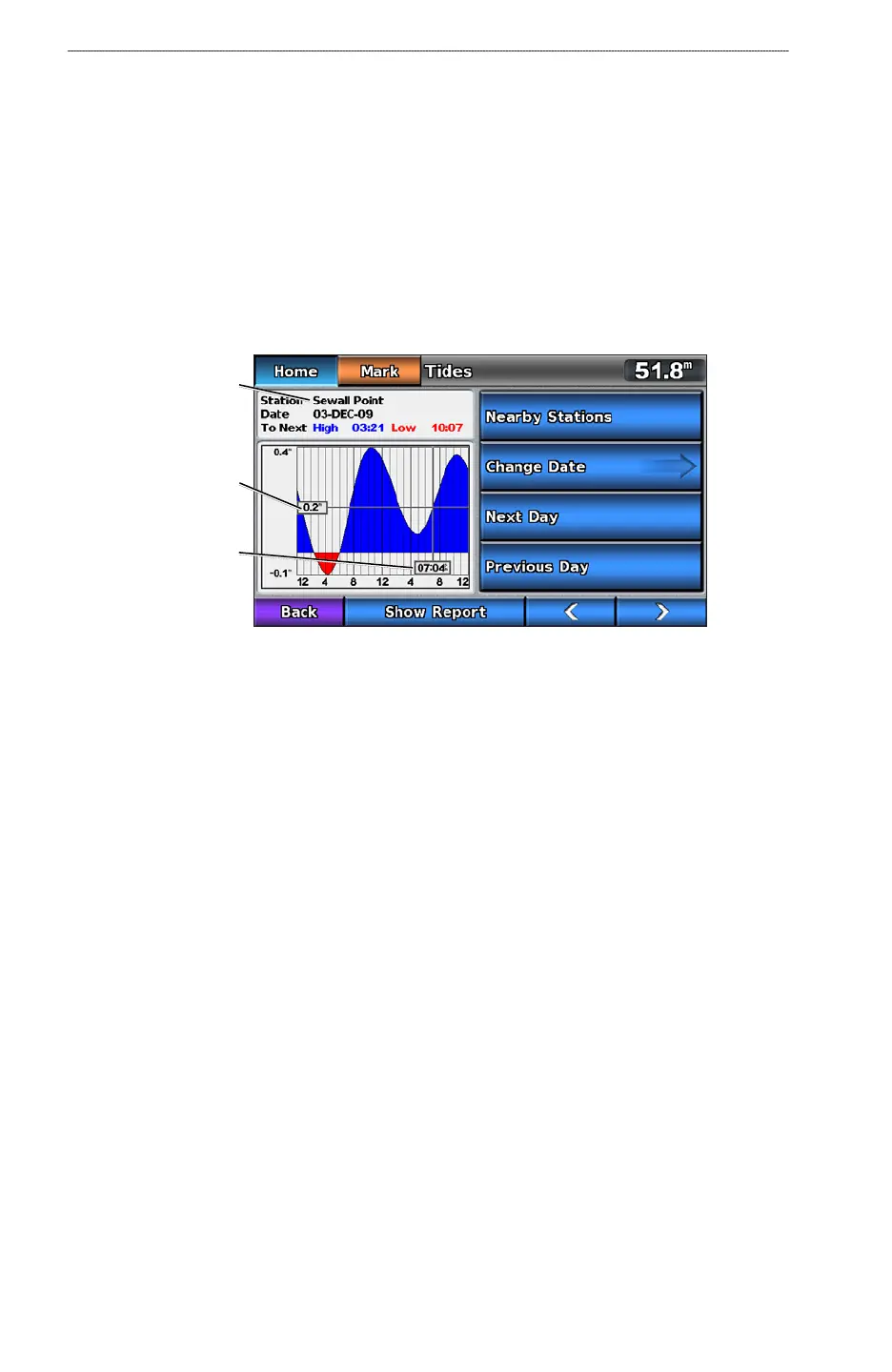
The Tides screen shows information about a tide station for a specic date and time, including the
tide height, and when the next high and low tides will occur. By default, the chartplotter shows tide
information for the most-recently viewed tide station and for the present date and time.
From the Home screen, select Information > Tides.
Tide Station Information
Tide level at
local time
Tide station
Local time
Viewing Information about a Nearby Tide Station
1. From the Home screen, select Information > Tides > Nearby Stations.
2. Select a station.
Viewing Tide Station Information for a Different Date
1. From the Home screen, select Information > Tides > Nearby Stations.
2. Select a station.
3. Complete an action:
Select Change Date > Manual to view tide information for a different date. Enter the date.
Select Done.
Select Next Day to view tide information for the day after the date shown.
Select Previous Day to view tide information for the day before the date shown.
•
•
•













 To Next Page