GPSMAP
®
700 Series Owner’s Manual 5
Charts and 3D Chart Views
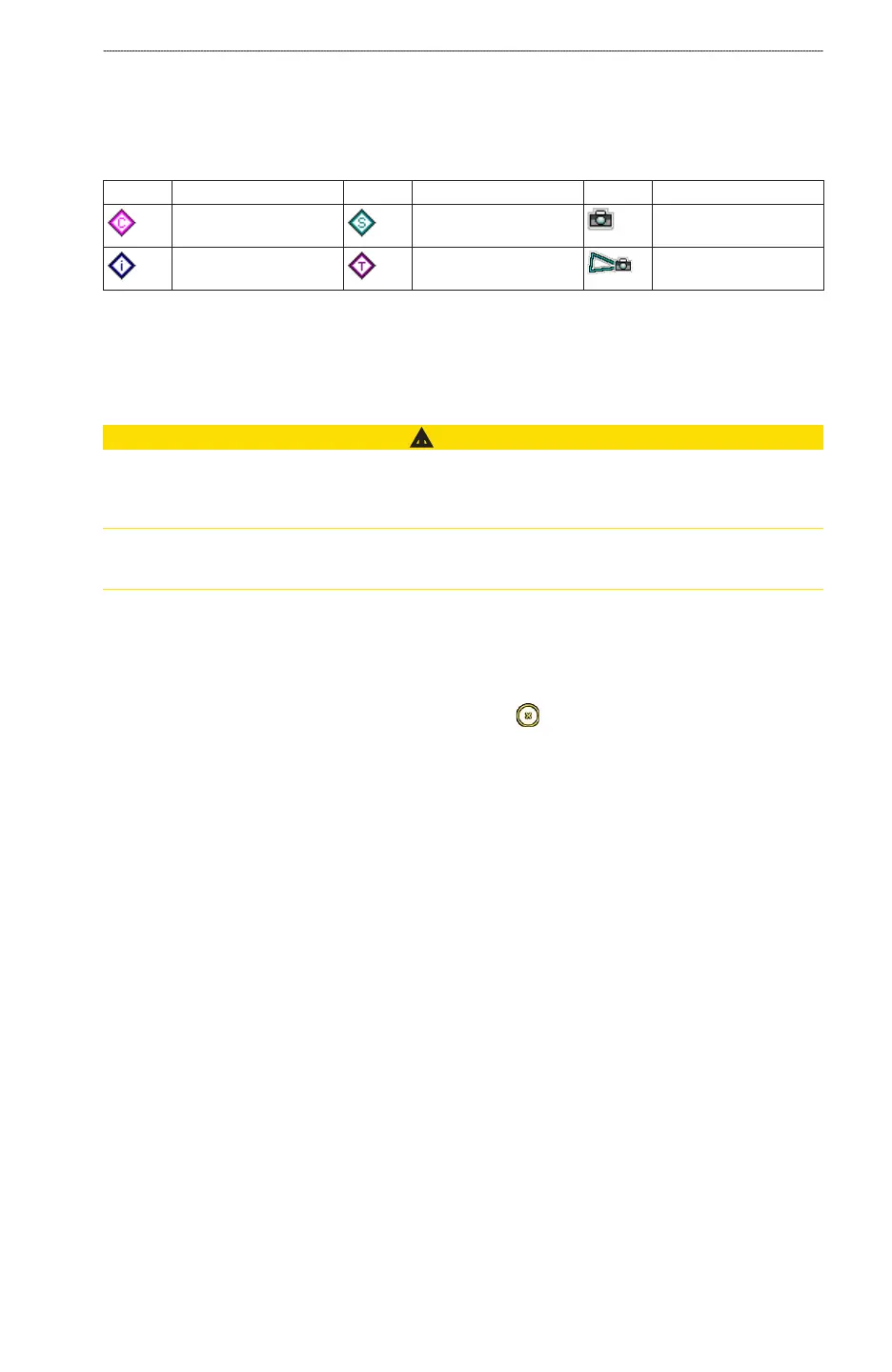
Chart Symbols
BlueChart g2 and BlueChart g2 Vision charts use graphic symbols to denote map features, which
follow the standards for US and international charts. Some other common symbols you might see
include, but are not limited to, those shown below.
Icon Description Icon Description Icon Description
Current station Marine services Overhead photo
available
Information Tide station Perspective photo
available
Other features common to most charts include depth contour lines (with deep water represented in
white), intertidal zones, spot soundings (as depicted on the original paper chart), navigational aids
and symbols, obstructions, and cable areas.
Navigating to a Point on the Chart
CAUTION
The Auto Guidance feature of the Bluechart g2 Vision data card is based on electronic chart
information. That data does not ensure obstacle and bottom clearance. Carefully compare the course
to all visual sightings and avoid any land, shallow water, or other obstacles that may be in your path.
When using Go To, a direct course and a corrected course may pass over land or shallow water. Use
visual sightings and steer to avoid land, shallow water, and other dangerous objects.
NOTE
: The Fishing chart is available with a preprogrammed BlueChart g2 Vision data card.
1. From the Home screen, select
Charts.
2. Select
Navigation Chart or Fishing Chart.
3. Touch the chart to select the location using the cursor (
).
4. Select
Navigate To.
5. Complete an action:
Select Go To to navigate directly to the location.
Select Route To to create a route to the location, including turns (page 30).
Select Guide To to use Auto Guidance (page 23).
6. Review the course indicated by the magenta line.
NOTE
: When using Auto Guidance, a gray line within any part of the magenta line indicates that
Auto Guidance cannot calculate part of the Auto Guidance line. This is due to the settings for
minimum safe water depth and minimum safe obstacle height (page 50).
7. Follow the magenta line, steering to avoid land, shallow water, and other obstacles.
•
•
•













 To Next Page