GPSMAP
®
700 Series Owner’s Manual 63
Radar
Sentry Mode
Sentry mode allows you to put the radar into timed-transmit mode, in which you can congure a
radar transmit and standby cycle to conserve power. You can also enable a guard zone in this mode,
which identies a safe zone around your boat and sounds an alarm when a radar object enters this
zone. Sentry mode works with all Garmin GMR model radars.
Showing Sentry Mode
From the Home screen, select Radar > Sentry.
Enabling Timed Transmit
From the Home screen, select Radar > Sentry > Menu > Sentry Setup > Timed Xmit > On.
Setting the Standby and Transmit Times
You must enable timed transmit before you can set the standby and transmit times (page 63).
To help conserve power, you can indicate the radar standby time and the transmit time to implement
periodic radar signal transmissions at set intervals.
1. From the Home screen, select
Radar > Sentry > Menu > Sentry Setup.
2. Select
Stdby Time.
3. Enter the time interval between radar signal transmissions.
4. Select
Done.
5. Select
Xmit Time.
6. Enter the duration of each radar signal transmission.
7. Select
Done.
Enabling a Guard Zone
From the Home screen, select Radar > Sentry > Menu > Sentry Setup > Enable Guard Zone.
Dening a Partial Guard Zone
You must enable a guard zone before you can dene the boundaries of the zone (page 63).
You can dene the boundaries of a guard zone that does not completely encompass your boat.
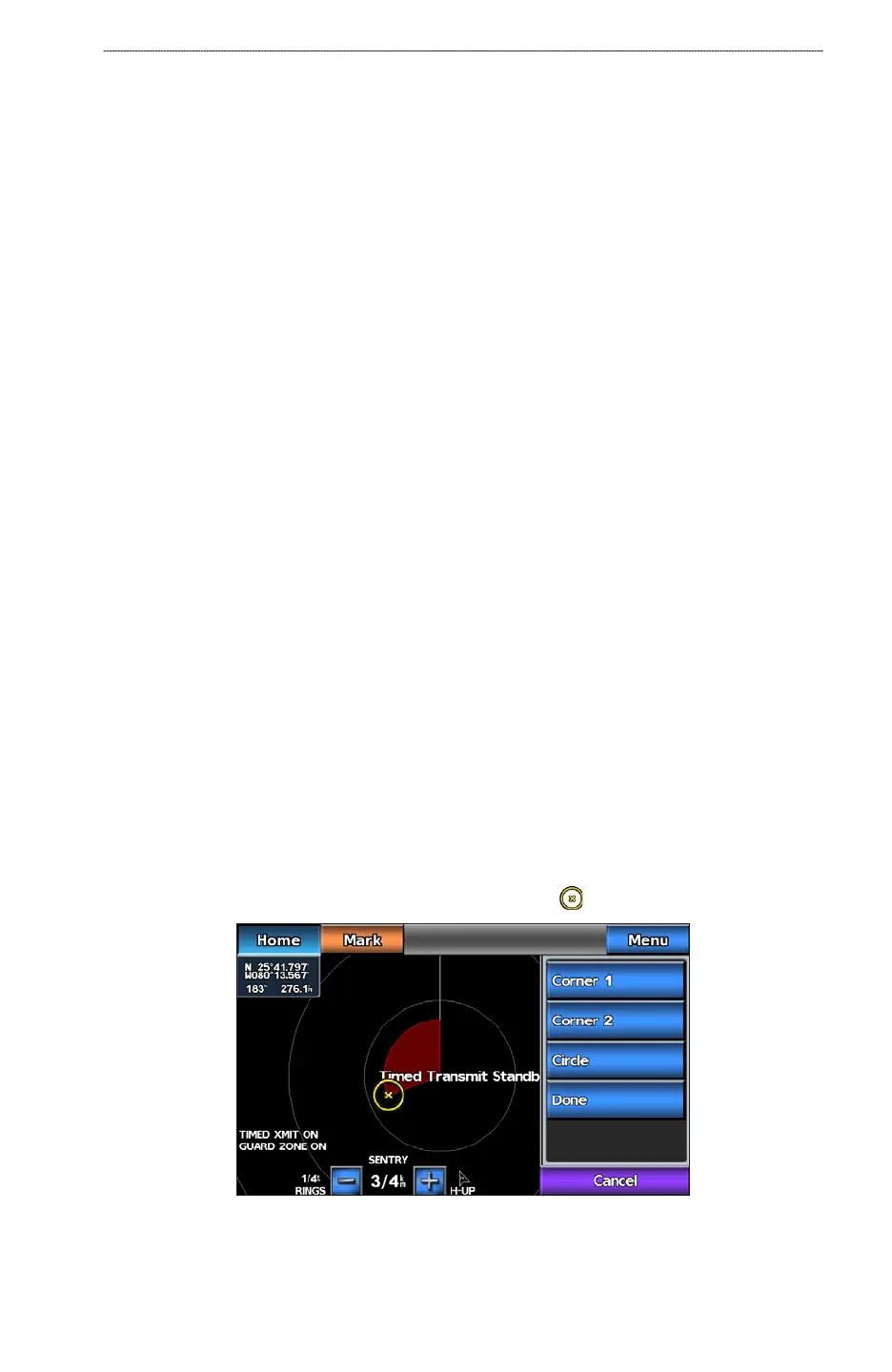
1. From the Home screen, select
Radar > Sentry > Menu > Sentry Setup > Adjust Guard Zone
> Move Guard Zone > Corner 1.
2. Touch and drag the location of the inner guard-zone corner, (
).
3. Select Corner 2.













 To Next Page