24 GPSMAP
®
700 Series Owner’s Manual
Combinations
Combinations
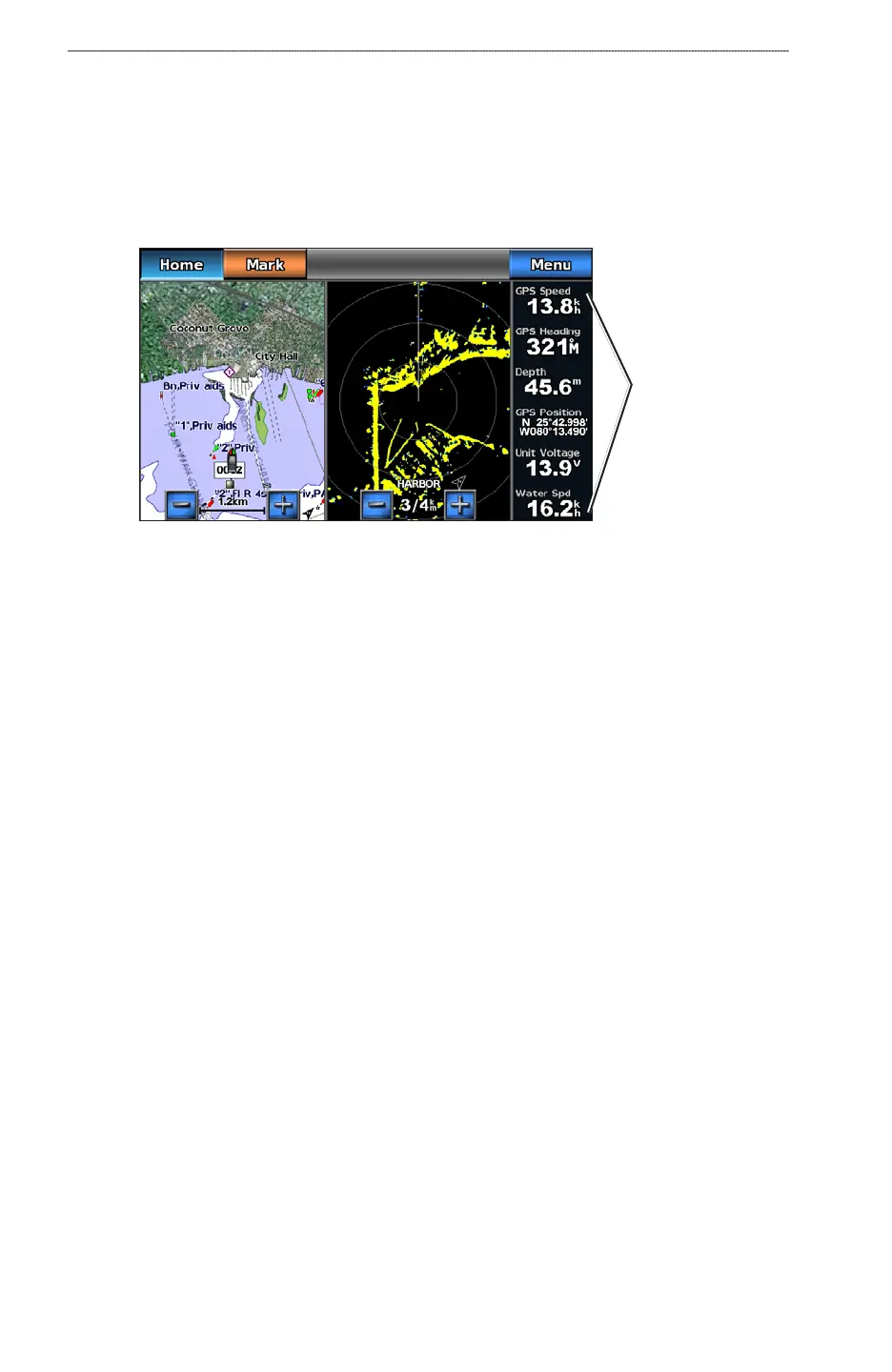
About the Combinations Screen
The Combinations screen shows a combination of different screens at the same time. The number of
options available on the Combinations screen depends on the optional devices you have connected to
your chartplotter, and whether you are using an optional BlueChart g2 Vision data card.
Data overlay
Combinations Screen Conguration
Selecting a Combination
1. From the Home screen, select Combinations.
2. Select a combination.
Customizing the Combinations Screen
1. From the Home screen, select Combinations.
2. Select a combination.
3. Select
Menu.
4. Select the screen you want to customize.
5. Adjust settings as described in “Charts and 3D Chart Views (
page 4),” “Radar (page 60),” or
“Sonar (page 76).”
Combination Screen Overlay Numbers
Overlay numbers with data elds can appear on combination screens, and they provide real-time,
at-a-glance information. The data overlay for each combination can be congured separately..
Several combination screen data overlays are available. You can select the data elds to be shown
within each data overlay.













 To Next Page