12 GPSMAP
®
700 Series Owner’s Manual
Charts and 3D Chart Views
Showing and Conguring Roses
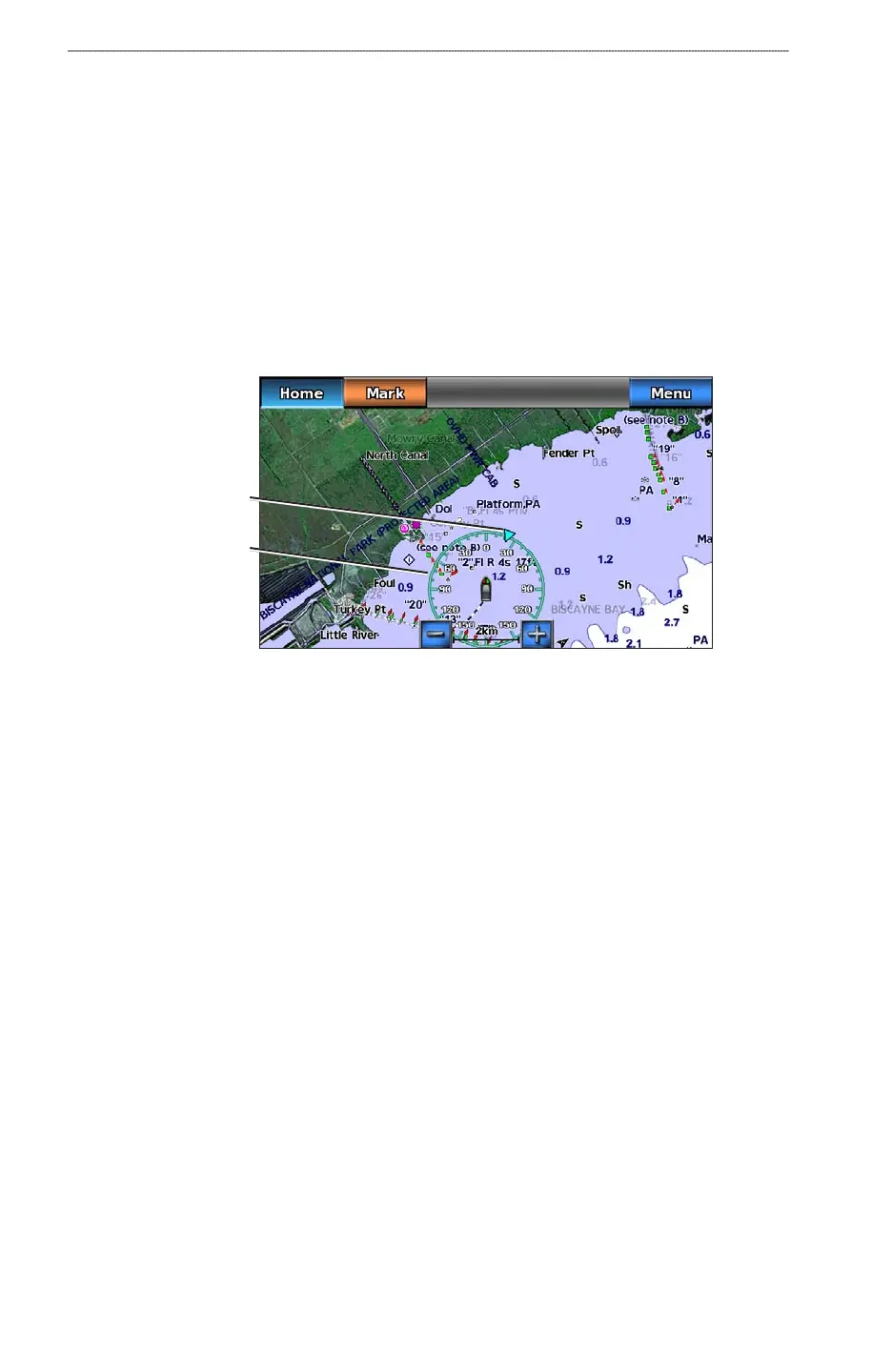
On the Navigation chart or the Fishing chart, you can show a compass rose around your boat,
indicating compass direction. True wind direction or apparent wind direction appears if the
chartplotter is connected to a compatible marine wind sensor.
NOTE
: The Fishing chart is available with a preprogrammed BlueChart g2 Vision data card.
1. From the Home screen, select
Charts.
2. Complete an action:
Select Navigation Chart > Menu > Navigation Chart Setup > Roses.
Select Fishing Chart > Menu > Fishing Chart Setup > Roses.
3. Select a type of rose
(Compass, True Wind, or Apparent Wind).
Compass rose
Wind direction
indicator
Showing Other Vessels
See “Conguring the Appearance of Other Vessels” (page 55).
Showing and Conguring Data Overlay
See “Overlay Numbers” (page 53).
Using Waypoints
See “Waypoints” (page 29).
Using Tracks
See “Tracks” (page 33).
Automatic Identication System
The Automatic Identication System (AIS) enables you to identify and track other vessels.
About AIS
AIS alerts you to area trafc. When connected to an external AIS device, the chartplotter can
show some AIS information about other vessels that are within range, that are equipped with a
transponder, and that are actively transmitting AIS information. The information reported for each
vessel includes the Maritime Mobile Service Identity (MMSI), the location, the GPS speed, the
GPS heading, the time that has elapsed since the last position of the vessel was reported, the nearest
approach, and the time to the nearest approach.
•
•













 To Next Page