42 GPSMAP
®
700 Series Owner’s Manual
Almanac, On-boat, and Environmental Data
Celestial Information
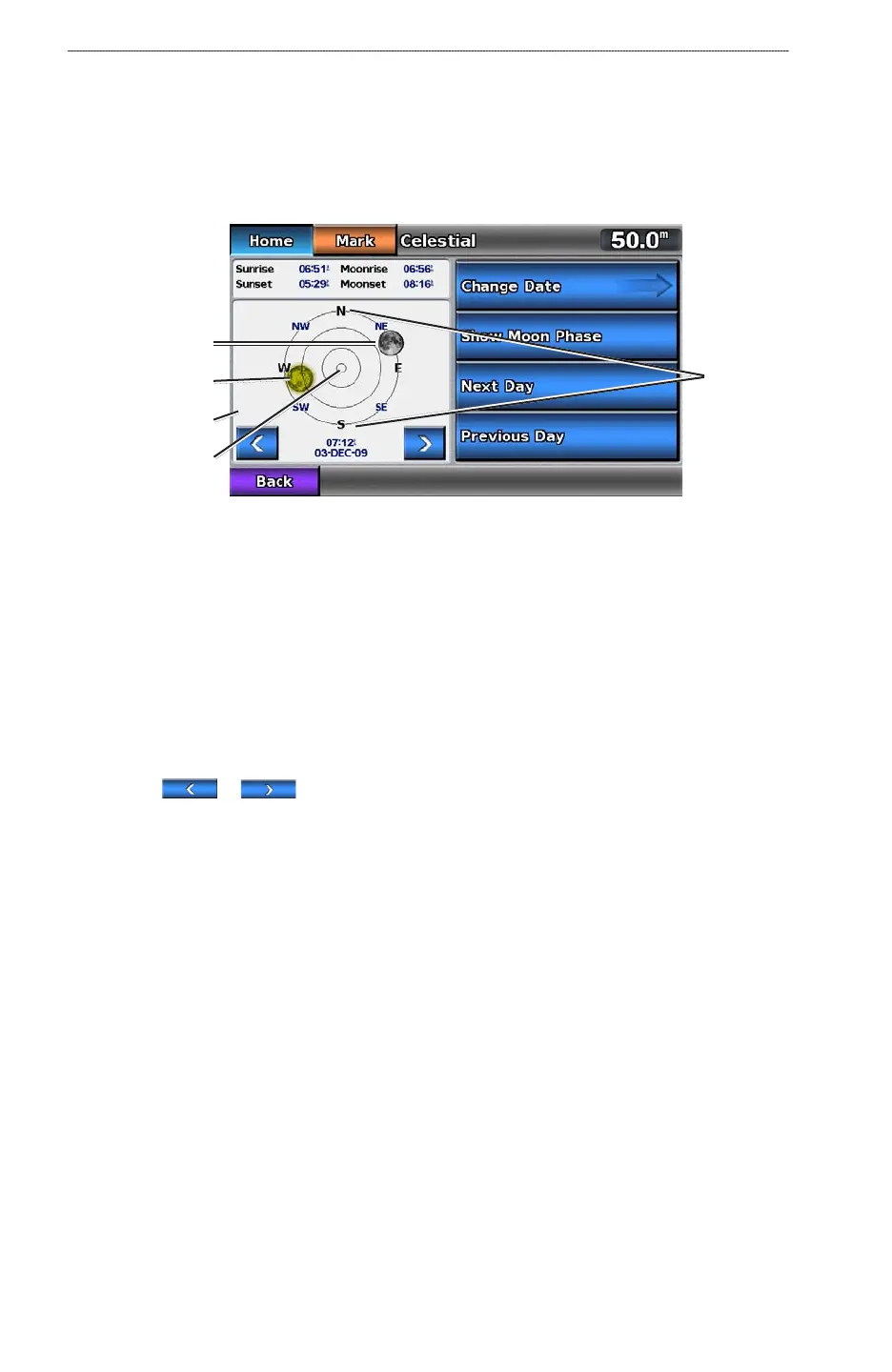
The Celestial screen shows information about sunrise, sunset, moonrise, moonset, the moon phase,
and the approximate sky view location of the sun and moon. By default, the chartplotter shows
celestial information for the present date and time.
From the Home screen, select Information > Celestial.
Celestial Information
Overhead
Sky view window
Sun position
Moon position
Horizon
Viewing Celestial Information for a Different Date
You can select a date and time for which to view celestial information, and you can view the moon
phase for the selected date and time.
1. From the Home screen, select
Information > Celestial.
2. Complete an action:
Select Change Date > Manual to view information for a different date. Enter a date. Select
Done.
Select Show Moon Phase to view the moon phase at the specied date and time.
Select or to change the time in 1-hour intervals.
Selecting Tide, Current, and Celestial Information from the Navigation
Chart.
Select the area near the desired station, select Information, and select Tides, Currents, or
Celestial.
On-boat Data
Engine and Fuel Gauges
Viewing Engine Gauges
You must be connected to a NMEA 2000 network capable of sensing engine data to view engine
gauges. See the GPSMAP 700 Series Installation Instructions for details.
From the Home screen, select Information > Dashboard Gauges > Engine.
Cycling Through Engine Gauge and Fuel Gauge Screens
1. From the Home screen, select Information > Dashboard Gauges > Engines.
2. Select the left and right arrows to move from one gauge screen to the next.
3. Repeat step 2 to cycle through all the engine gauge and fuel gauge screens.
•
•
•













 To Next Page