GPSMAP
®
700 Series Owner’s Manual 77
Sonar
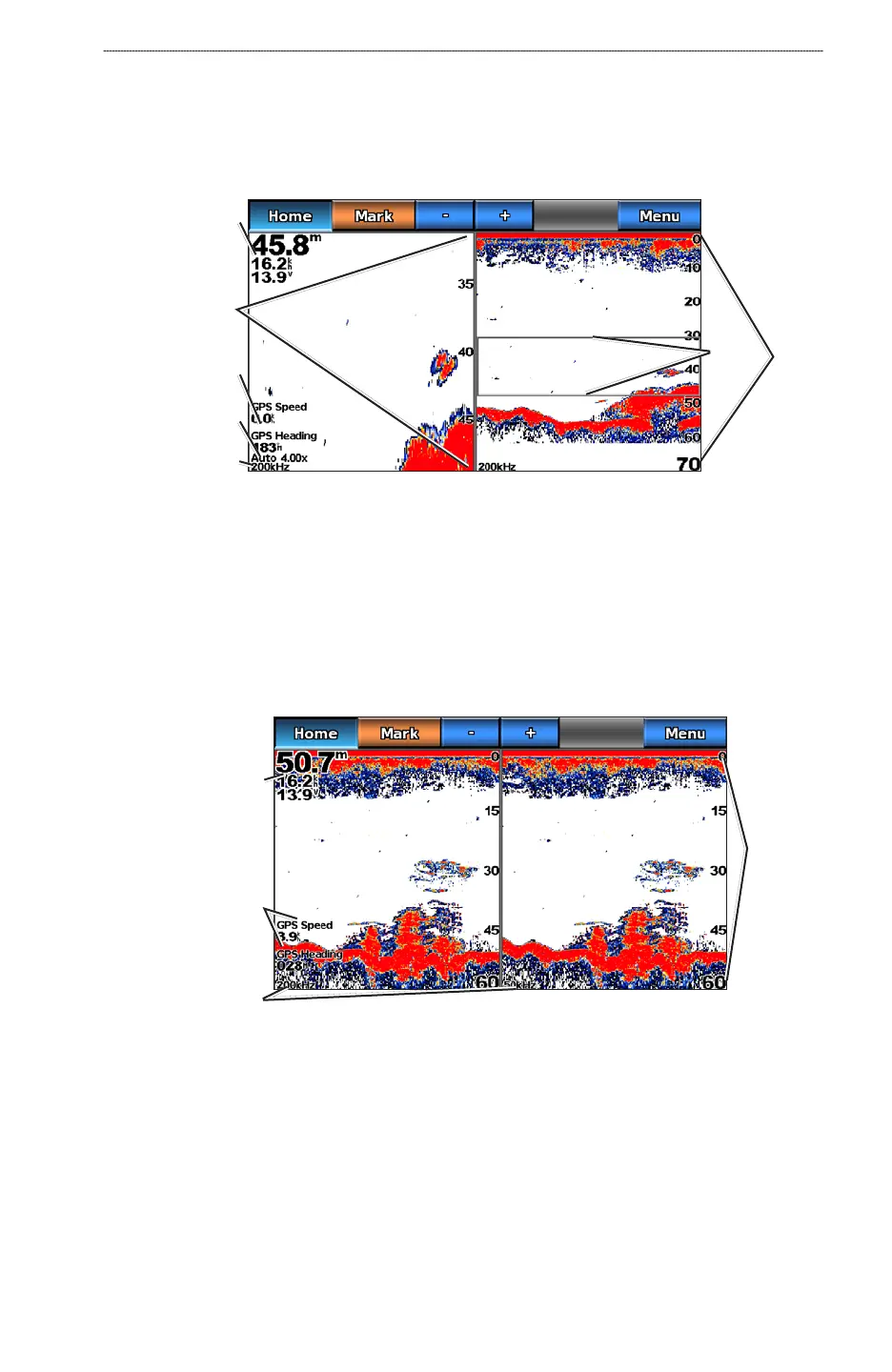
Split-zoom Sonar View
The split-zoom sonar view shows a full-view graph of sonar readings, and a magnied portion of
that graph, on the same screen.
From the Home screen, select Sonar > Split Zoom.
Split-zoom Sonar View
Range
Depth, water speed,
and unit voltage
GPS speed and
GPS heading
Transducer
frequency
Zoom level
Zoomed depth
scale
Zoom
window
Split-frequency Sonar View
In the split-frequency sonar view, the left side of the screen shows a full-view graph of 200 kHz
frequency sonar data, and the right side of the screen shows a full-view graph of 50 kHz frequency
sonar data.
NOTE
: The split-frequency sonar view requires the use of a dual-frequency transducer.
From the Home screen, select Sonar > Split Frequency.
Range
Depth, water speed,
and unit voltage
GPS speed and
GPS heading
Transducer
frequencies
Split-frequency Sonar View
Changing from One Sonar View to a Different Sonar View
1. From the Home screen, select Charts.
2. Select a sonar view.
3. Select
Menu > Change Sonar.
4. Select a different sonar view.













 To Next Page