GPSMAP
®
700 Series Owner’s Manual 31
Navigation
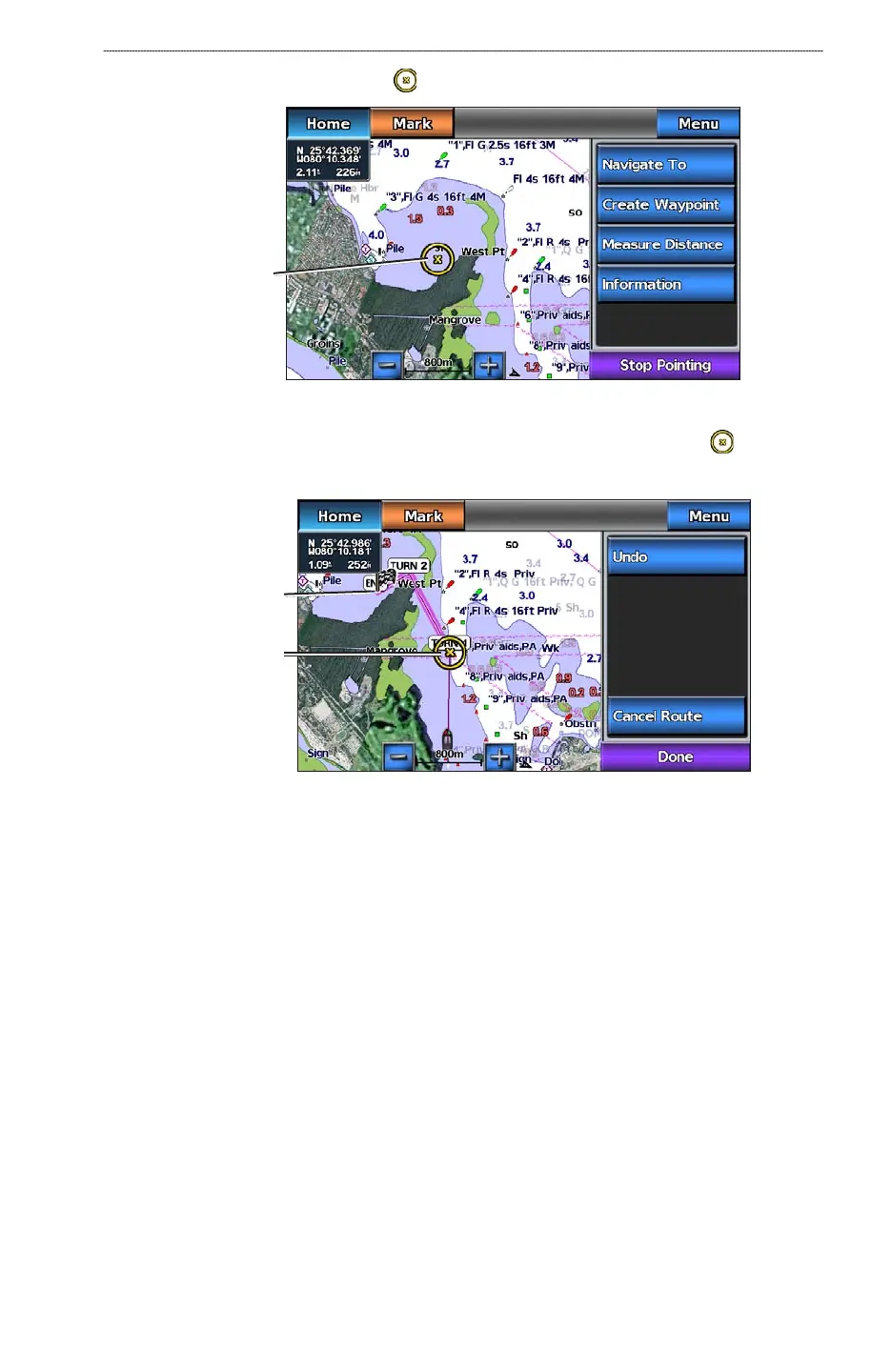
3. Touch a destination using the cursor ( ).
Destination
selected
4. Select Navigate To > Route To.
5. Touch the location where you want to make the last turn toward your destination (
).
6. Select
Add Turn.
Destination
Turn 1 selected
7. If you want to add additional turns, repeat steps 5 and 6, working backward from the destination
to the present location of your boat.
The last turn you add should be where you want to make the rst turn from your present location.
It should be the turn that is closest to your boat.
8. Select
Done when the route is complete.
9. Review the course indicated by the magenta line.
10. Follow the magenta line, steering to avoid land, shallow water, and other obstacles.
When you have reached the destination, you are prompted to save the route.
11. Complete an action:
Select No
Select Yes > Edit Route > Name. Enter the name of the Route. Select Done.
Creating and Saving a Route
This procedure saves the route and all the waypoints in it. The starting point can be your present
location or another location.
1. From the Home screen, select
Information > User Data > Routes > New Route > Use Chart.
•
•













 To Next Page