76 GPSMAP
®
700 Series Owner’s Manual
Sonar
Sonar
When connected to a transducer, the following 700 series models can be used as shnders:
GPSMAP 720s
GPSMAP 740s
GPSMAP 750s
Sonar Views
The chartplotter shows sonar data using three different views: a full-screen view, a split-zoom view,
and a split-frequency view.
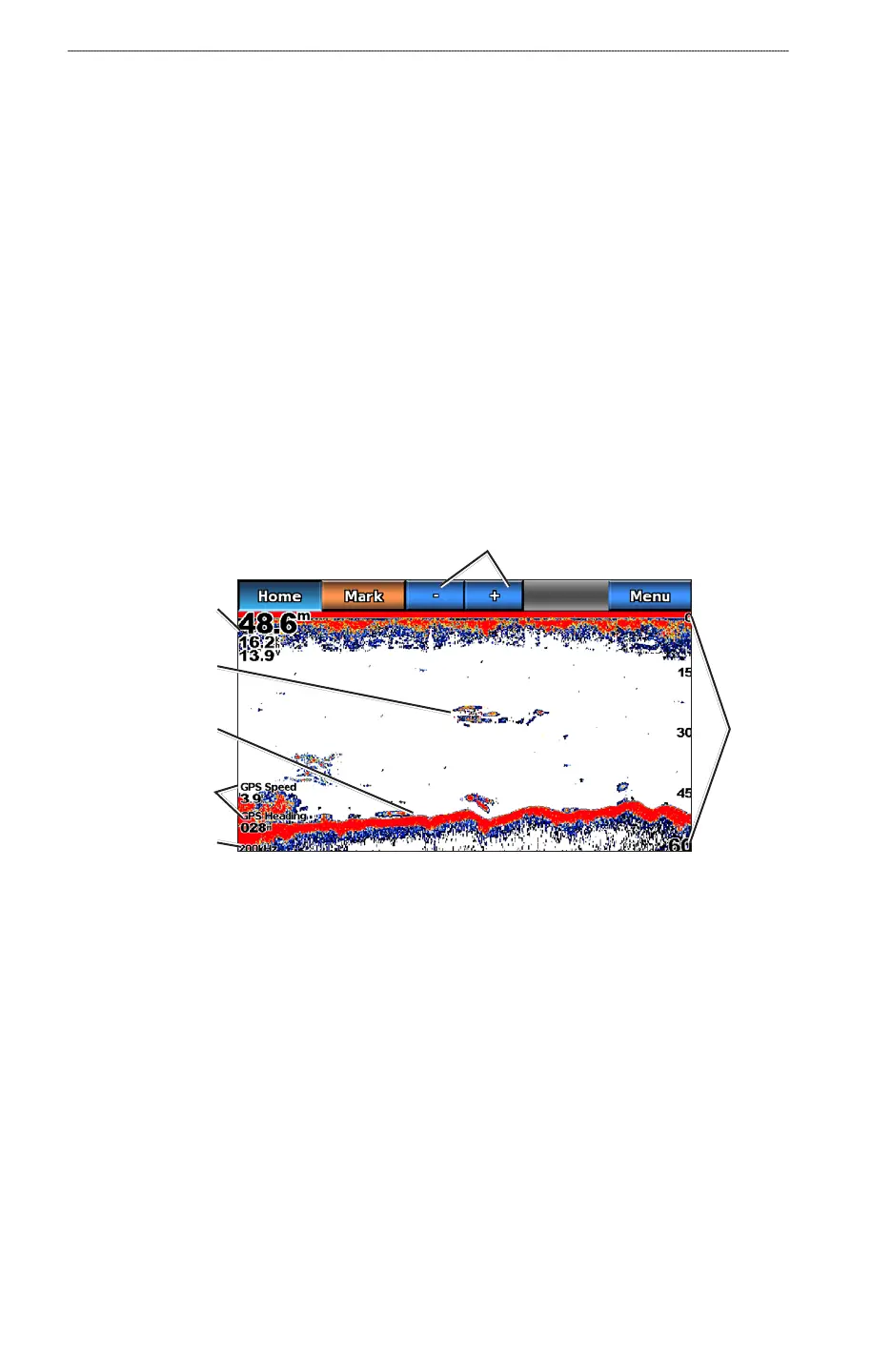
Full-screen Sonar View
The full-screen sonar view shows a full-view graph of sonar readings from a transducer. The range
scale along the right side of the screen shows the depth of detected objects as the screen scrolls from
the right to the left.
From the Home screen, select Sonar > Full Screen.
Full-screen Sonar View
Suspended
target
Bottom
Depth, water speed,
and unit voltage
GPS speed and
GPS heading
Transducer
frequency
Range
Range adjustment
buttons
Setting the Zoom Level on the Full-screen View
You can zoom in to a section of the full-screen sonar view.
1. From the Home screen, select
Sonar > Full Screen > Menu > Zoom.
2. Complete an action:
Select 2x Auto Lock to zoom in on the sonar data at two-times magnication.
Select 4x Auto Lock to zoom in on the sonar data at four-times magnication.
Select Manual Zoom to set the depth range of the magnied area manually. Select View Up
or View Down to set the depth range of the magnied area. Select Zoom In or Zoom Out to
increase or decrease the magnication of the magnied area. Select Done.
Select Bottom Lock to zoom in on sonar data from the bottom depth, and select Up or Down
to set the depth range of the magnied area. Select Done.
•
•
•
•
•
•
•













 To Next Page