GPSMAP
®
700 Series Owner’s Manual 13
Charts and 3D Chart Views
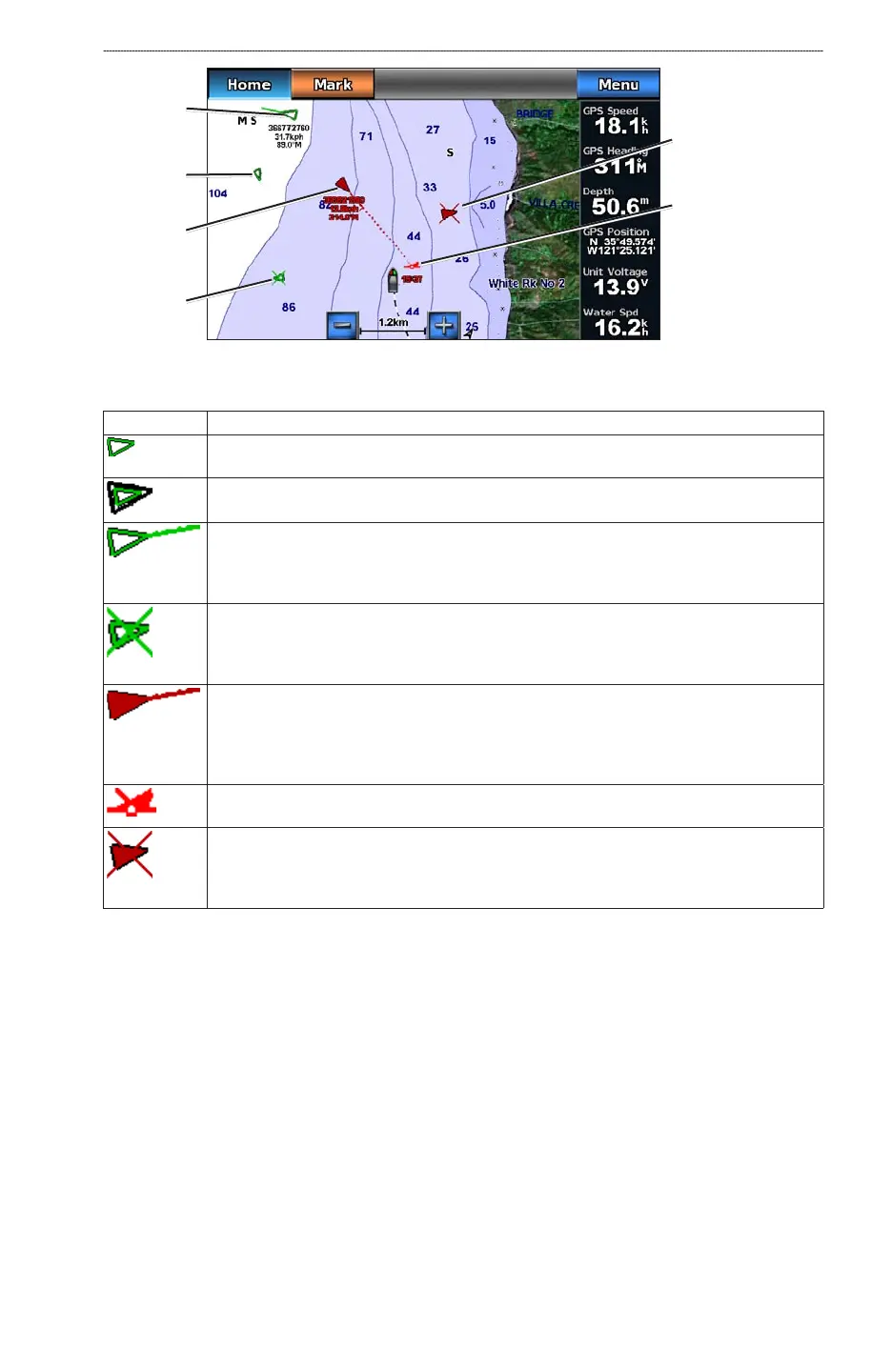
AIS Targeting on the Navigation Chart
AIS vessel
Dangerous
AIS target
Lost dangerous
AIS target
Lost
AIS target
Closest point and
time of approach to
dangerous target
Tracking
AIS target
AIS Targeting Symbols
Symbol Description
AIS vessel. The vessel is reporting AIS information. The direction in which the triangle is
pointing indicates the direction in which the AIS vessel is moving.
Target is selected.
Target is activated. The target appears larger on the chart. A green line attached to the target
indicates the heading of the target. The MMSI, speed, and direction of the vessel appear
beneath the target, if the details setting is set to Show (page 14). If the AIS transmission from
the vessel is lost, a message banner appears.
Target is lost. A green X indicates that the AIS transmission from the vessel is lost, and the
chartplotter displays a message banner asking whether the vessel should continue to be
tracked. If you discontinue vessel tracking, the lost target symbol disappears from the chart or
the 3D chart view.
Dangerous target in range. The target ashes while an alarm sounds and a message banner
appears. After the alarm is acknowledged, a solid red triangle with a red line attached to it
indicates the location and the heading of the target. If the safe-zone collision alarm is set to
Off, the target ashes, but the audible alarm does not sound and the alarm banner does not
appear (page 15). If the AIS transmission from the vessel is lost, a message banner appears.
The location of this symbol indicates the closest point of approach to a dangerous target, and
the numbers near the symbol indicate the time to the closest point of approach to that target.
Dangerous target is lost. A red X indicates that the AIS transmission from the vessel is lost,
and the chartplotter displays a message banner asking whether the vessel should continue
to be tracked. If you discontinue vessel tracking, the lost dangerous target symbol disappears
from the chart or the 3D chart view.
Heading and Projected Course of Activated AIS Targets
When heading and course over ground information are provided by an activated AIS target, the
heading of the target appears on a chart as a solid line attached to the AIS target symbol. A heading
line does not appear on a 3D chart view.
The projected course of an activated AIS target appears as a dashed line on a chart or a 3D chart
view. The length of the projected course line is based on the value of the projected heading setting
(page 14). If an activated AIS target is not transmitting speed information, or if the vessel is not
moving, a projected course line does not appear. Changes in the speed, the course over ground, or
the rate-of-turn information transmitted by the vessel can impact the calculation of the projected
course line.













 To Next Page