GPSMAP
®
700 Series Owner’s Manual 53
Device Conguration
Creating a Customized System of Measurement
You must be receiving NMEA Sonar depth data or using a GPSMAP 700(s) series chartplotter with a
built-in sounder to view depth and temperature information.
You can select individual units of measure to create a customized system of measurement for your
chartplotter display.
1. From the Home screen, select
Congure > Units > System Units > Custom.
2. Complete an action:
Select Depth, and select Feet, Fathoms, or Meters.
Select Temperature, and select Fahrenheit (ºF) or Celsius (ºC).
Select Distance, and select Miles, Kilometers, Nautical (nm, ft) or Nautical (nm, m).
Select Speed > Vessel Speed, and select Miles Per Hour, Kilometers Per Hour, or Knots.
Select Speed > Wind Speed, and select Miles Per Hour, Meters Per Sec, or Knots.
Select Elevation, and select Feet or Meters.
Select Volume, and select Litres, US Gallons, or UK Gallons.
Select Pressure > Gauge Pressure, and select kPa or psi.
Select Pressure > Atmospheric Pressure, and select Millibars or Inches of Mercury.
Chart Overlay Numbers
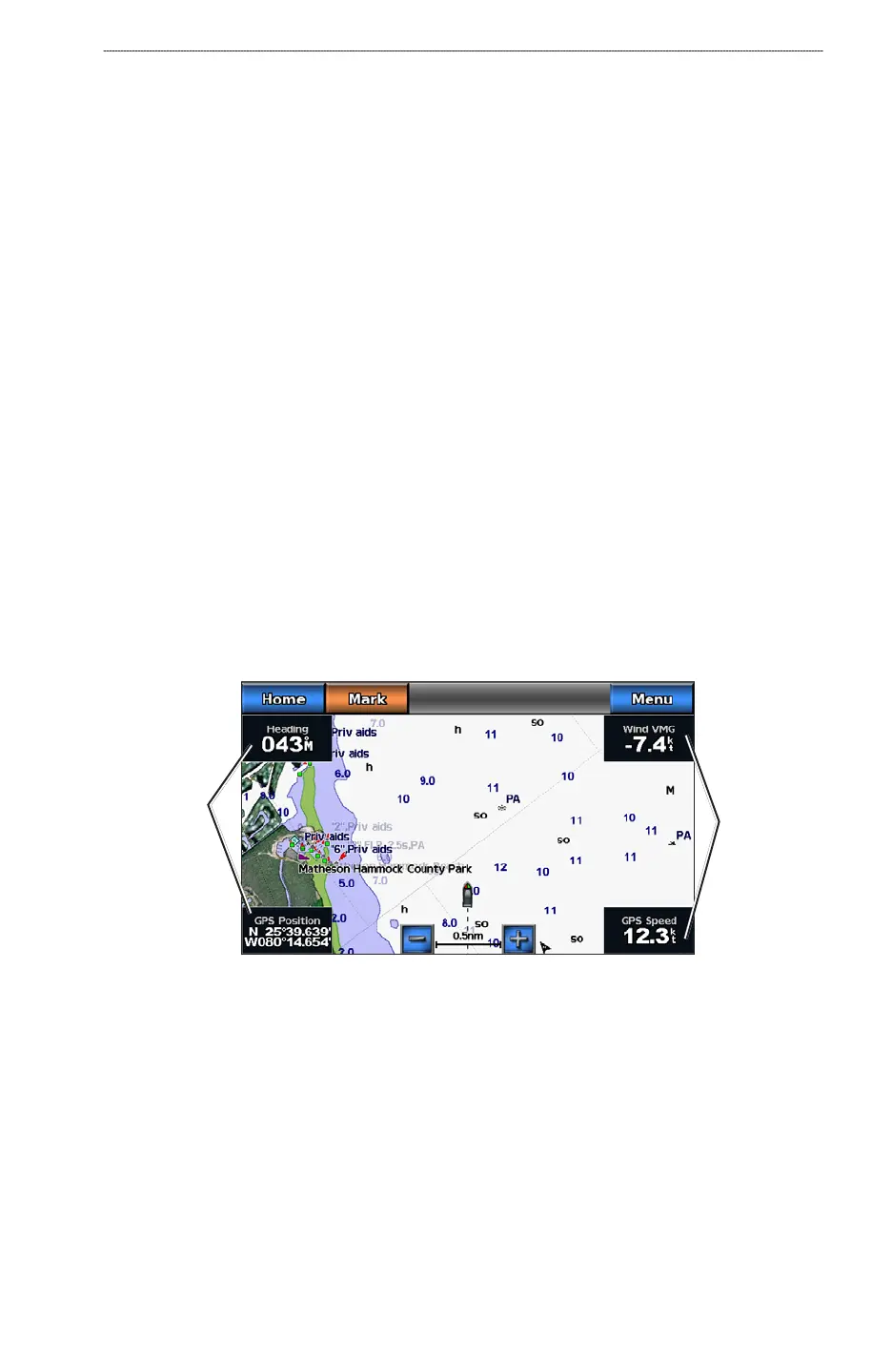
Overlay numbers with data elds can appear on specic charts, 3D charts, radar views (page 72, and
combination screens (page 24. The data overlay for each chart or 3D chart view can be congured
separately.
Data elds
Navigation Chart with Data Overlay
Data elds
Several data overlays are available. You can select the data elds to be shown within each data
overlay.
When overlay numbers are displayed on the chart, the navigation inset is shown during navigation.
The compass tape can be shown or hidden in each overlay.
Selecting a Data Overlay
1. From the Home screen, select Charts.
2. Select a chart or a 3D chart view.
3. Select
Menu.
4. Complete an action:
•
•
•
•
•
•
•
•
•













 To Next Page