64 GPSMAP
®
700 Series Owner’s Manual
Radar
4. Touch the location of the outer guard-zone corner.
5. Select Done.
Dening a Circular Guard Zone
You must enable a guard zone before you can dene the boundaries of the zone (page 63).
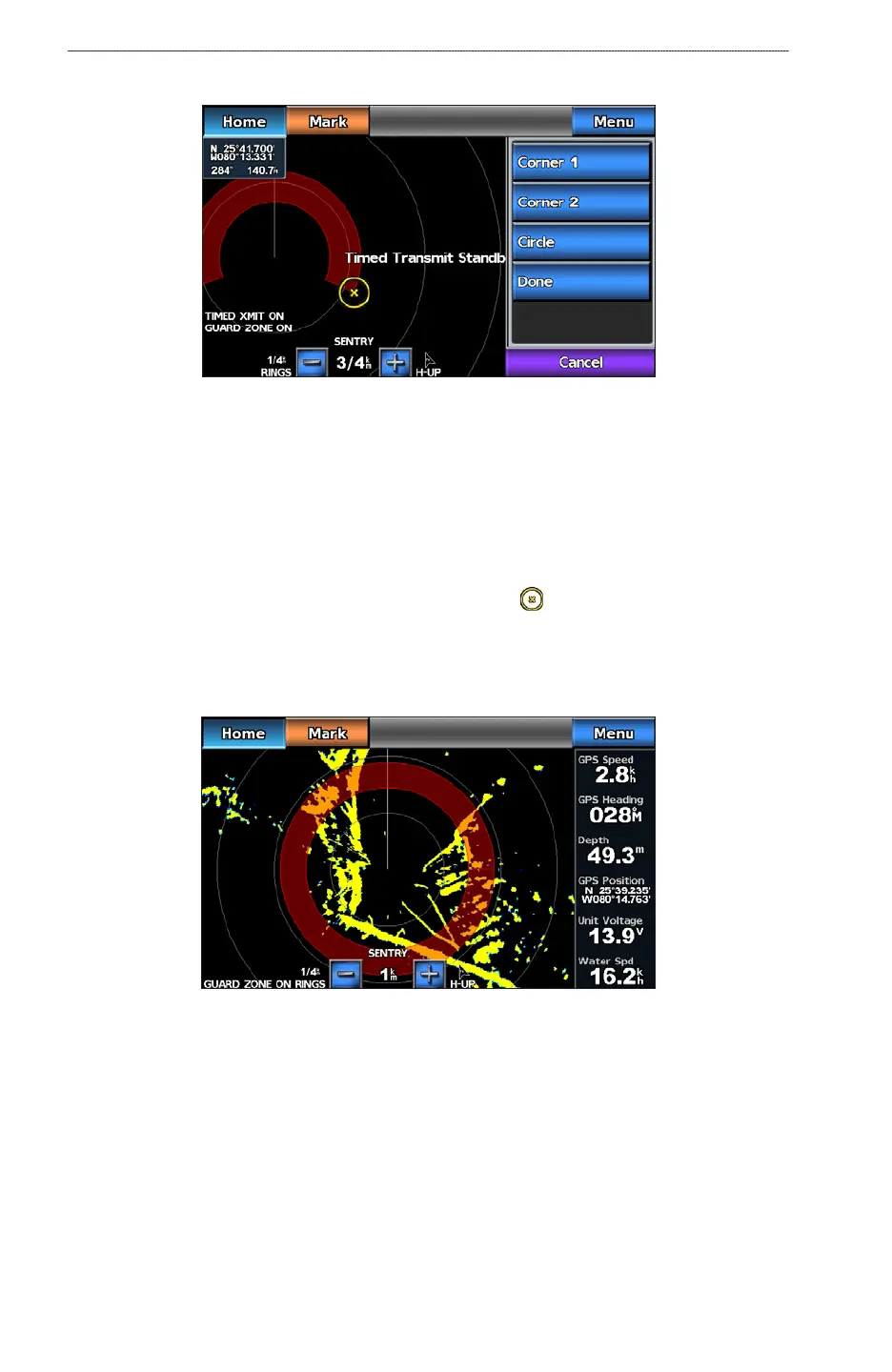
You can dene a circular guard zone that completely encompasses your boat.
1. From the Home screen, select
Radar > Sentry > Menu > Sentry Setup > Adjust Guard Zone
> Move Guard Zone > Corner 1.
2. Touch and drag the location of the inner guard-zone circle, (
).
3. Select
Corner 2.
4. Touch and drag the location of the outer guard-zone corner.
5. Select
Circle.
Setting the Safe-zone Collision Alarm
See “Setting the Safe-zone Collision Alarm (page 15).
Viewing a List of AIS Threats
From any radar view, you can view and customize the appearance of a list of AIS threats.
1. From the Home screen, select
Radar.
2. Select
Cruising, Harbor, Offshore, or Sentry.
3. Select
Menu > Other Vessels > AIS List.













 To Next Page