26 0000010291
001
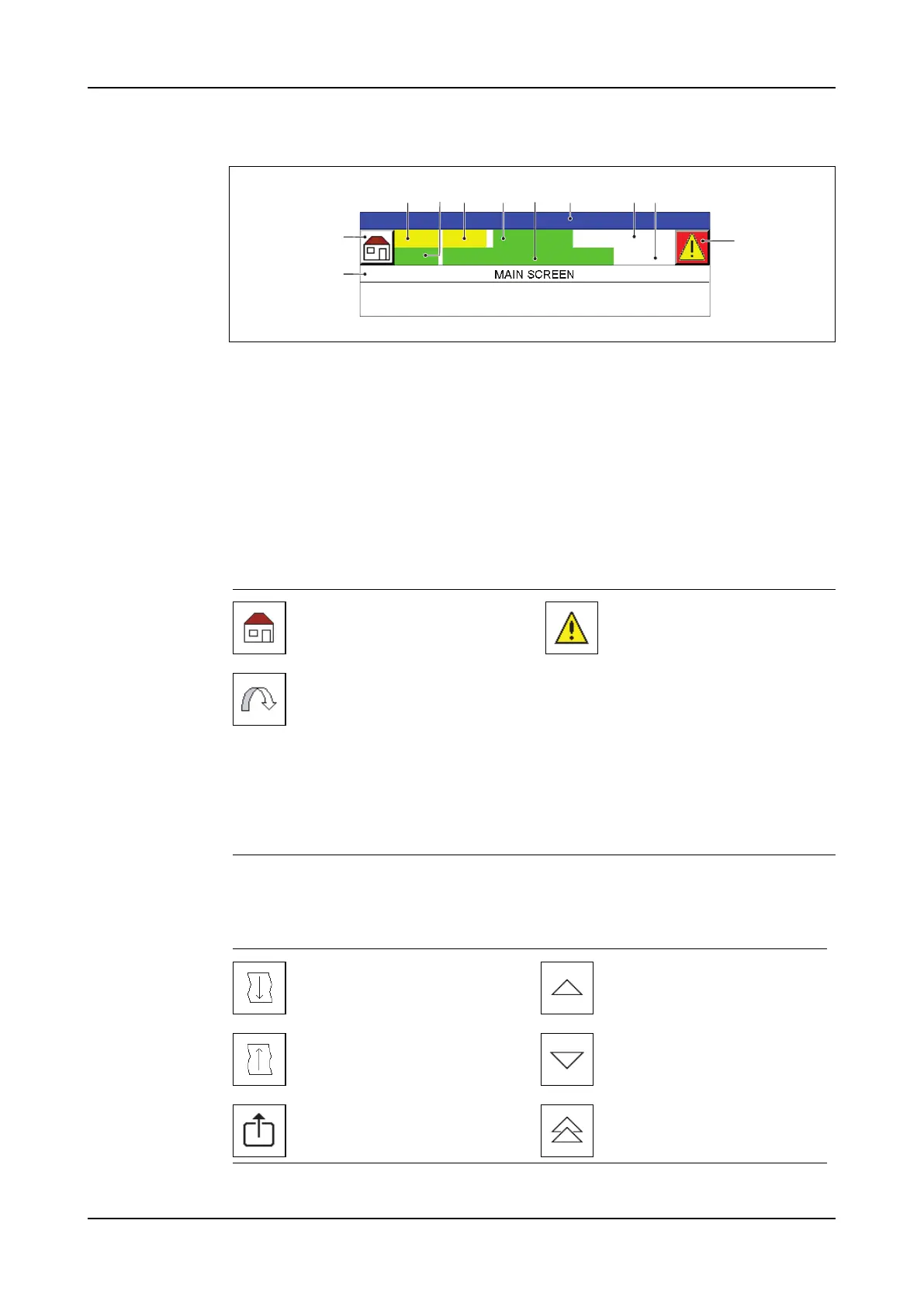
Screen header
A Shortcut icon
B Screen title
C Screen number. Shortcut to the screens with a keypad.
D User level
E Password
F Recipe number
G Title on-line recipe
H Status line
I Date
J Time
K Alarm icon
Header icons
Menu bar The menu bar at the bottom contains navigation and general function icons.
General bar
icons
A
B
FGD HEC I J
K
Shortcut to the main screen.
Go to screen 8000. Alarm in-
dicator:
–White Alarm icon: No
alarms.
–Alternate red Alarm
icon. At least one alarm
message waits for ac-
knowledgment.
–Red Alarm icon. All wait-
ing alarm messages are
acknowledged, but at
least one alarm is not
solved.
Shortcut to a set screen.
Go to the next screen. Scroll up.
Go to the previous screen. Scroll down.
Go back one menu level. Scroll screen up.



 To Next Page