0000010291 43
001
GEA recommends to change the passwords after installation and from then on ev-
ery month.
1. Go to screen 5100 (Password levels).
2. Change the passwords.
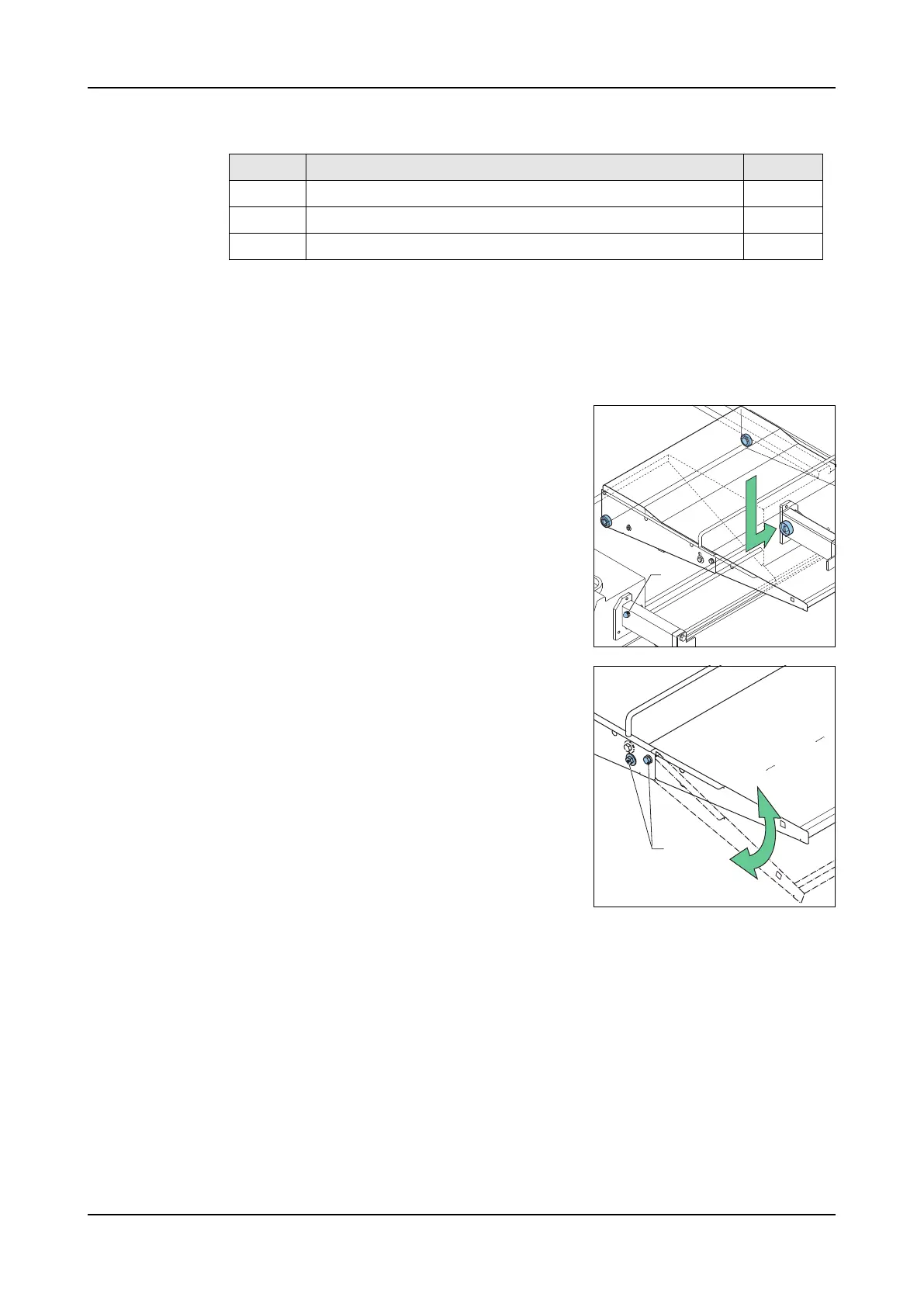
3.2.1 Conveyor belt
Conveyor belt
installation
1. Unscrew the bolt (A). Unscrew until the bolt
does not stick out.
2. Turn the conveyor belt drive roll so it is ori-
ented the same as the cam on the drive
wheel.
3. Install the conveyor with the groove of the
conveyor belt drive roll over the drive wheel
cam.
4. Tighten the bolt.
5. Install the collection tank.
Conveyor belt
position
1. Unscrew the bolts (A) a few turns.
2. Set the height of the conveyor belt.
3. Tighten the bolts (A).
2 Production 369
3 Production > development 1604
4 Maintenance 1310
Level Description Default
A
A



 To Next Page