48 0000010291
001
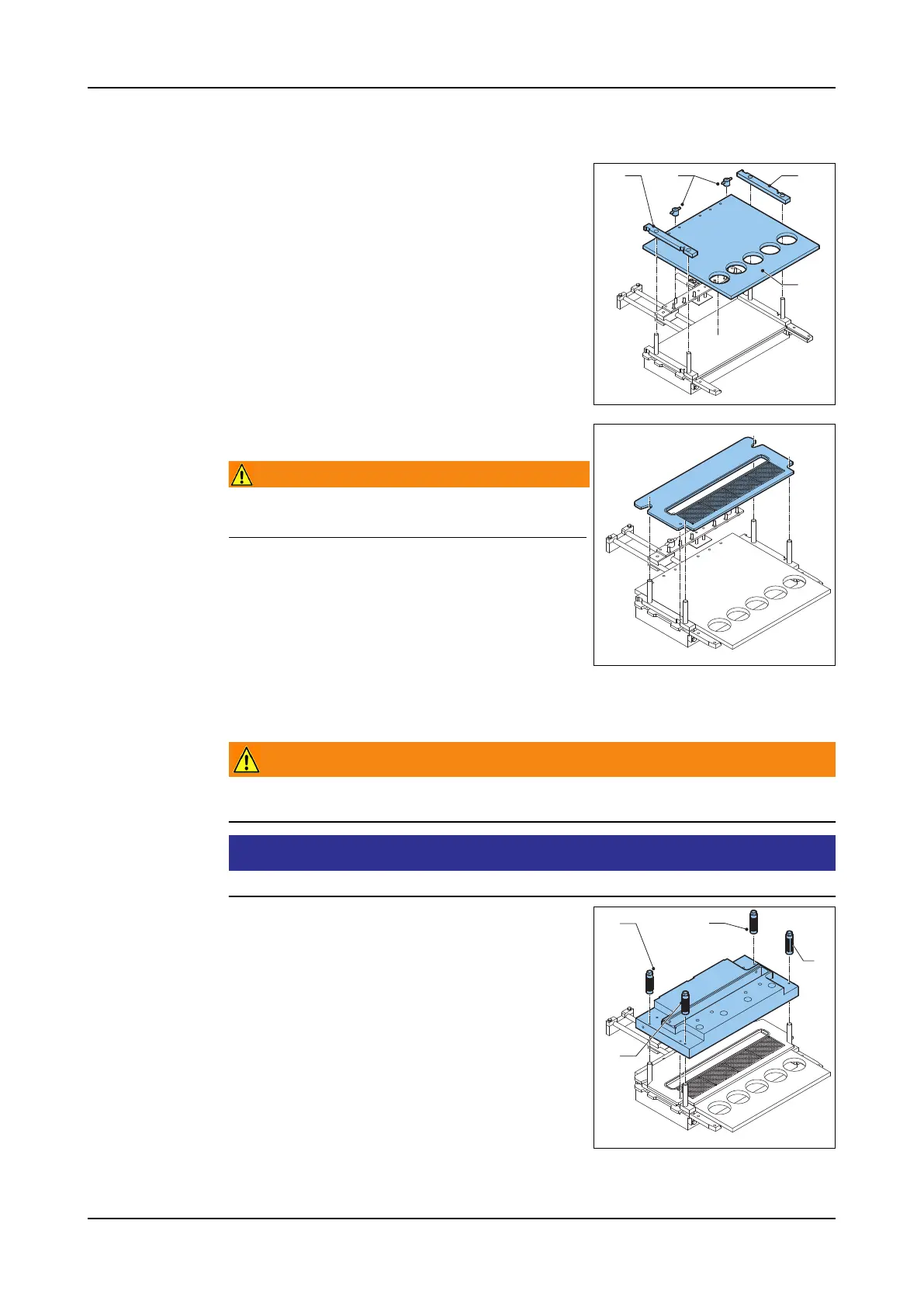
Install the form
plate
1. Lubricate the form plate and the side guides.
Use only edible lubricants. Refer to section
6.2.1 "Lubrication".
2. Place the side guides (B) over the threaded
rods. The grooves in the side guides must
be on the outside.
3. Place the form plate (C).
4. Tighten the wing nuts (A).
Install the top
plate
1. Place the top plate.
Warning!
The edge of the hole in the top plate is ra-
zor sharp.
Remove the
support block
1. Raise the hopper to its highest position.
2. Remove the support block.
Lower the hop-
per
Warning!
Make sure there are no fingers or objects between the hopper and the ma-
chine when lowering the hopper.
Attention!
Keep to the described sequence when fastening the hopper nuts.
1. Push the Hopper down buttons. The hopper
goes down.
2. Fasten the hopper nuts (A) to centre (align)
the hopper. Use a spanner.
3. Tighten the hopper nuts (B).
4. Tighten the hopper nuts (A).
A B
C
B
BB
A
A



 To Next Page