88 0000010291
001
Product prob-
lem descrip-
tions
A The form plate does not fill enough.
B There is a tear in the product.
C The form plate overfills.
D There is a cavity in the product.
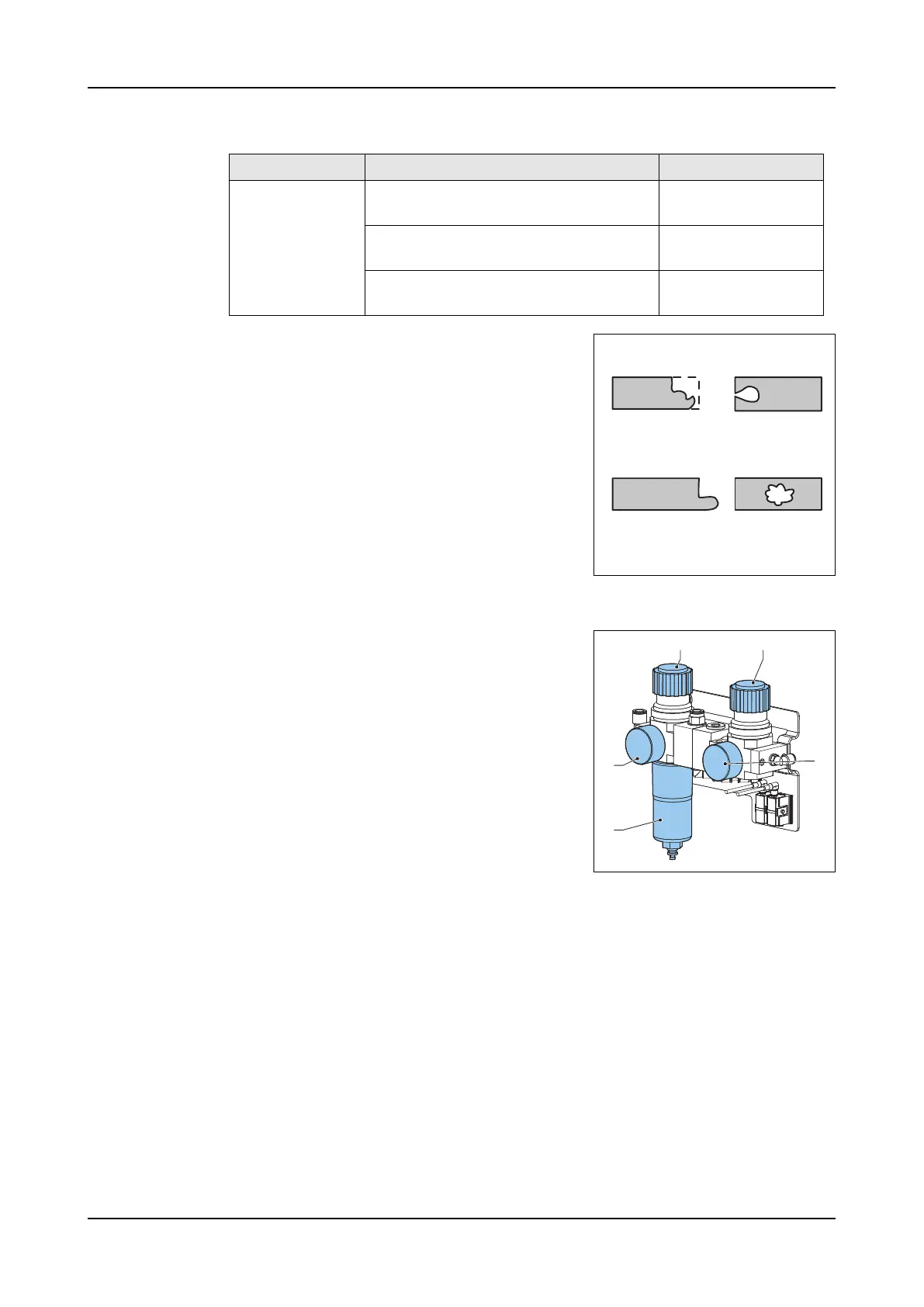
7.3.3 Air pressure
Adjustment
Knob (A) controls the system air pressure, knob
(B) controls the air pressure of the knockout air
blast.
To adjust the system air pressure:
1. Turn the knob (A) of the main pressure reg-
ulator (D) Clockwise or counterclockwise to
adjust the system air pressure. Use the
pressure gauge (E) to read the pressure.
To adjust the pressure of the knockout air blast:
1. Turn the knob (B) Clockwise or counter-
clockwise to adjust the knockout air blast
pressure. Use the pressure gauge (C) to read the pressure.
The knockout
does not free the
product well
The timing of the air pulse is not right. Adjust the air blast
offset time.
The knockout is too fast. Increase the knock-
out time.
The pressure of the air pulse is too
low.
7.3.3
Problem Possible cause Solution (See)
AB
CD
A B
D
E
C



 To Next Page