0000010291 49
001
4.3.3 Exchange the plates for 3D and double-3D products
When making 3D or double-3D products the tooling set is different than when
making flat products. There is an extra double-3D plate when making double-3D
products and there is a different top plate when making double-3D and 3D prod-
ucts.
Caution!
Check all plates before use in the machine.
Refer to section 4.3.1 "Handling of the plates".
For MultiFormer 400 machines only, do not use plates from a previous
MultiFormer 400 machine without the adapter kit. The thickness of the
plates for previous machines is 33 mm, measured at the thinnest part of
the plate. The thickness of the new version plates is 11 mm, also mea-
sured at the thinnest part of the plate.
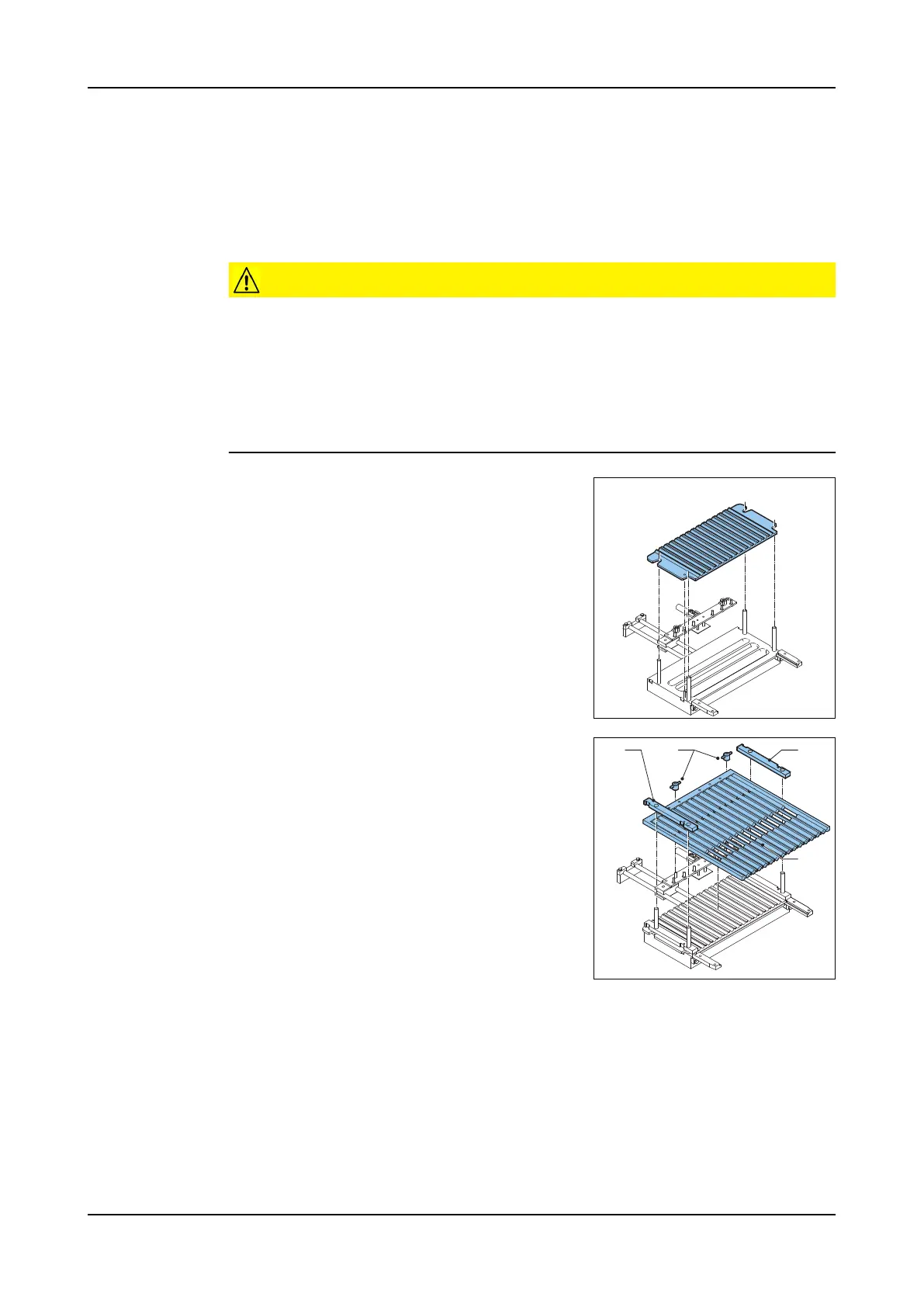
Install the dou-
ble-3D plate
1. Place the double-3D plate on the bottom
plate when making double-3D products.
Install the 3D
form plate
1. Lubricate the form plate and the side guides.
Use only edible lubricants. Refer to section
6.2.1 "Lubrication".
2. Place the side guides (B) over the threaded
rods. The grooves in the side guides must
be on the outside.
3. Place the form plate (C).
4. Tighten the wing nuts (A).
A B
C
B



 To Next Page