0000010291 93
001
7.3.11 Place the filling strip (option: type 600)
If a sufficient pressure can not be achieved to properly fill the form plate, the pres-
sure can be raised by placing a filling strip in the pressure chamber.
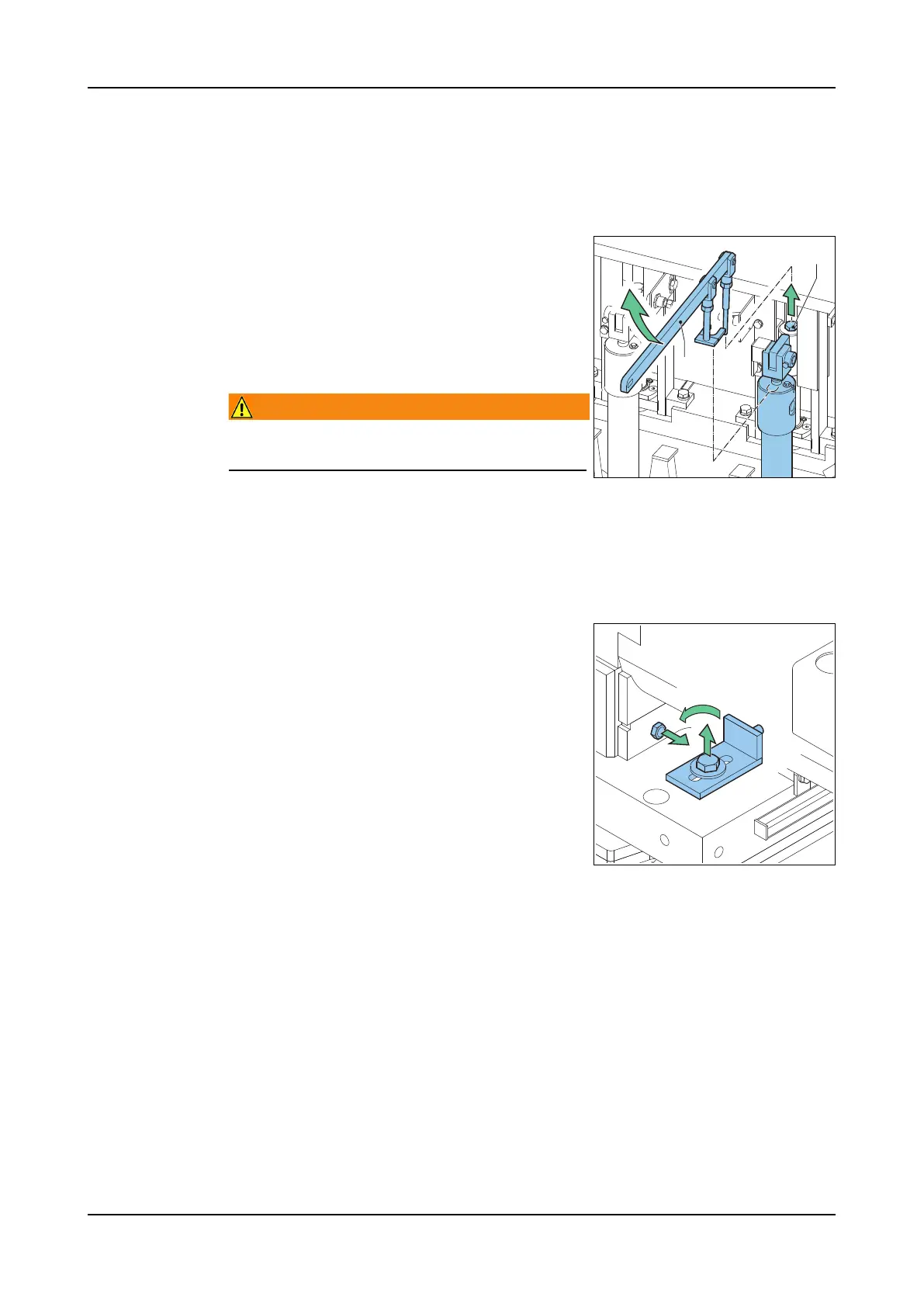
Disassembly
1. Go to screen 1306 (Press blocks).
2. Touch the Start icon and set the press block
bar to its lower position.
3. Loosen the bolt (A).
4. Take away the press block bar. Use the spe-
cial lever (B) supplied with the machine.
Warning!
Do not catch the press block bar with your
hands.
5. Pull out the press block bar between the
threaded rods at the side of the machine.
Assembly 1. Put the press block bar into the pressure chamber.
2. Fix the press block bar with the bolt.
3. If the filling strip is not fitted: check if the plugs are fitted correctly.
Place the filling
strip
1. Loosen the plugs.
2. Take the plugs out of the holes.
3. Move the plugs out of the way.
4. Fasten the plugs.
5. Place the filling strip.
6. Fasten the filling strip with nylock nuts. Use
a spanner.
7.3.12 Product temperature control
The quality of the product can fluctuate if the temperature of the processed mate-
rial fluctuates. Take care of a constant temperature of the processed material. To
compensate the temperature difference:
1. Decrease the press block pressure if the material temperature increases.
2. Increase the press block pressure if the material temperature decreases.
A
B



 To Next Page