34 0000010291
001
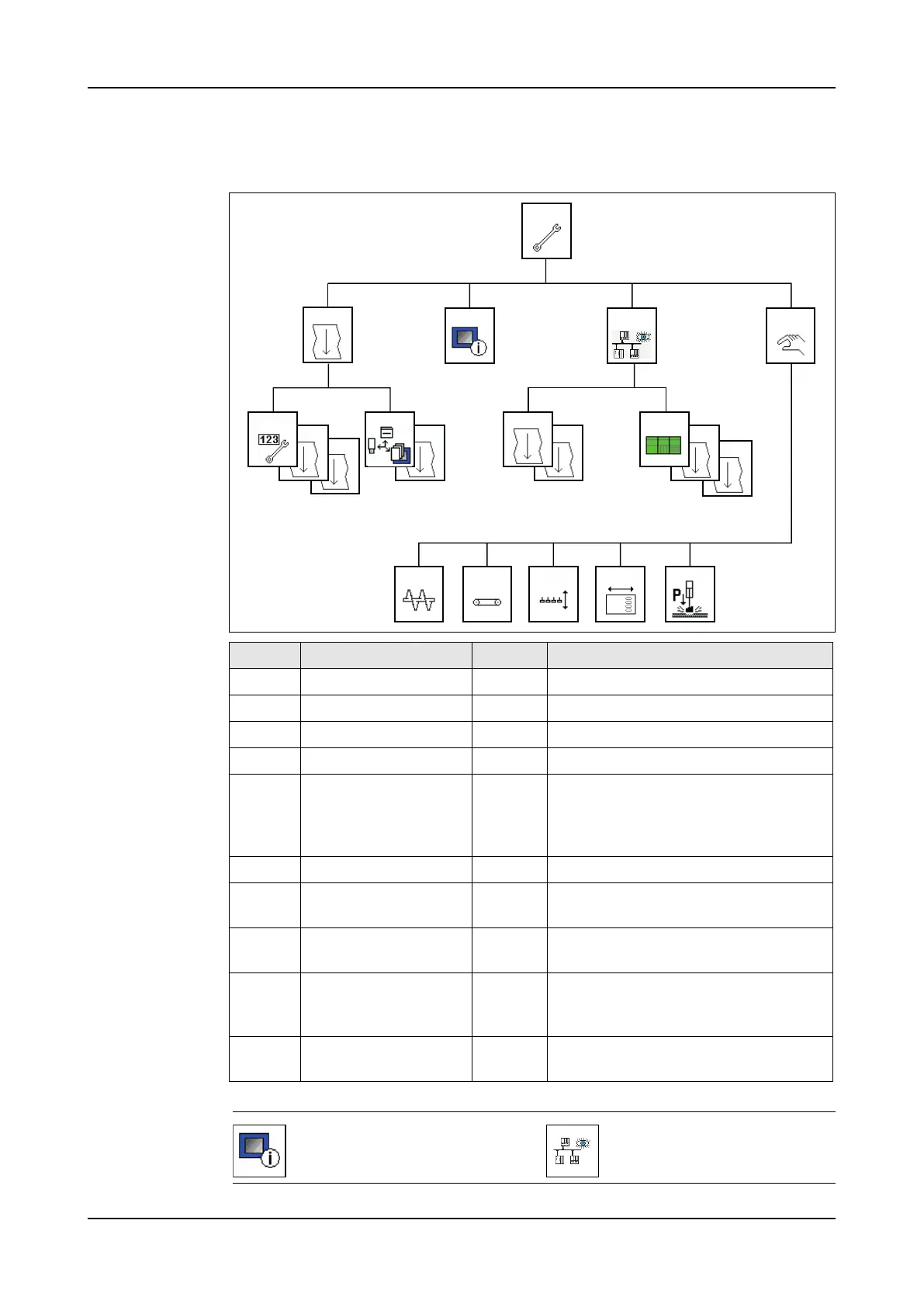
2.4.6 Maintenance
Menu structure
Icons
Screen Title Level Description
3000 Maintenance 1 Service Maintenance selection menu.
3001 Maintenance 2 Service Maintenance selection menu.
3100 Software Service Gives software version information.
3200 Network Service Network selection menu.
3201 CPU Info Service Gives the number of operating hours,
the number of warm and cold starts,
the slave number and the battery sta-
tus.
3202 CPU logbook Service Gives the CPU log-file.
3220-
3254
Slave 5: I/O Menu Service Gives the analog and digital I/O infor-
mation.
3300-
3390
Manual Service To start a part of the machine manu-
ally.
3400-
3404
Service settings Service Optional setting. Can contain ma-
chine specific settings or production
line settings.
3500 Module settings Service To export information: configuration,
recipe and data.
3402
3254
32023401
3000
3200 33003100
3501
3201
3320 3340
3310
3001
35003400 3220
3350 3360
Software menu. Go to screen
3100.
Network menu. Go to screen
3200.



 To Next Page