0000010291 91
001
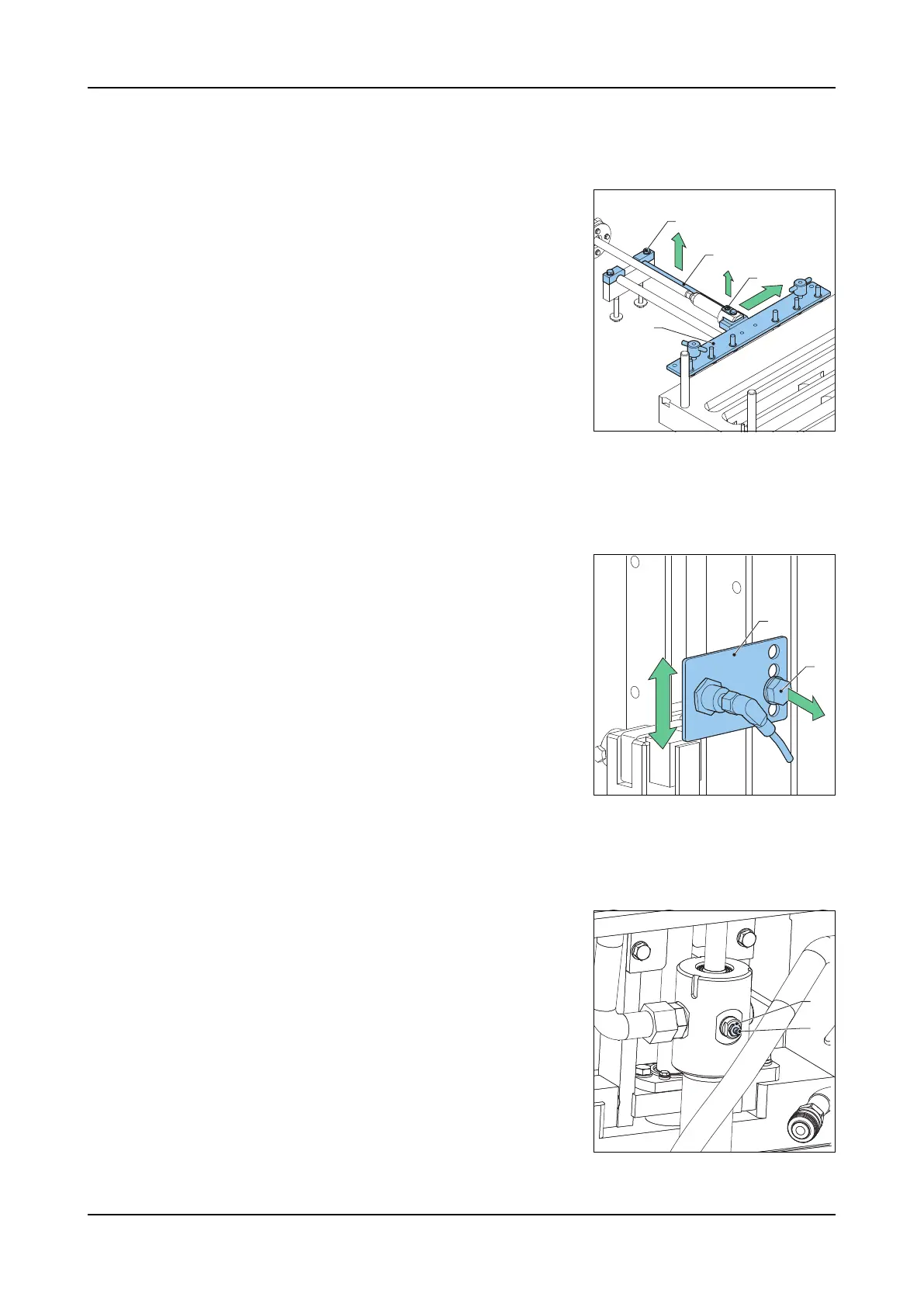
7.3.7 Form plate connection bracket
Removal
1. Take away the lock ring of the pin (C).
2. Take away the pin.
3. Slide away the form plate connection brack-
et (D).
4. Loosen the clamping block bolt (A).
5. Take away the clamping block.
6. Take away the guide shaft (B).
7. Take away the form plate connection brack-
et (D).
Assembly 1. Replace in the reverse order.
7.3.8 Press block stroke adjustment
When the machine is set to step filling, it can occur that the last step does not pro-
vide enough volume to create proper products. If this problem occurs, the position
of the sensor that triggers the return stroke has to be moved.
1. Loosen the sensor bracket bolt (B).
2. Move the sensor bracket (A) to a different
position.
3. Tighten the sensor bracket bolt.
7.3.9 End-buffer cylinder adjustment
When the cylinder makes a loud mechanical noise, which indicates the beginning
of wear of the end-buffer, it is possible to adjust the flow control valve. When it is
not possible to reduce the mechanical noise, it is necessary to replace the cylin-
der.
1. Loosen the lock-nut (A).
2. Turn the adjustment screw (counter)clock-
wise to minimize the mechanical noise. Re-
place the cylinder if a minimization of the
mechanical noise is not possible.
3. Tighten the lock-nut (A).
C
B
A
D
B
A
A
B



 To Next Page