page | 100
Example 2
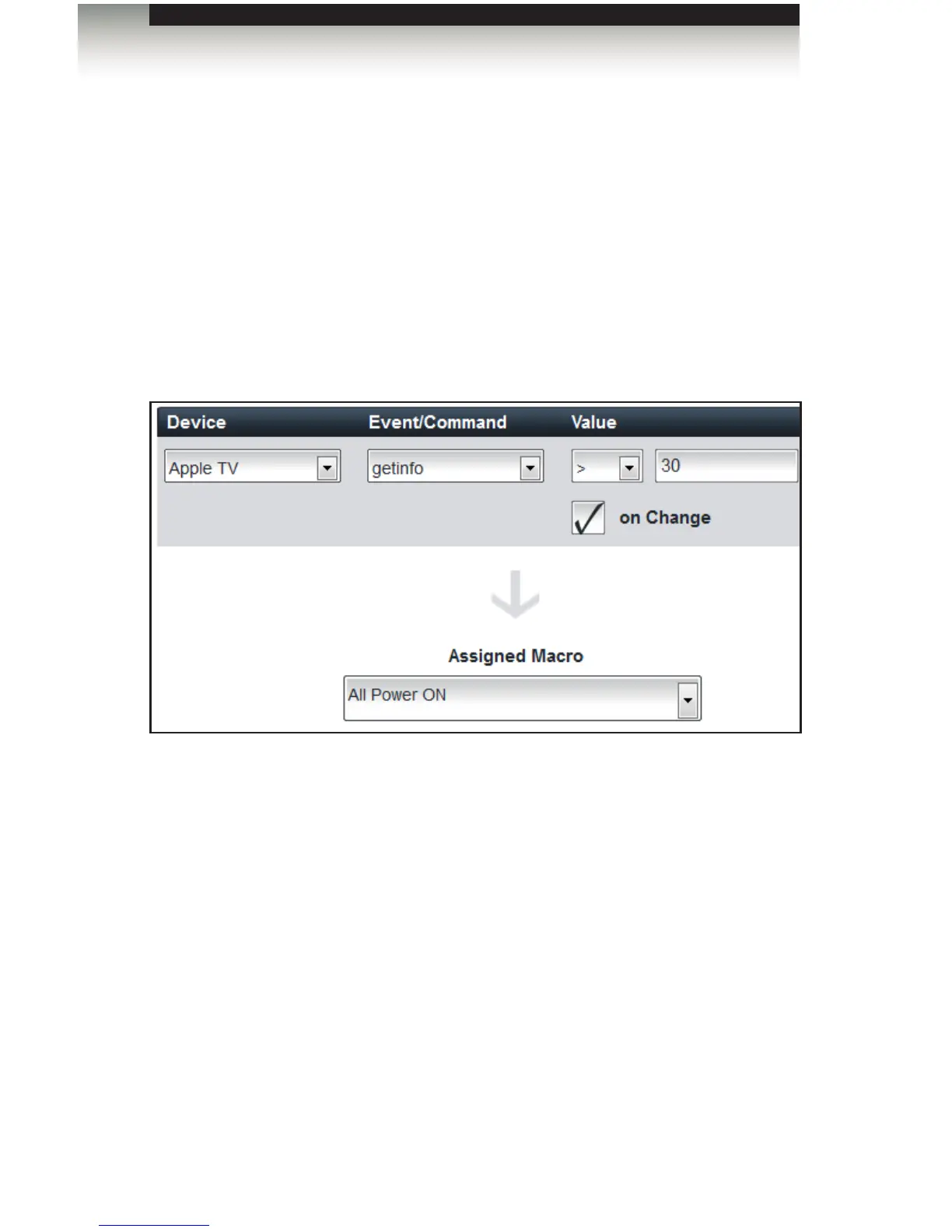
In this next example, we will modify our event to test for a specic value, before it is
executed.
1. Click the TVON event from under the Events tab.
2. We have installed an Apple TV as a device, so we will select it from the Device
drop-down list.
3. Instead of selecting a command from the Event / Command drop-down list, we will
select an event. In the example below, we have selected the getinfo event (be sure
not to confuse the device event with the GAVA Event).
4. Enter the value to be tested. Here, we will enter the value of 30.
5. Select the conditional statement from the Value drop-down list. In this example, the
macro will be triggered only if the value is greater than 30.
6. Check the on Change box if the macro should trigger only when the value changes.
7. Click the Save and Close button to save changes and return to the Home screen.
Using the GAVA Wizard
Creating Events



 To Next Page