page | 103
Using the GAVA Wizard
Views
On the Pages tab, we want to select the devices which our end-users will be allowed
to control. We can stick with a single room, such as the Bedroom, or we can select
devices from more than just one room.
By default, each device that was created for each room will appear in the GUI.
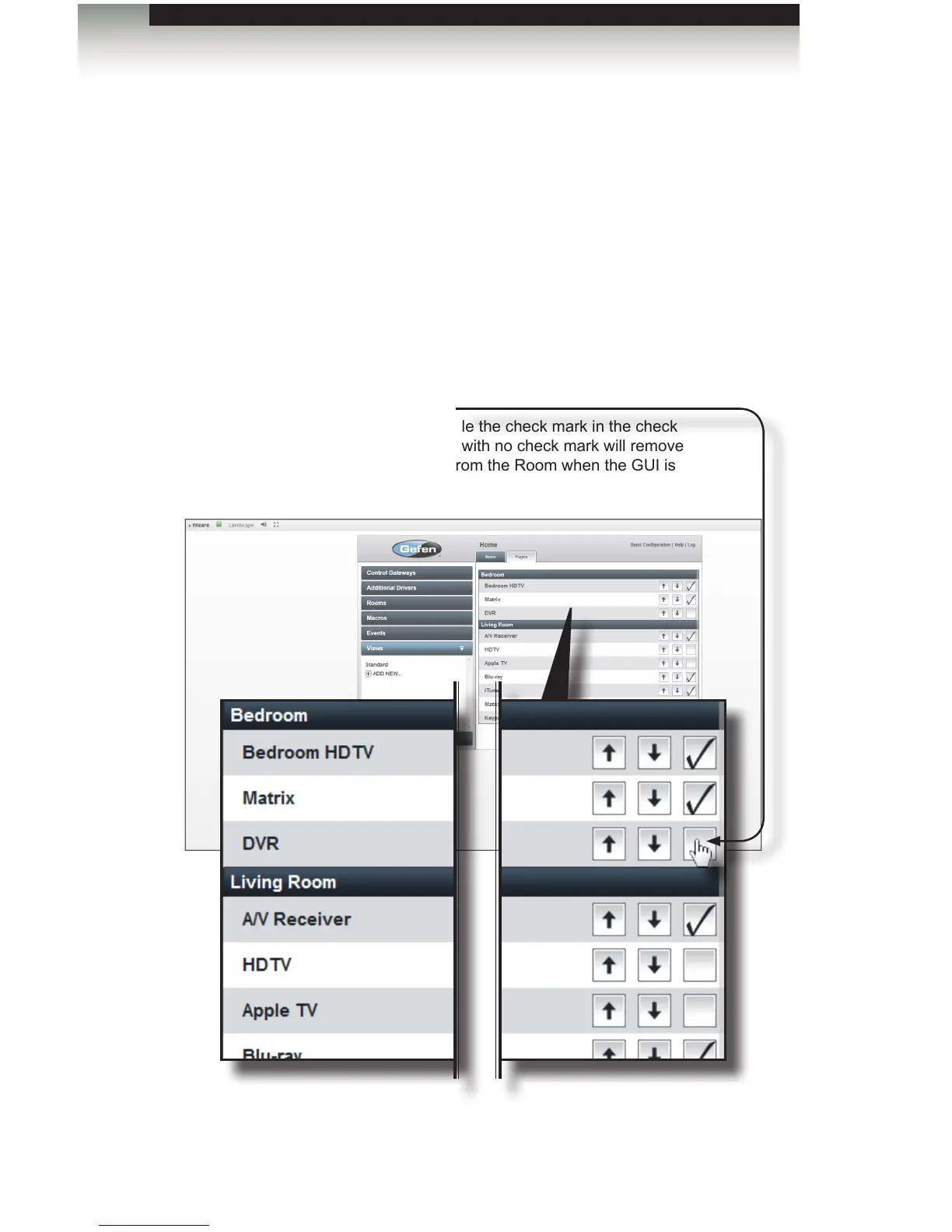
To remove device control from the current View (or “user”), un-check the desired
check boxe(s) within each Room.
For our example, we will allow the user “Andrew” to control all devices, except the
DVR in the Bedroom, and the HDTV and Apple TV in the Living Room:
8. Uncheck the DVR in the Bedroom. Also, uncheck the HDTV, Apple TV, and the
Matrix in the Living Room.
Checkbox
Click to toggle the check mark in the check
box. Boxes with no check mark will remove
the device from the Room when the GUI is
generated.



 To Next Page