page | 107
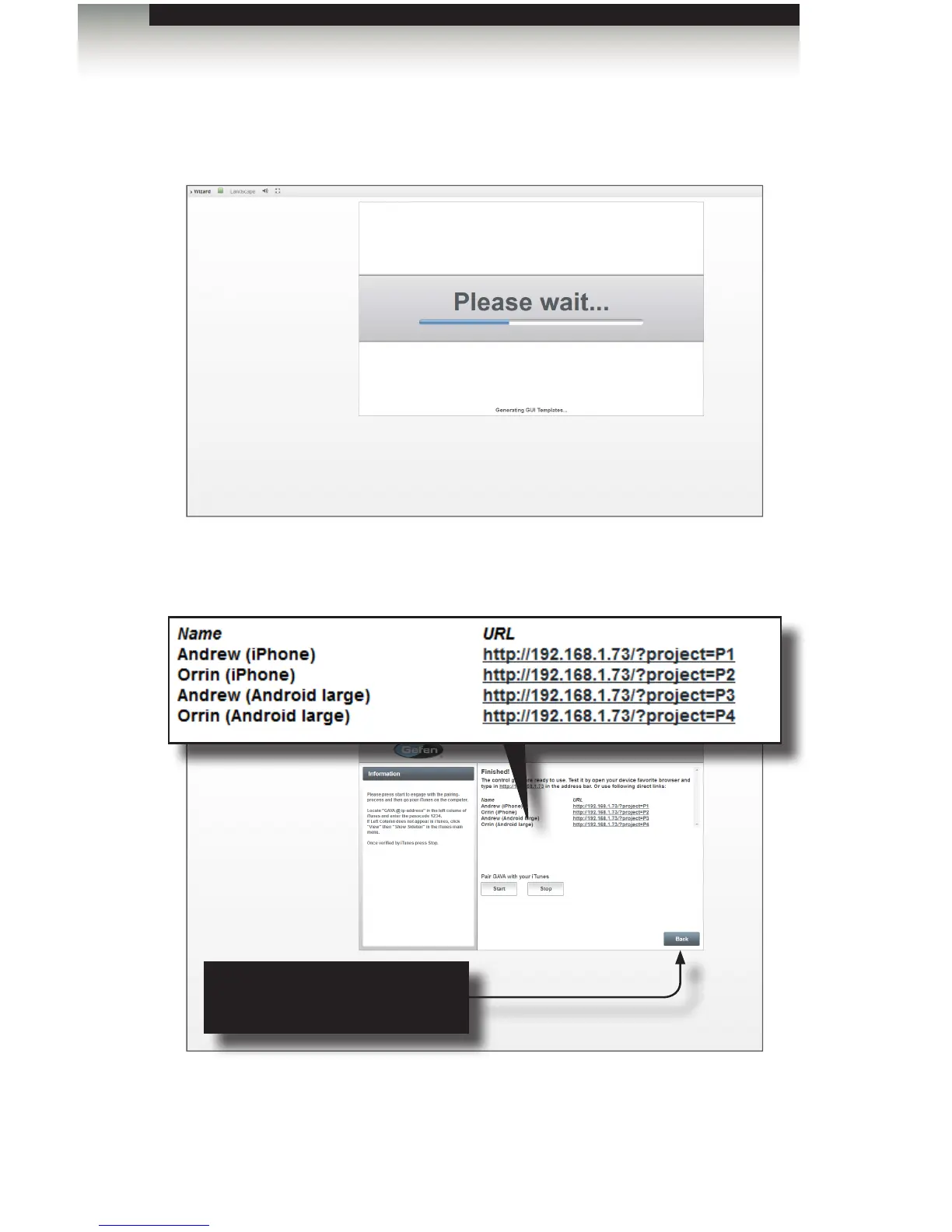
3. Click the Create cong button in the lower-right corner of the screen to begin
generating the GUI. A progress bar will be displayed as the GAVA congures and
uploads the controller data to the PACS / Mini PACS.
|
4. After about 30 - 60 seconds, a screen similar to the following will be displayed,
depending upon the number of rooms that were created and the number of GUI
interfaces that were generated.
The GUI interface(s) is/are now ready to use. Click the link of the desired GUI to be
opened or use the GAVA App on the mobile device. See Installing the GAVA App for
more information on installing and using the GAVA App.
Using the GAVA Wizard
Generating the GUI
Back
Click this button to return to the
GAVA Wizard and make changes.



 To Next Page