page | 156
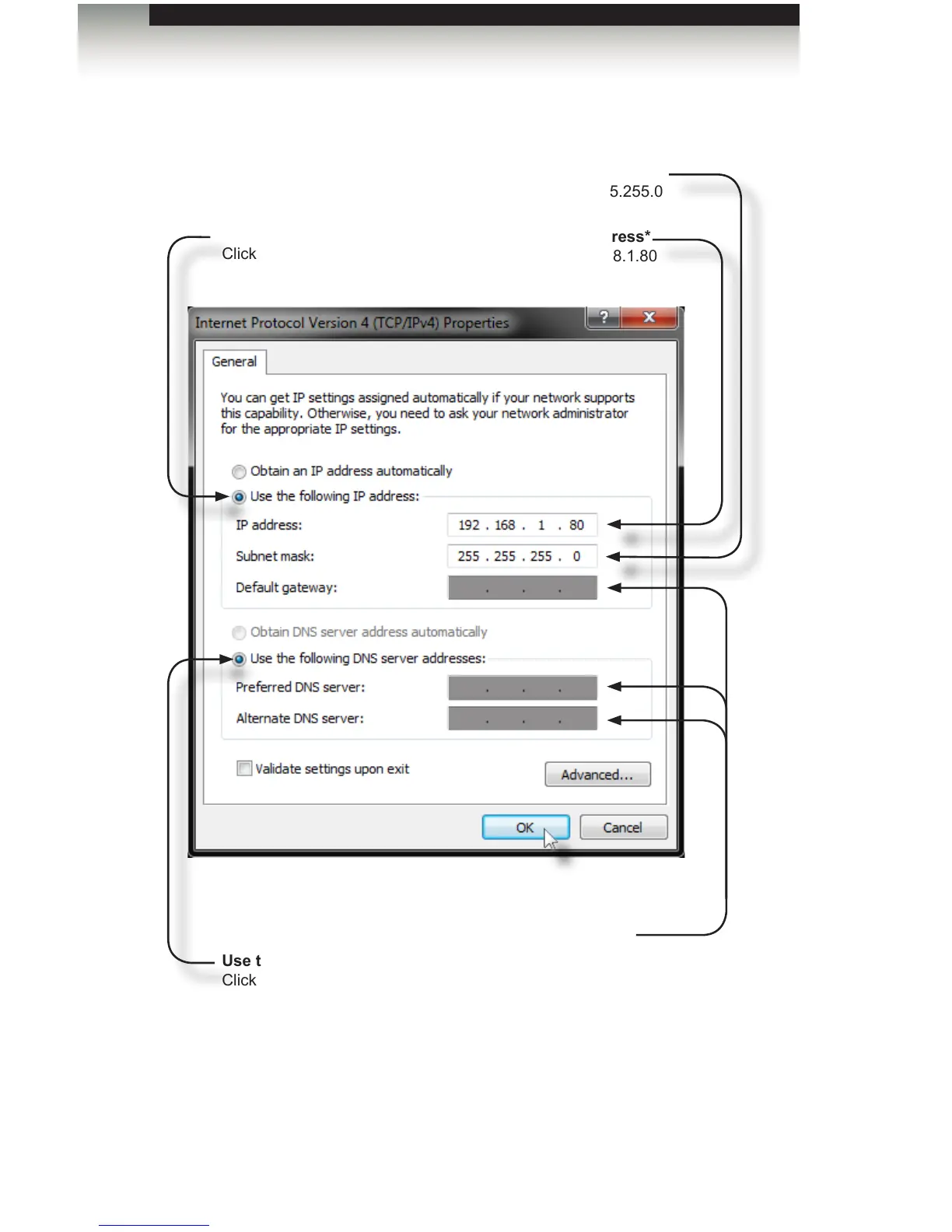
6. Change the IP settings to the following:
*If the IP address 192.168.1.80 is already in use on your network, select another unused
address that is not 192.168.1.72 or 192.168.1.82 or the router’s IP address. Do not use an
IP address that is used by a PACS controller on the network.
Use the following IP address
Click this radio button.
IP address*
192.168.1.80
Subnet mask
255.255.255.0
Use the following DNS server addresses
Click this radio button.
Clear these boxes.
Setting the IP Address
Appendix



 To Next Page