page | 155
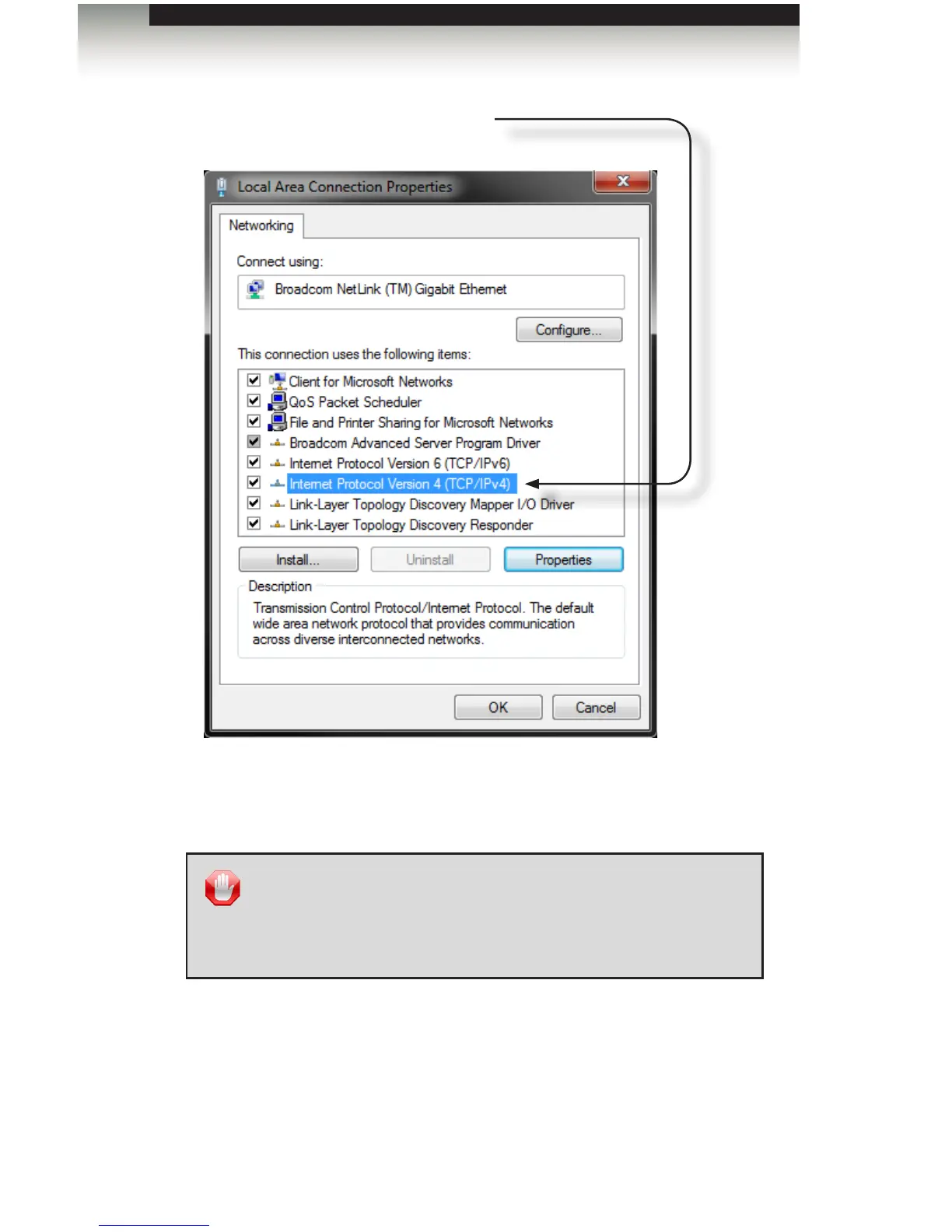
5. Click the Properties button to display the Internet Protocol Version 4 (TCP/IPv4)
Properties dialog.
Setting the IP Address
Internet Protocol Version 4 (TCP/IPv4)
Click to highlight this Network protocol.
STOP: Before continuing, write down the current IP settings listed
under this dialog box before making changes. These settings
will need to be restored later. If the Properties are set to “Obtain
an IP address automatically” and “Obtain DNS server address
automatically”, you do not need the actual address settings.
Appendix



 To Next Page