page | 7
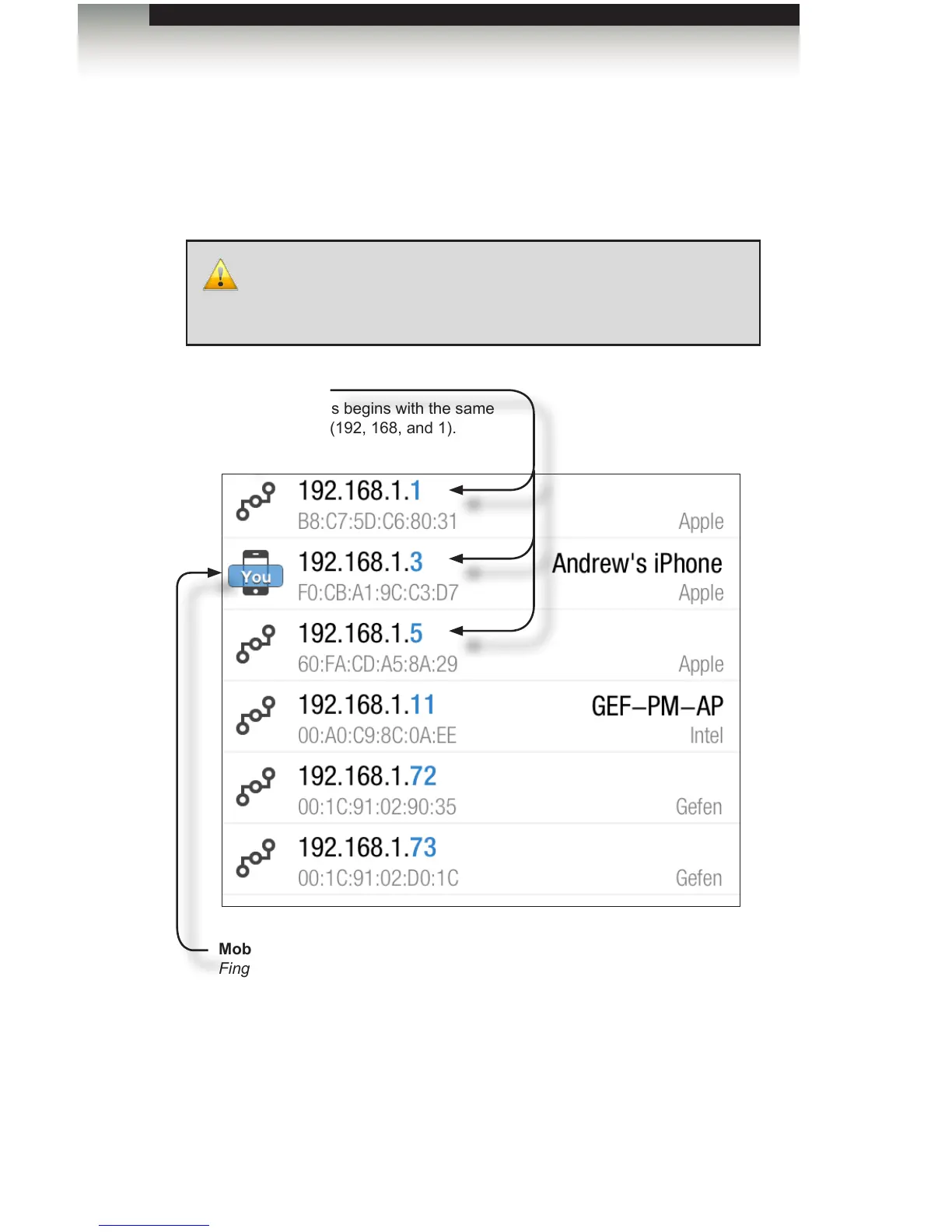
1. If the IP addresses start with “192.168.1...”, then you should see a device named
“Gefen” at 192.168.1.72. That is your rst PACS. You should also see a device named
“Gefen” at 192.168.1.82. That is your GAVA. There should be no other devices using
either of those addresses. If there are, unplug them from your network temporarily,
until you change either GAVA or PACS to a different and unique IP address.
You should also see the IP addresses of your computers, smart phones, tablets, Apple
TVs, IP Receivers, Blu-ray players, displays, and any other devices on your network.
You should record these IP addresses, especially any that will be controlled by the
GAVA. We recommend you leave Fing running on your handheld device while you
congure GAVA.
Installation
IP Addresses
Each IP address begins with the same
three numbers (192, 168, and 1).
Mobile device running Fing
Fing identies your device in relation to
other devices on the network.
IMPORTANT: There should be no other devices using the default IP
address of the PACS or GAVA. If there are, unplug them from your
Network temporarily, until you change either GAVA or PACS to a
different and unique IP address.
Getting Started



 To Next Page