page | 64
Adding Rooms
Using the GAVA Wizard
11. Click the Next button in the lower-right corner of the screen to continue to the
Function Keys tab.
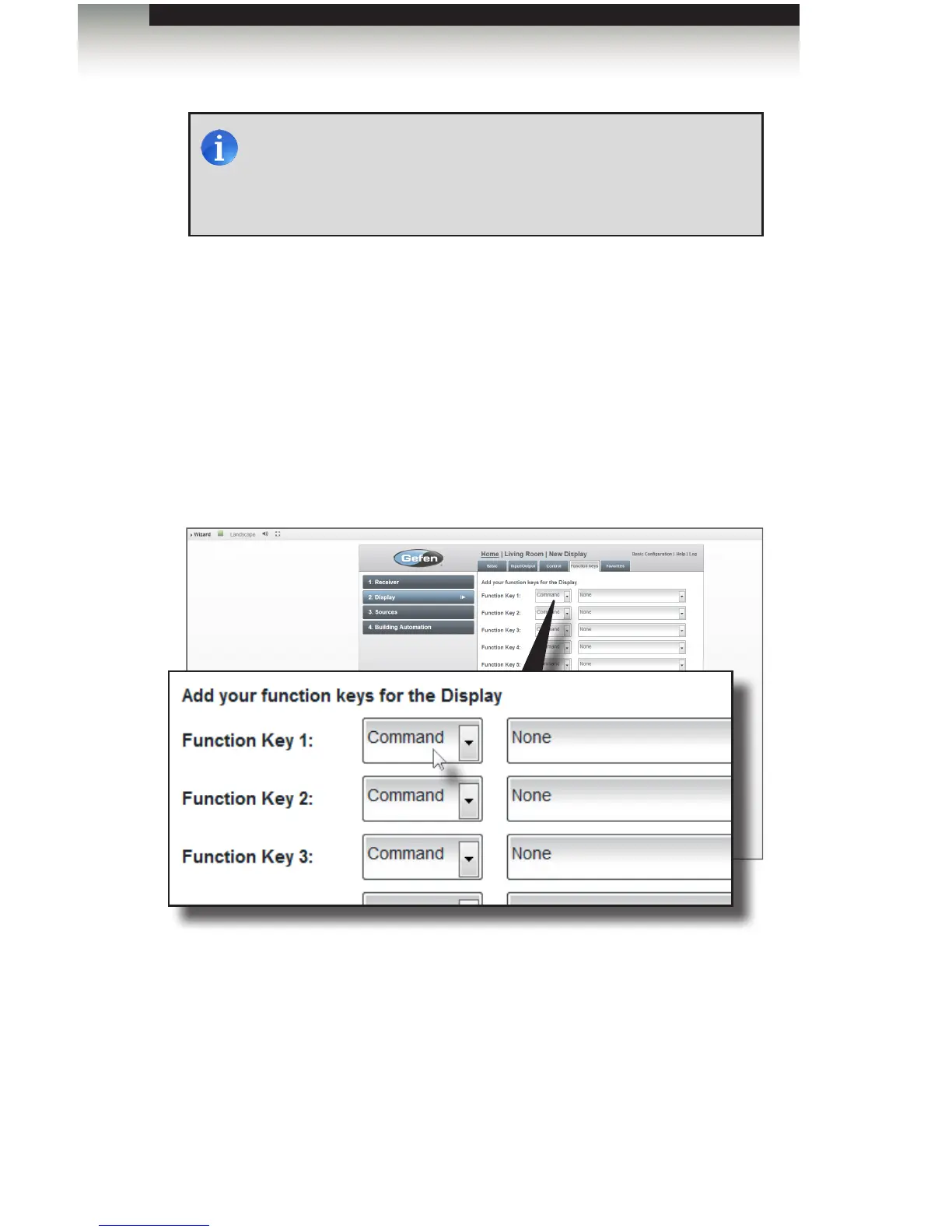
The Functions Keys are used to send commands to the device that are not included in
the default control screen, such as a Netix® button, etc. Macros may also be used
to assign a command from a different device to the control screen. In this example,
we will assign two commands: “pc” and “aspect”. The “pc” command will allow use to
switch to the VGA input on the display. The “aspect” command will allow us to cycle
through the available aspect ratios provided by the display.
12. Select Command from the drop-down list for Function Key 1:
13. From the drop-down command list, scroll down and select pc.
The drop-down list includes all commands that are in the driver for that particular
device.
NOTE: Ports that have already been assigned will be highlighted in
red. For IR devices, you may use a single IR port to connect two (or
more) devices using a dual IR emitter (Gefen part no. EXT-2IREMIT)
or IR Distribution Block (Xantech® or SpeakerCraft®). RS-232 ports
can only be connected to a single device.



 To Next Page