page | 69
Adding Rooms
Using the GAVA Wizard
Note on the previous page, that both IR port 1 and 2 are colored red. This means that
these outputs have already been assigned on the Mini PACS.
If the check box is checked, on a port that is already in use, then a “Port is already in use!”
message will be displayed near the top portion of the screen. However, the port can still
be used if a dual IR emitter is present on the port. GAVA provides the warning message
only as a notice.
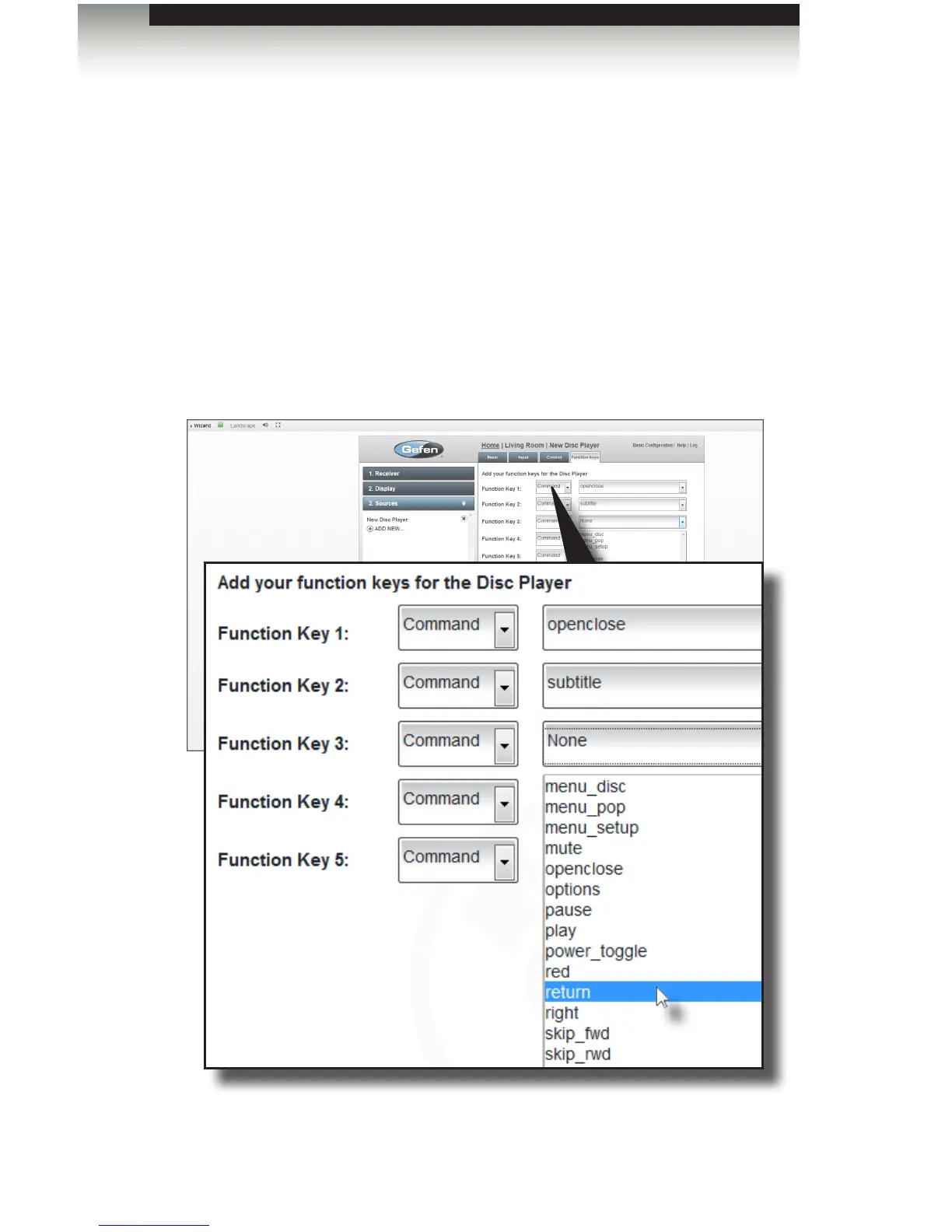
8. Click the Next button in the lower-right corner to continue to the Function keys tab.
9. Select the desire commands to be added from each of the drop-down lists.
Function keys can accept commands (On, Off, Channel Up, etc.) or macros which
are a set of commands that perform a specic task.



 To Next Page